AeroNav 900/880 Series Pilot’s Guide
89000039-010
7-74 General Rev 1 May 2019
cursor. To move the cursor between fields, rotate the right outer
knob.
When finished defining the desired network configurations, exit
maintenance mode using the "Done" LSK on the Update tab.
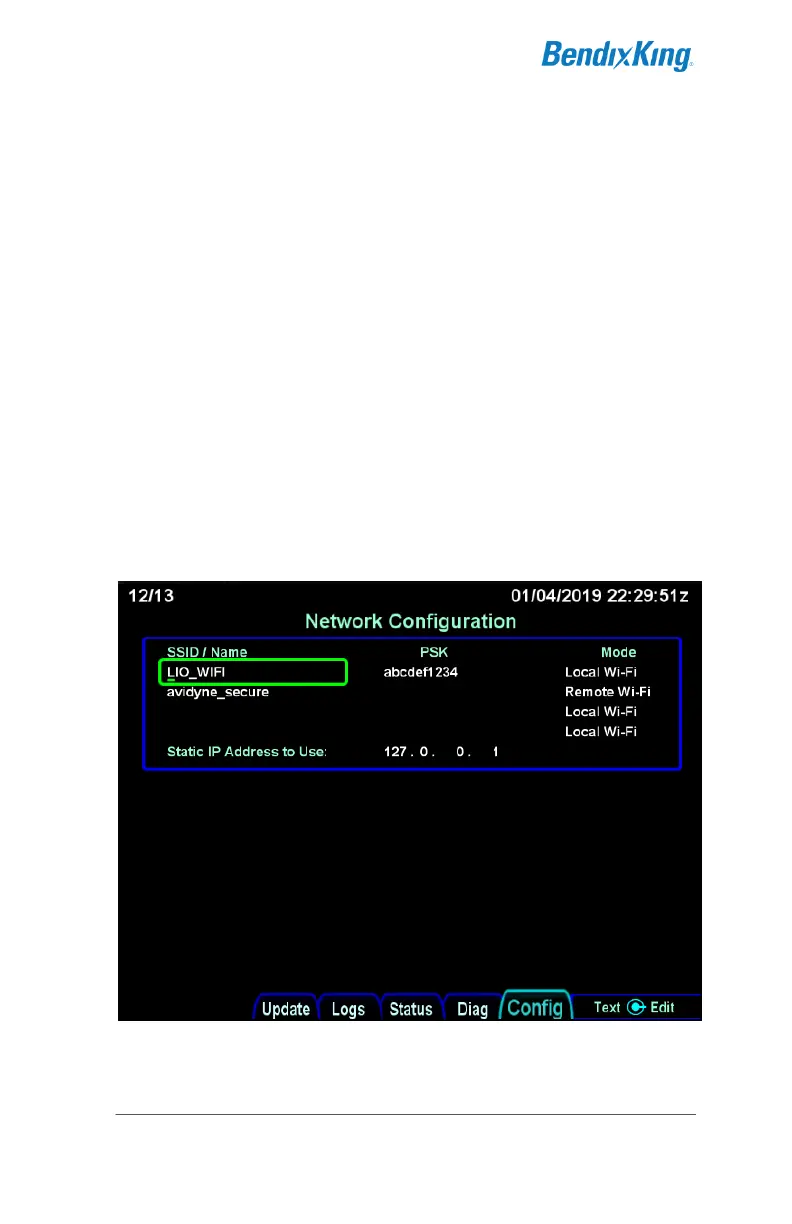
Entering the network SSID/Name and PSK
The SSID/Name and PSK fields are free text fields. Start editing
the field either by pressing the right knob button or by rotating the
right inner knob. The field will turn green and a small underline-
style cursor will appear below the character position that is being
edited. Rotate the right inner knob in either direction until the
desired character is displayed. Then rotate the right outer knob
clockwise to advance the cursor to the next character. Repeat
this process until the desired SSID has been entered into the
field. Complete the edit by pressing the right knob button. At that
point, the cursor will disappear. To continue editing other fields,
press the right knob button again to show the cursor.
Network Configuration - entering SSID/Name and PSK
To delete characters from the end of the field, turn the inner knob
until a space character is shown.



 To Next Page