AeroNav 900/880 Series Pilot’s Guide
89000039-010
Rev 1 May 2019 System Overview 1-47
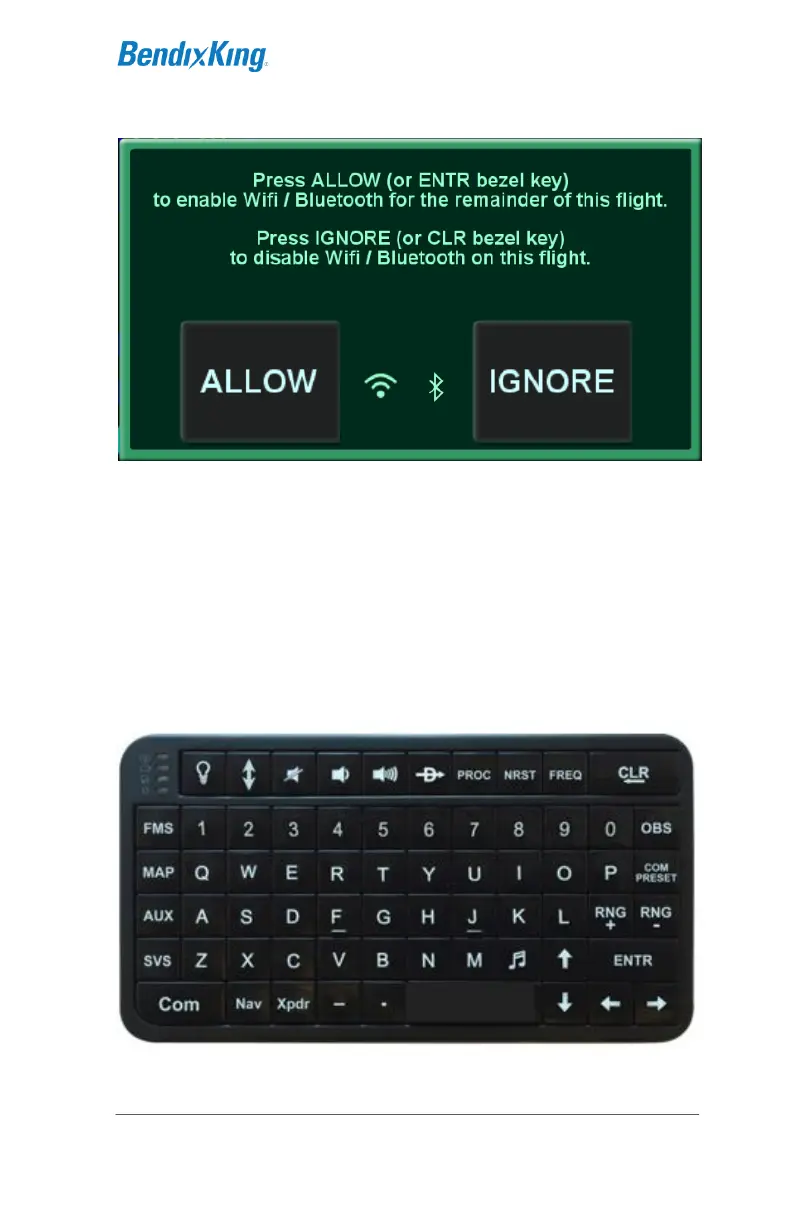
Bluetooth Keyboard Confirmation Dialog Box
All labeled keys are fully functional. The light bulb key turns on
backlighting for the keyboard. The vertical two-headed arrow key
is primary/#1 standby swap †. The BendixKing logo key is a
space bar. The up/down arrow keys can be used for page
navigation in the same way the inner and outer rings of the
bottom right AeroNav knob can navigate through page fields.
Repeated presses of the FMS, MAP, AUX keys step through the
tabs on those pages.
BendixKing Supplied Bluetooth Keyboard



 To Next Page