99
Embroidery Selection
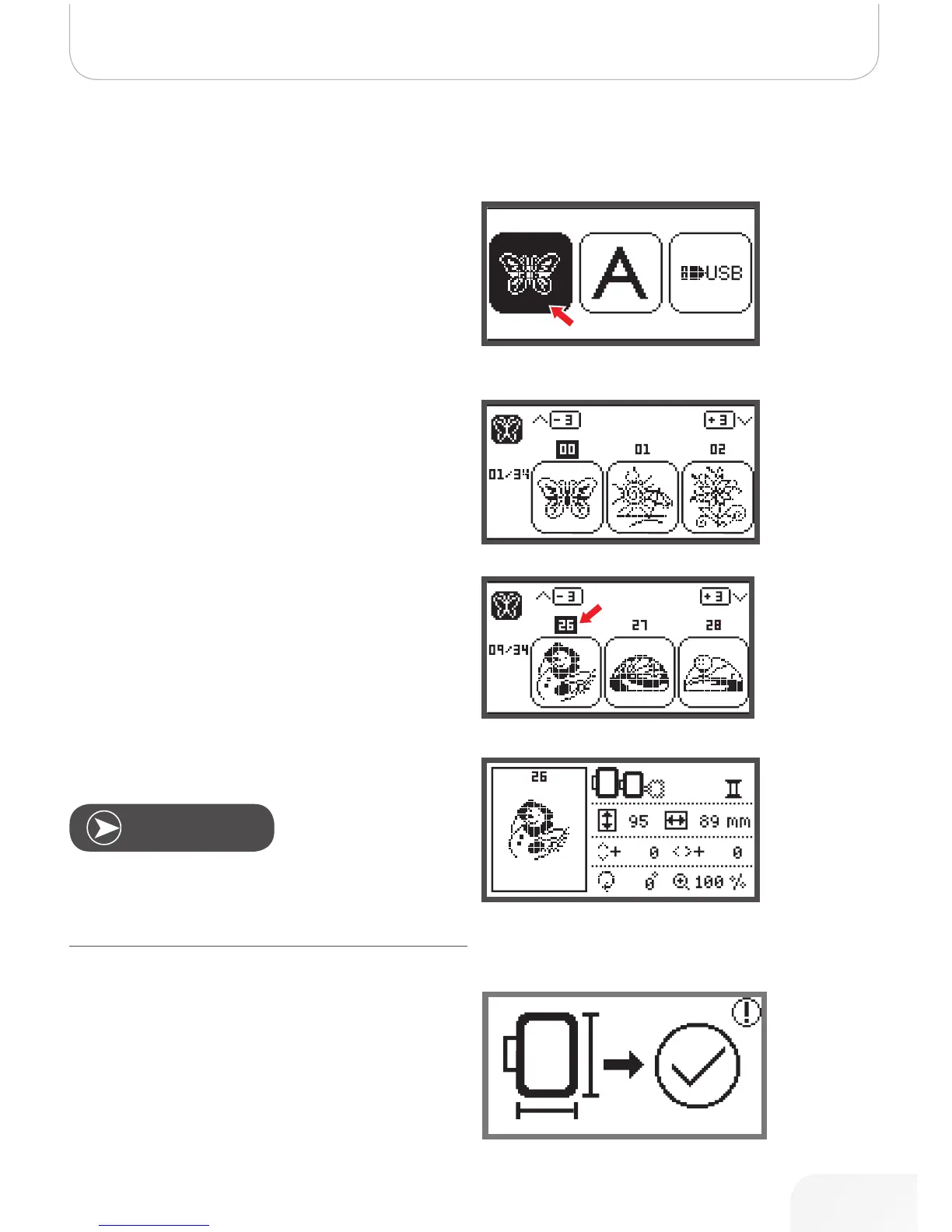
Built-in Embroidery Designs
• Use the arrow buttons to choose the built-in embroi-
dery designs and press the OK button.
There will be 3 designs on the display.
• Use the right/left arrow buttons to switch.
To move forward or back by 3 designs.
• Press the up/down arrow buttons.
• Or just press the number buttons for direct selection.
(E.g. No.26)
• Press the OK button to enter the editing display.
• Press the OK button to prepare embroidery.
– A warning message appears reminding you to
check the embroidery hoop size.
• Press the OK button to confirm and enter the embroi-
dery display. Now you can start to embroider.
On the editing display the embroidery design may be moved
forward/backward & right/left, resized from 80% - 120% or
rotated by pressing the respective button. For detailed
description see page 105.
Note
502020.83.11_2013_06_bernette chicago 7_EN



 To Next Page