109
Embroidery Selection
Load a Design after interruption
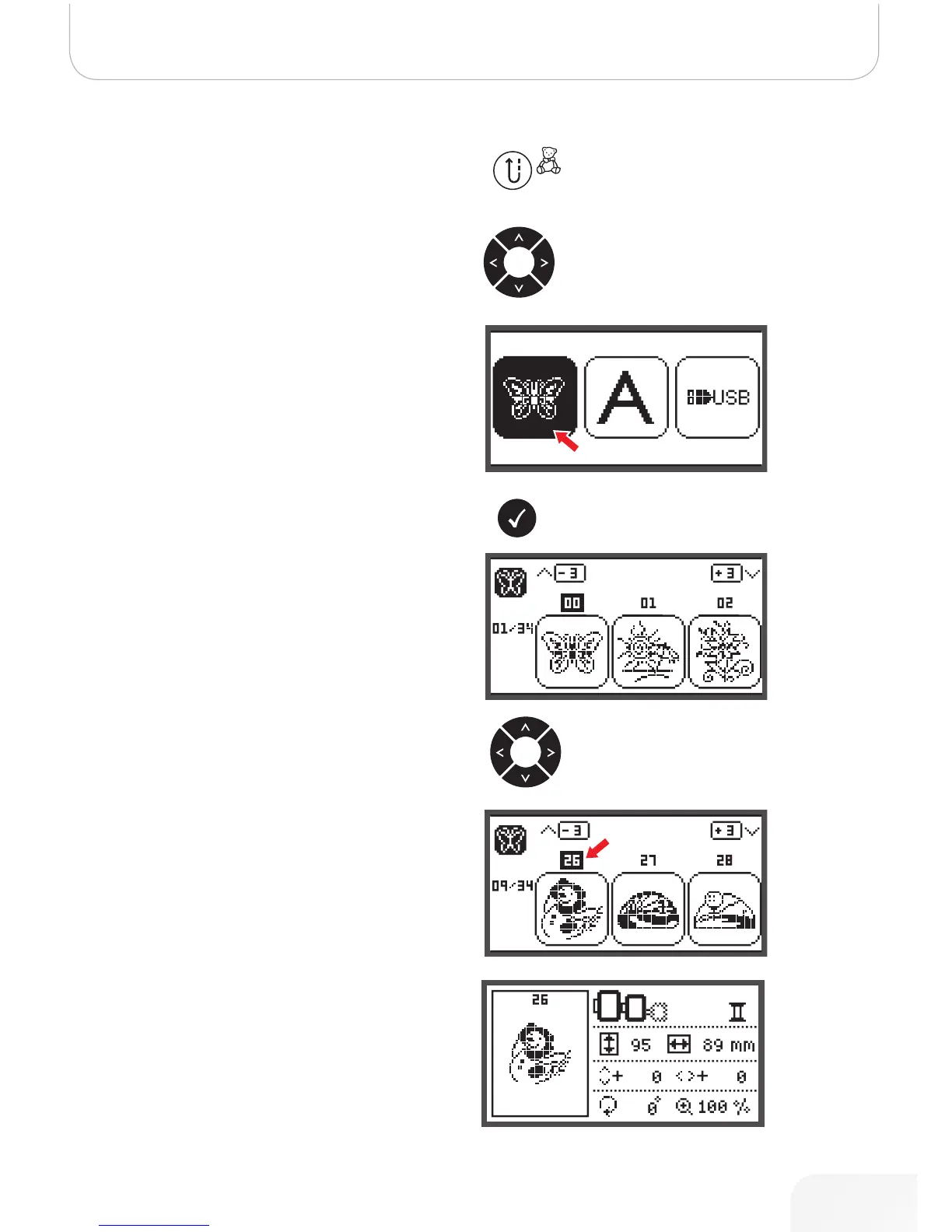
• Press the button to open the type selection display.
• Use the arrow buttons to choose the design from Built-
in Embroidery designs or from USB stick.
• Press the OK button to confirm the selection.
• Use the arrow buttons or just press the number but-
tons to select the desired design.
Make all necessary editings, i.e mirroring, resizing, rotating.
502020.83.11_2013_06_bernette chicago 7_EN



 To Next Page