107
Embroidery Selection
Advanced settings
• Press the button to open the setup program and alter
the embroidery mode settings.
• Press the button again to save the settings and leave
the setup program.
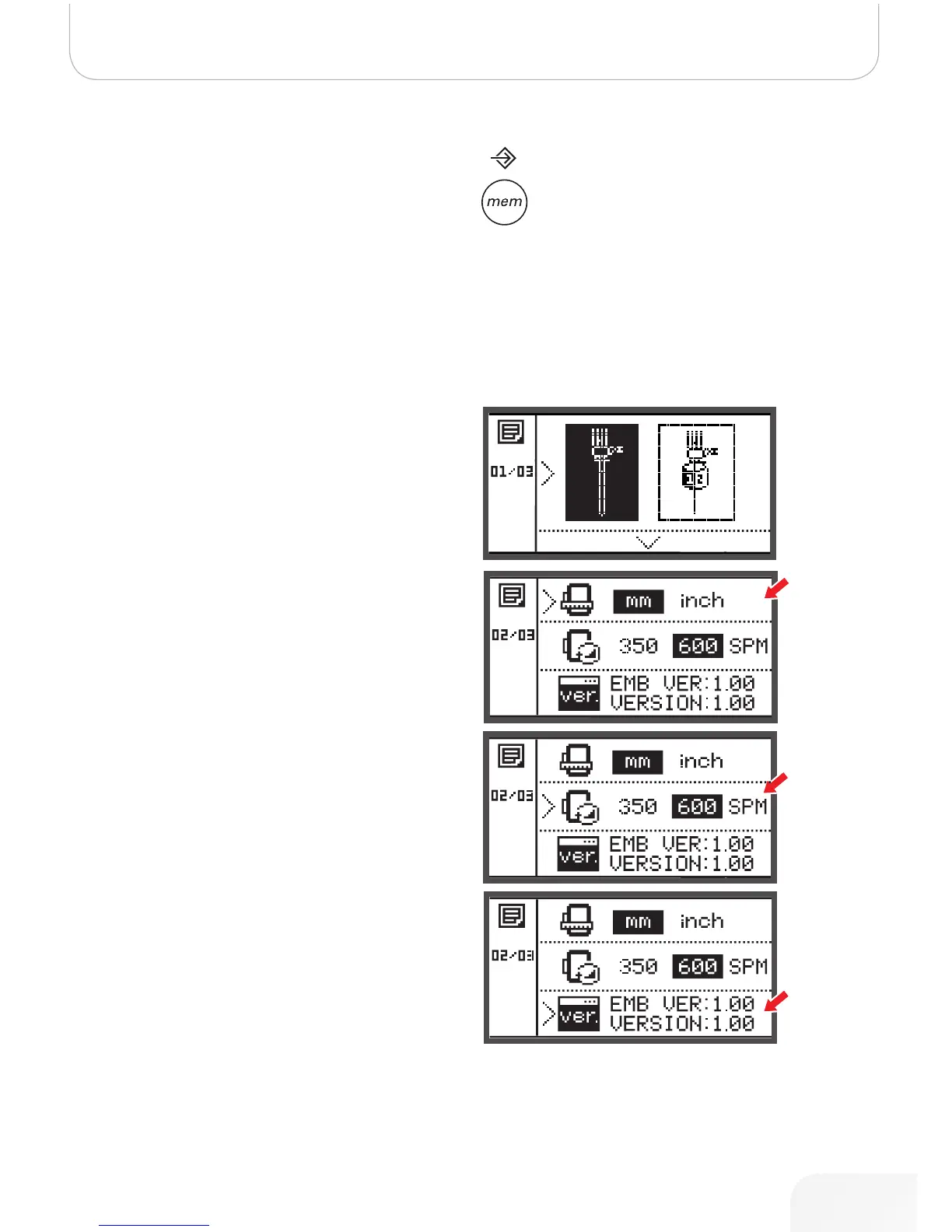
In the setup program, the machine settings or function for
embroidery can be customized or executed.
There are 6 functions in the program, use the arrow buttons
to select the function.
CutWork Tool
The basic setting refers to the sewing needle.
• The Cutwork tool can be selected via the arrow but-
tons.
• Confirm the selection with the OK button.
Inch/mm options
The default unit setting is millimeter.
• You can set your machine‘s measuring unit to either
inch or millimeter by pressing the arrow buttons.
Embroidery maximum speed
The default speed setting is 600 spm.
• The maximum sewing speed can be altered from 350
to 600 spm for embroidery sewing by pressing the
arrow buttons.
Software version information
502020.83.11_2013_06_bernette chicago 7_EN



 To Next Page