104
Embroidery Selection
Editing the Embroidery Design
Basic setting
You can edit and combine designs to create original embroi-
dery.
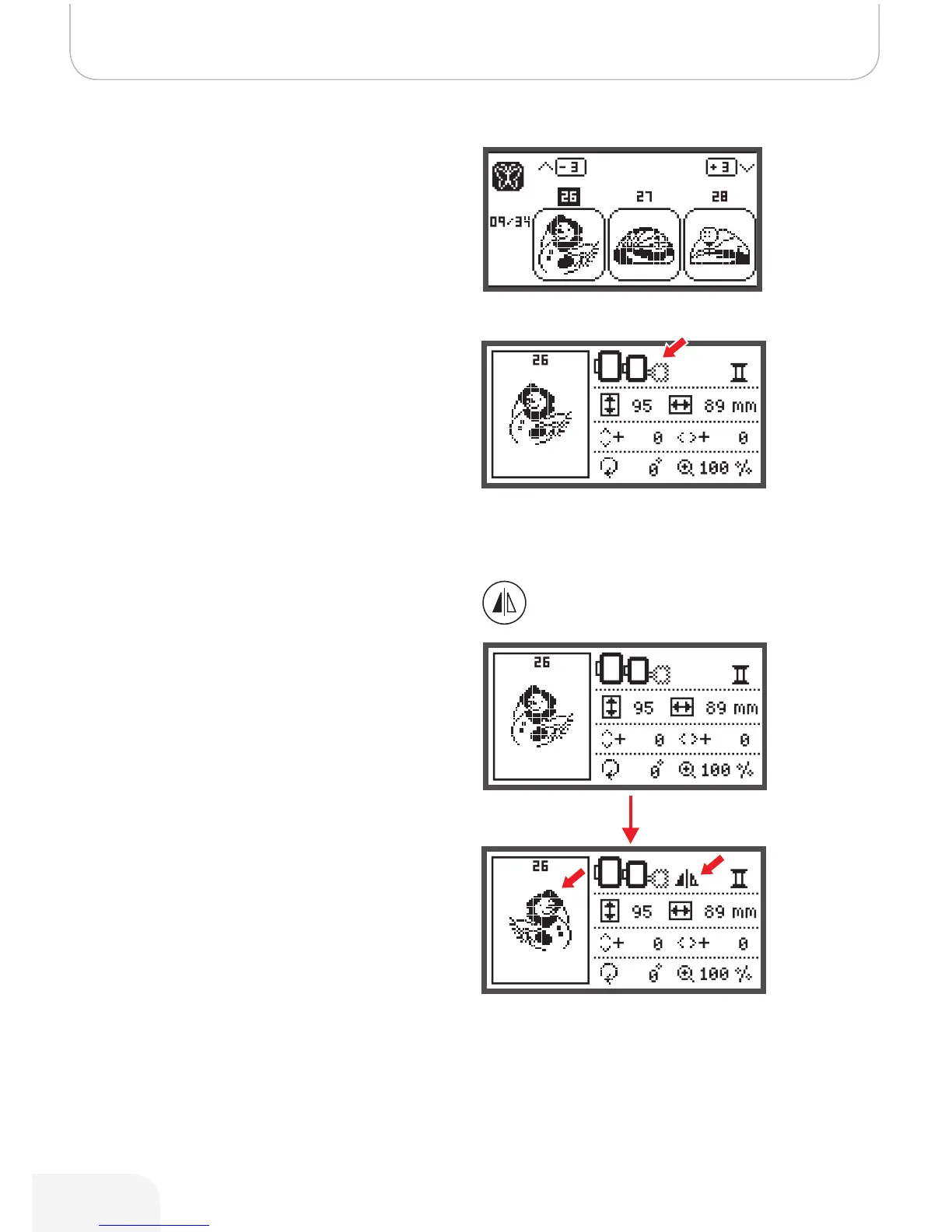
After selecting the embroidery design.
• Press the OK button to open the editing display.
Embroidery hoop
These icons start flashing if the design has been resized, the
layout has been altered or the recommended embroidery
hoop size has been changed.
Embroidery hoop icons that appear in gray cannot be used.
Mirroring the Design
• Press this button to mirror the embroidery design hori-
zontally.
– The LCD display icon for mirror imaging of the
design appears.
502020.83.11_2013_06_bernette chicago 7_EN



 To Next Page