88
Embroidery Setup
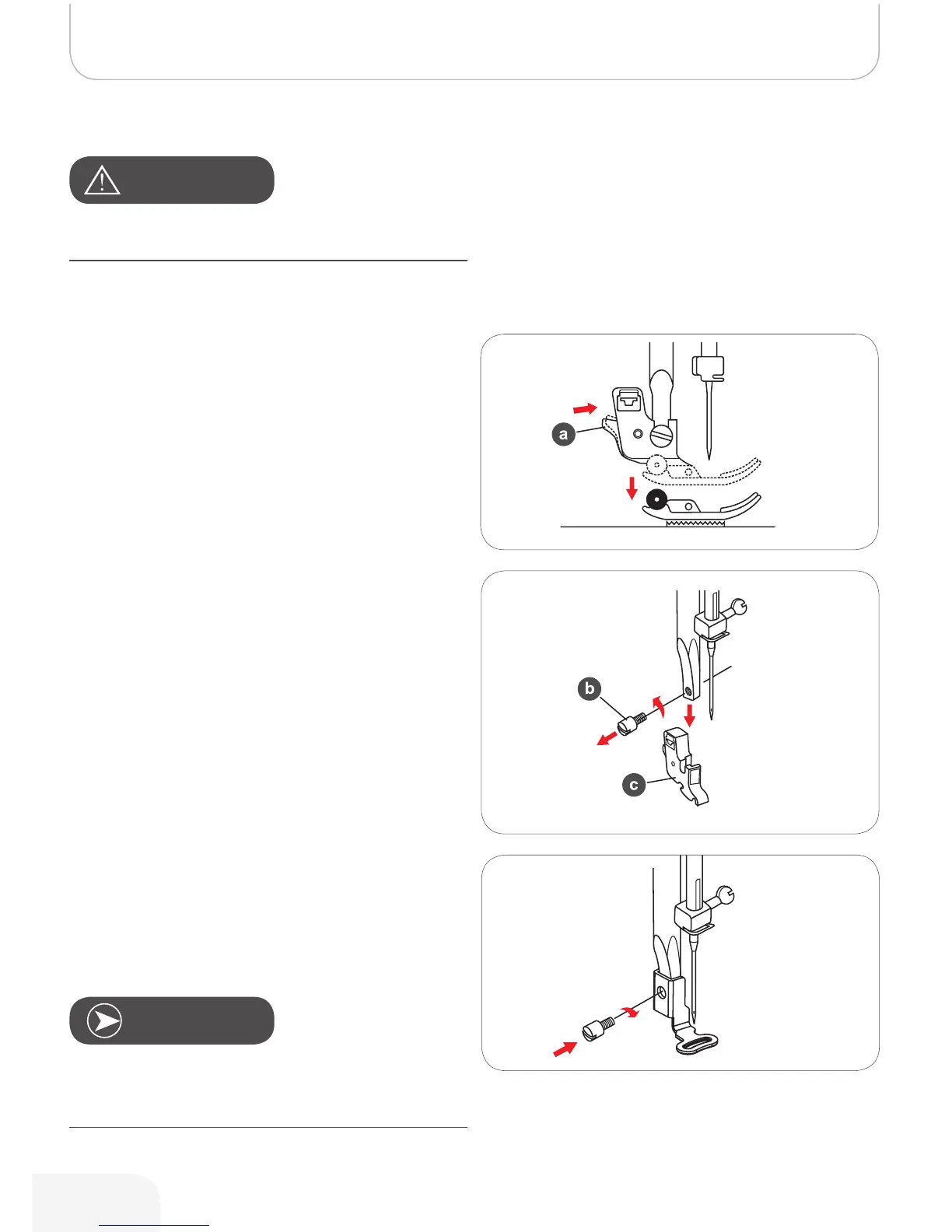
Attaching the embroidery foot
• Raise the presser foot.
• Press the black lever (a) and the foot will disengage.
• Remove the presser foot holder (c) by unscrewing
(counter-clockwise) the presser foot bar attaching
screw (b).
• Attach the embroidery foot to the presser foot holder
bar.
• Press the embroidery foot on firmly from behind with
your index finger and tighten the screw.
Turn power switch to off («O») when carrying out any of the
following operations!
AtteNtioN!
Note
To achieve a better sewing result when using thick material,
insert the darning/embroidery foot. Adjust the thread tension
if necessary. (Refer to page 63 for presser foot attachment.)
502020.83.11_2013_06_bernette chicago 7_EN



 To Next Page