32
Display Explanation & Operating Functions
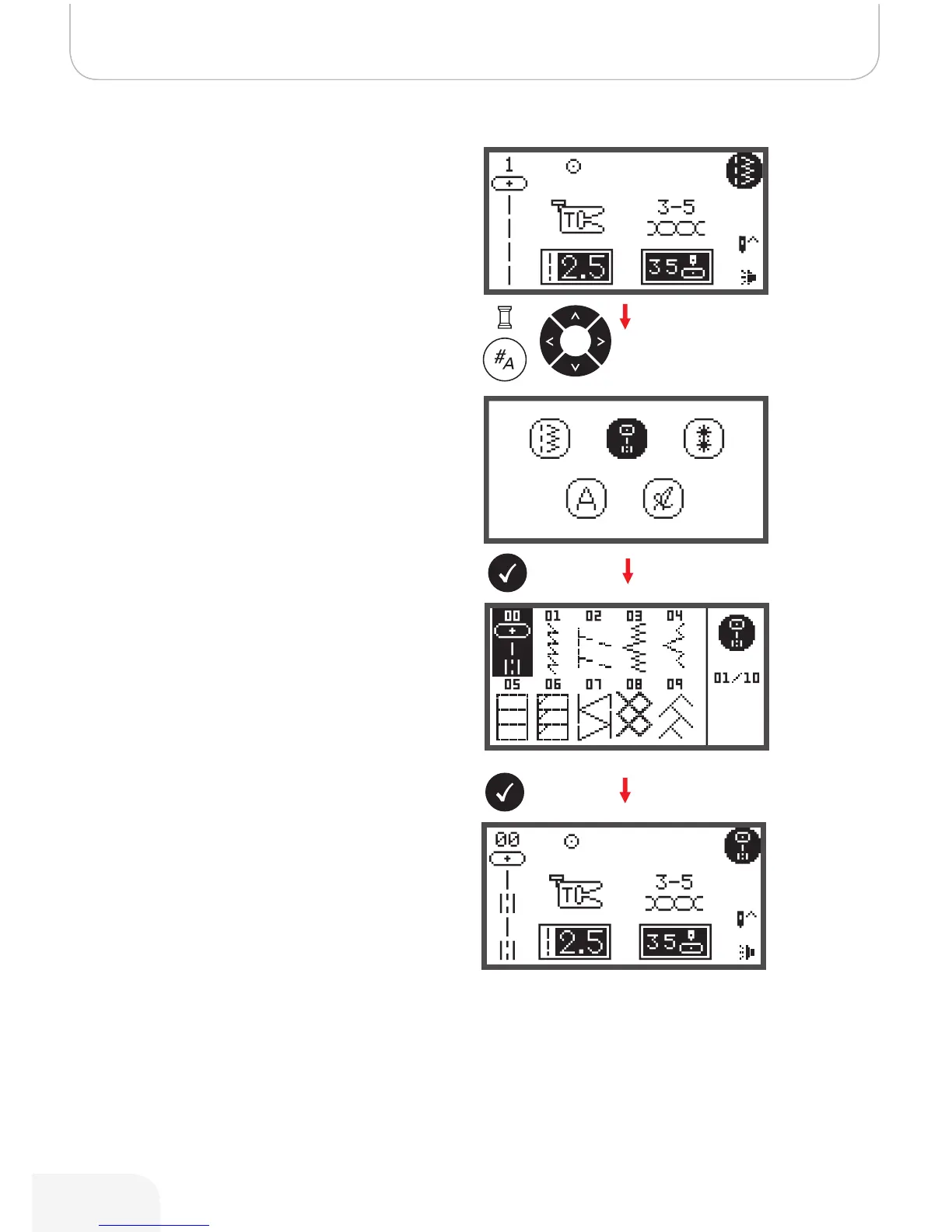
The LCD display shows the Direct Group Patterns when
switching on the machine.
• Press number buttons to select a pattern shown next
to the number buttons or press the pattern group
selection button to select the desired pattern group.
• Use the arrow buttons to select the desired pattern
group and press the OK button.
• Use either the arrow buttons or the number buttons to
select the desired pattern.
• When using the arrow buttons, press the OK button
after the desired stitch was selected to go back to
Sewing Mode.
• When using the number buttons, the machine will
automatically set the stitch and go back to Sewing
Mode.
How to select a stitch
502020.83.11_2013_06_bernette chicago 7_EN



 To Next Page