29
Display Explanation & Operating Functions
Elongation/Resize button
• A Group Patterns 13-36 can be elongated up to five
times its normal length by pressing the elongation but-
ton.
When the width or length of the stitch is changed, a greater
variety of patterns is available.
• In Embroidery Mode, press this button to open the
resize display.
Double needle/Rotate button
Except for the Direct Group Patterns 0 and the A Group pat-
terns 86-99, the patterns can be sewn in two parallel lines of
the same stitch using the double needle.
• Press the double needle button and the machine auto-
matically reduces the maximum width for double nee-
dle sewing.
• Press the button again to return to single needle sew-
ing.
• In Embroidery Mode, press this button to rotate the
embroidery design.
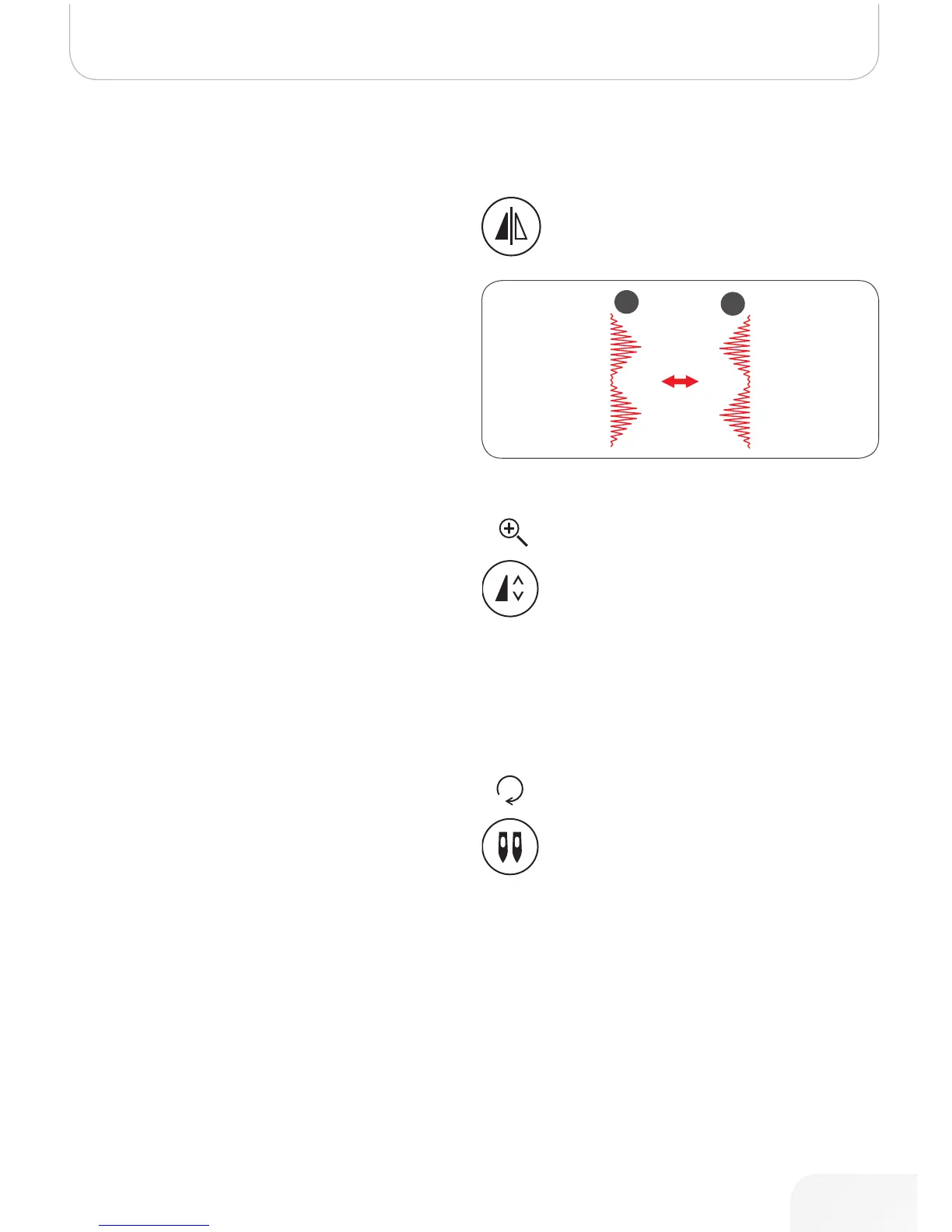
Mirror image button
• Except for Direct Group Pattern 0 and the A Group
patterns 86-99, the other patterns can be mirror-
imaged by pressing the mirror immage button.
– The machine will continue to sew the mirrored pat-
tern until the mirror button is pressed again.
– The mirror function will also be canceled if the pat-
tern is changed.
A Normal pattern
B Mirror-imaged pattern
502020.83.11_2013_06_bernette chicago 7_EN



 To Next Page