105
Embroidery Selection
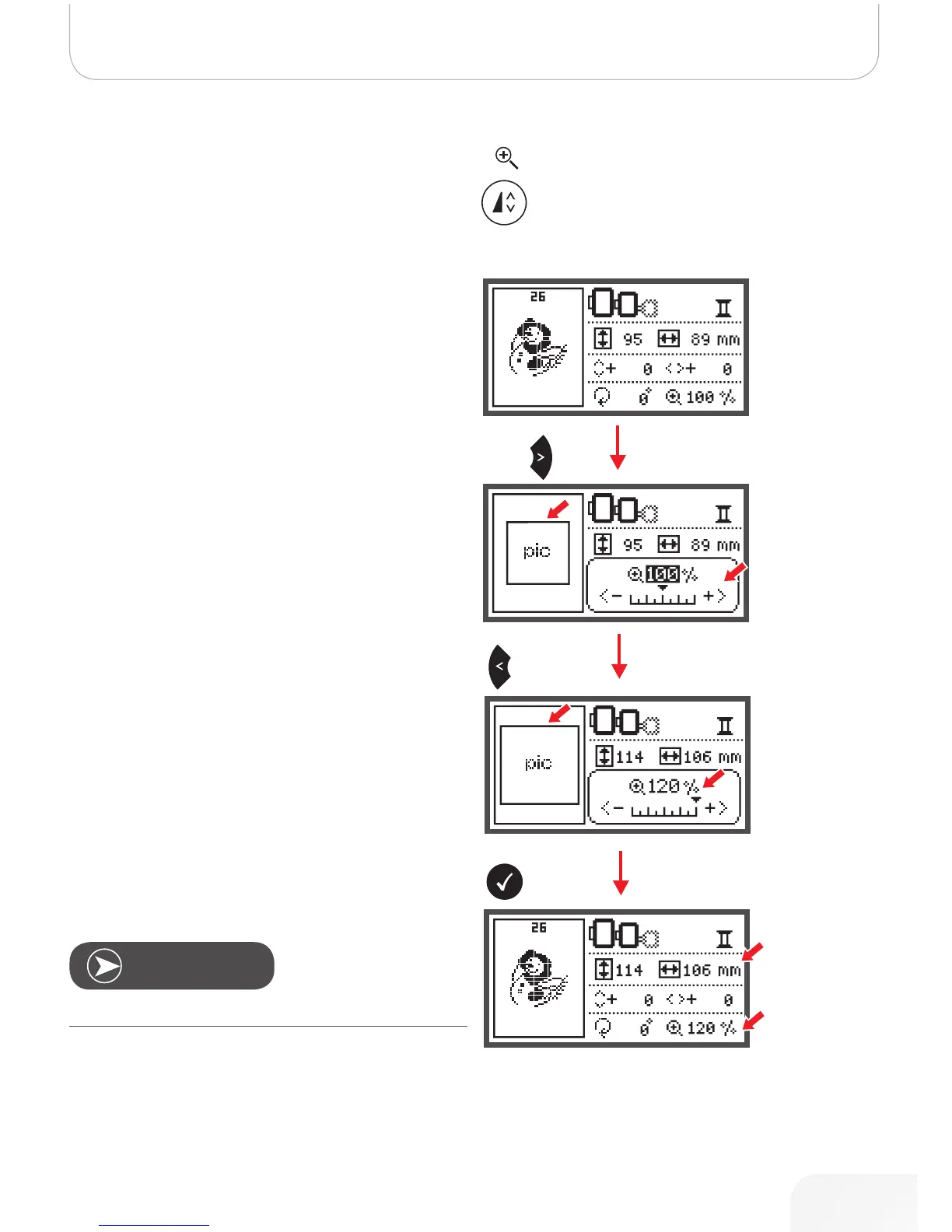
Resizing the Design
• Press the button to resize the embroidery design.
You can change the size of embroidery design from 80% to
120% of the original size.
When you press the button, the resizing display will open.
Use the arrow buttons to alter the size, the size will change in
5%-steps each time you press the arrow button.
• Press to enlarge the size of the design.
• Press to reduce the size of the design.
• Press the OK button to save the new size and return
the editing display.
Note
Not all designs are suitable to be scaled to 80%.
502020.83.11_2013_06_bernette chicago 7_EN



 To Next Page