100
Embroidery Selection
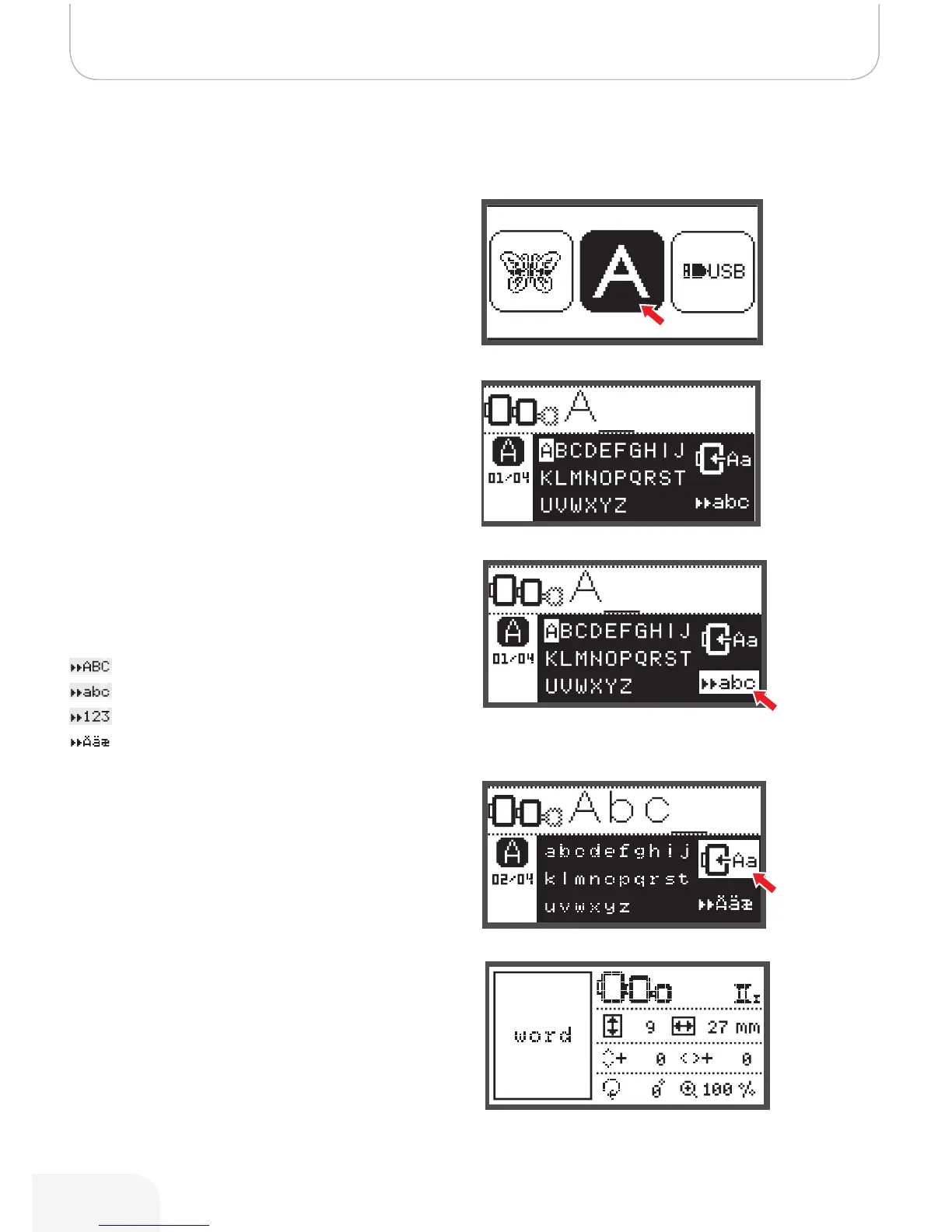
Built-in Embroidery Letters
• Use the arrow button to choose the built-in Embroidery
Letters and press the OK button.
• Press the arrow buttons to choose the letters.
• Press the OK button to select the desired letter.
• Press the clr button to delete a letter.
To move forward or back by 3 letters.
• Press the up/down arrow buttons.
• Move the cursor to the icon at the lower right corner.
Switch between upper case/lower case /
special character/number & symbol
• Pressing the OK button.
– Upper case
– Lower case
– Special characters
– Number & symbols
• Enter some letters, e.g. Abc.
• After editing, move the cursor to the icon on the right
side in the middle of the display.
• Press the OK button to enter the editing display.
502020.83.11_2013_06_bernette chicago 7_EN



 To Next Page