113
Embroidery Selection
Start to Cut
Upload the CutWork Design via the USB Stick to the machine.
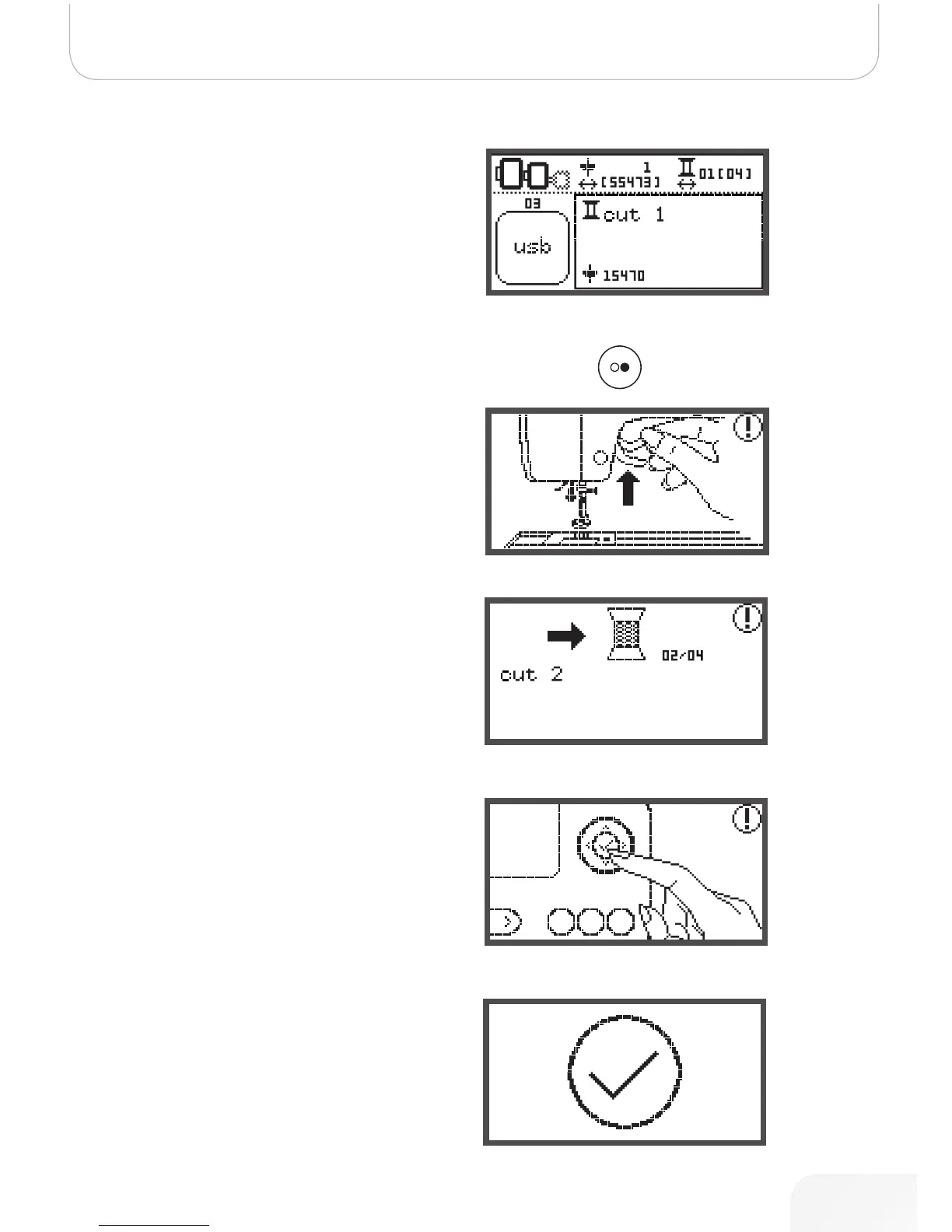
• The display will show the CutWork Design with „Cut 1“.
• Press Start/Stop button and start to cut.
– When Cut 1 is completed, the machine stops auto-
matically The message „Raise presser foot“ is dis-
played
• After raising, turn the CutWork Tool according to the
information on the display.
• Turn the CutWork Tool to next Cut and press the OK
button to confirm.
• Repeat the same actions.
When the cutting is completed, the machine stops automati-
cally and this message appears.
• Press the OK button to return to the design selection
display.
502020.83.11_2013_06_bernette chicago 7_EN



 To Next Page