103
Embroidery Selection
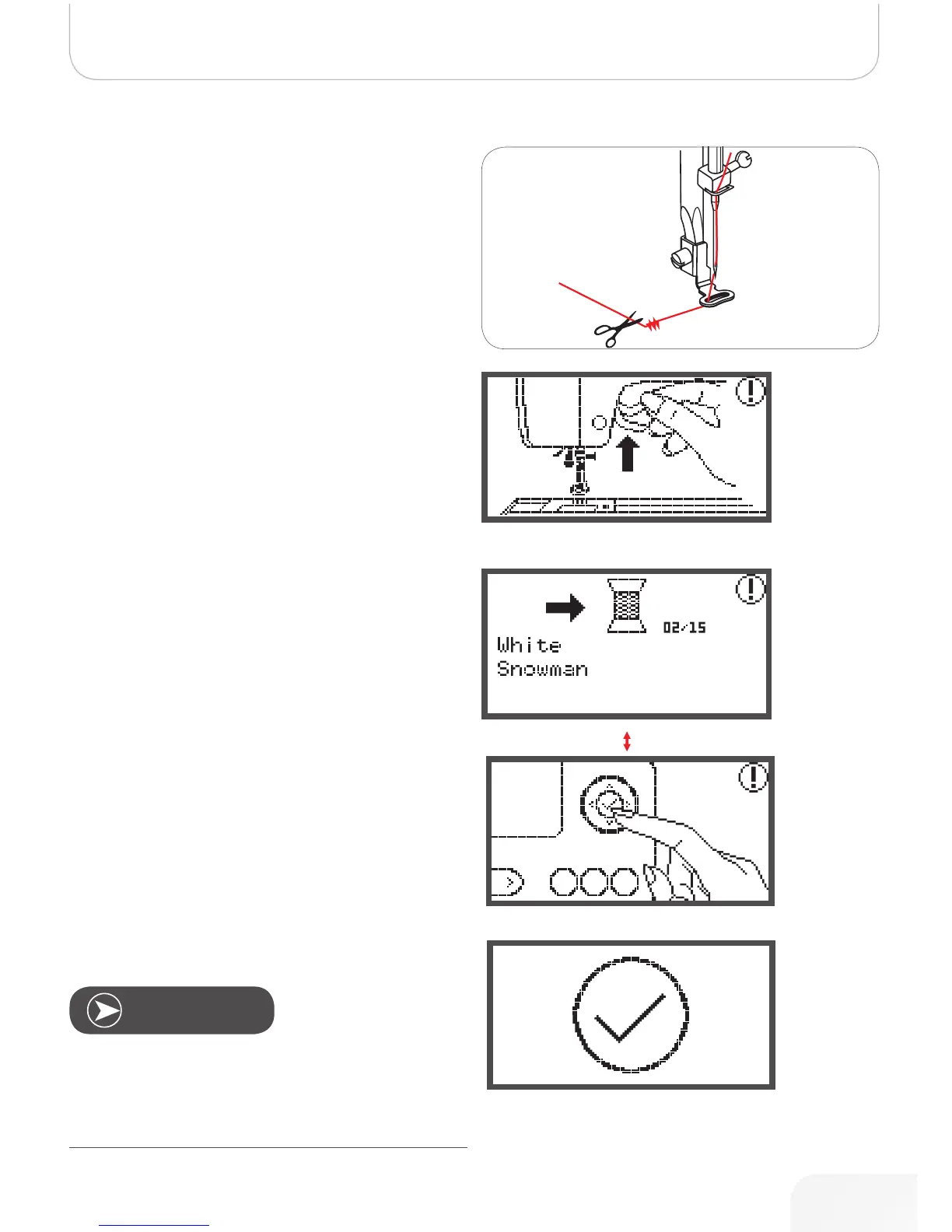
• Raise the presser foot.
• Cut the thread at the beginning of the stitching.
• Lower the presser foot.
• Press the Start/Stop button to continue embroidering.
When the first colour is completed, the machine stops auto-
matically.
• The message «Raise presser foot» is displayed.
After raising, change the thread according to the information
on the display.
• Re-thread with the next colour and press the OK but-
ton to confirm.
• Repeat the same actions.
When the embroidery is completed, the machine stops auto-
matically and this message appears.
• Press the OK button to return to the design selection
display.
Note
To simply threading of the new thread color and for easier
trim of the jumping stitches the embroidery hoop can be
moved forwards by pressing the Auto-Lock/Sequence
button. By pressing the Auto-Lock/Sequence button again,
the embroidery hoop goes back to the correct position.
502020.83.11_2013_06_bernette chicago 7_EN



 To Next Page