110
Embroidery Selection
Always remember all made design editings in case of any
interruption to be able to continue embroidering the design.
Note
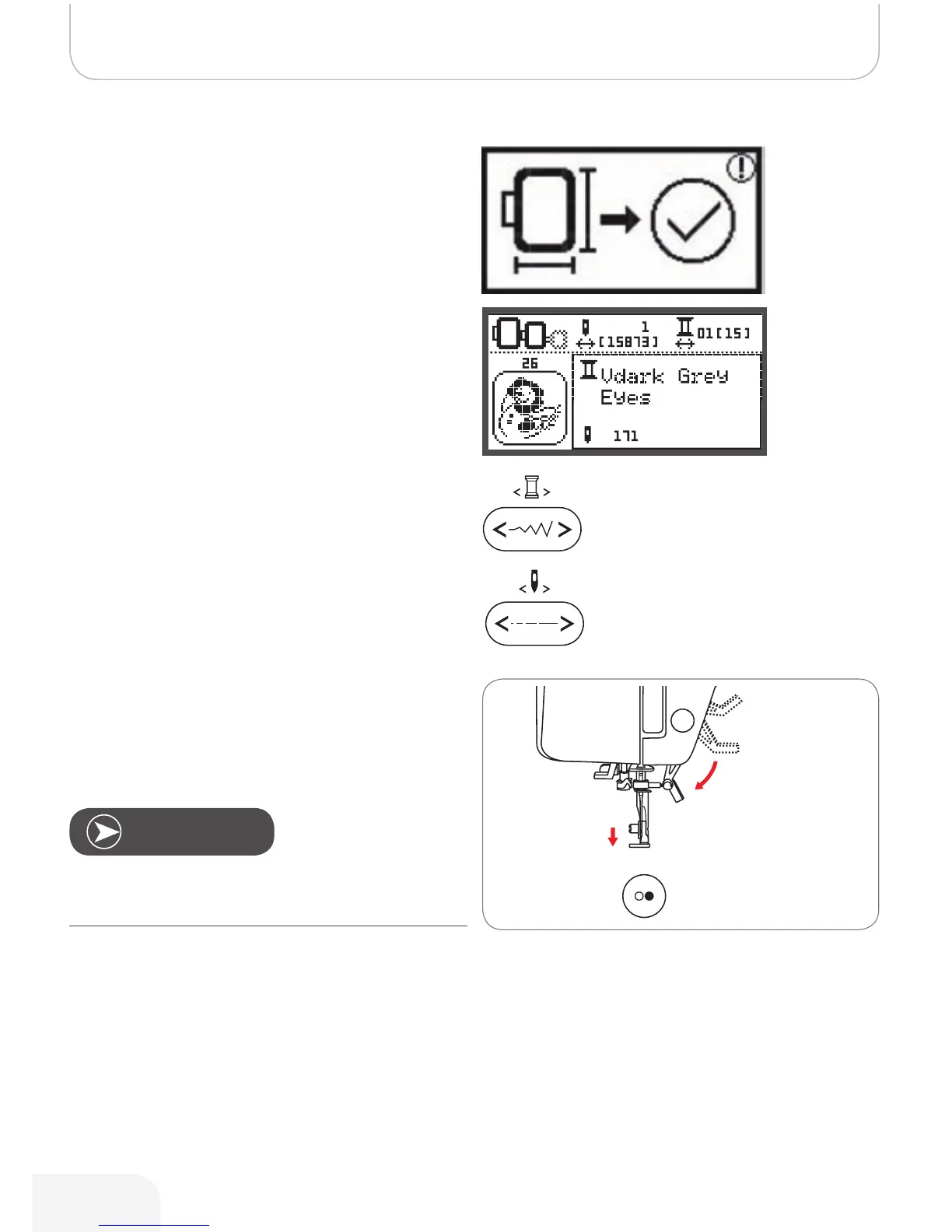
• Press the OK button to prepare embroidery.
– A warning message appears reminding you to
check the embroidery hoop size.
• Press the OK button to confirm and enter the embroi-
dery display.
• Press the button to move the design to the last embroi-
dered color.
• Press the button to move the design to the last embroi-
dered stitch position.
• Lower the presser foot and press start/stop button to
start to embroider.
502020.83.11_2013_06_bernette chicago 7_EN



 To Next Page