56926BA2, Rev. 02, 04/2019
6.3 Operating the PC Software
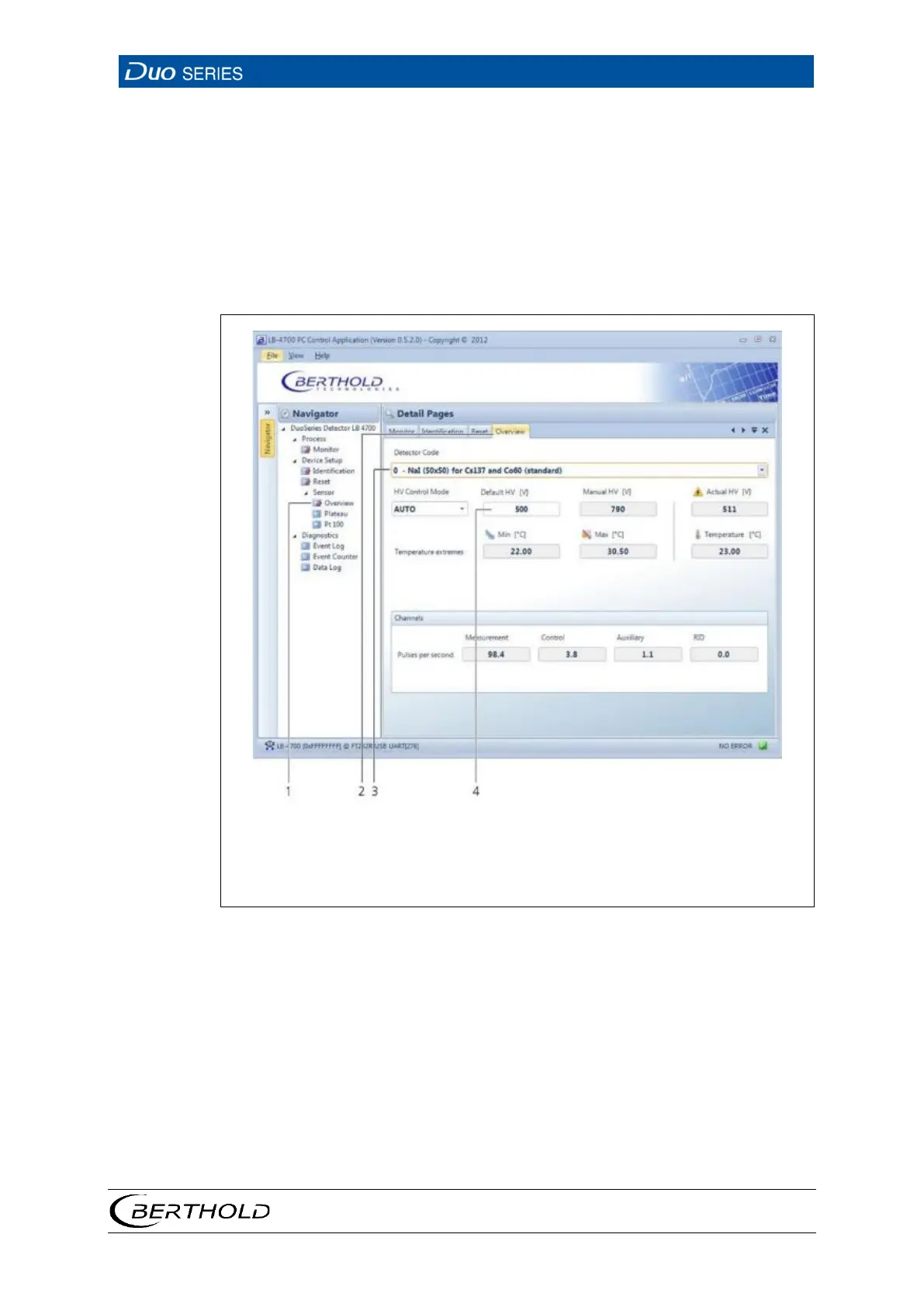
The following figures show the structural design of the PC software screen and the
control options.
• Navigator with tree structure
• Input fields, buttons, and selection lists
• Tabs
2
3
Tab
Selection List
17 User Interface of the PC Software
1. Navigate in the navigator with a double click on the corresponding submenu
(Fig. 17, item 1).
2. Once opened submenus remain open and can be viewed by clicking on the
appropriate tab. (Fig. 17, item 2).
3. Open selection lists by clicking on the arrow button on the right side of the
list field (Fig. 17, item 3).
4. Click in the input field to enter the desired values (Fig. 17, item 4). A red out-
line indicates the clicked box.









 To Next Page