56926BA2, Rev. 02, 04/2019
6.4 The PC Software Menu
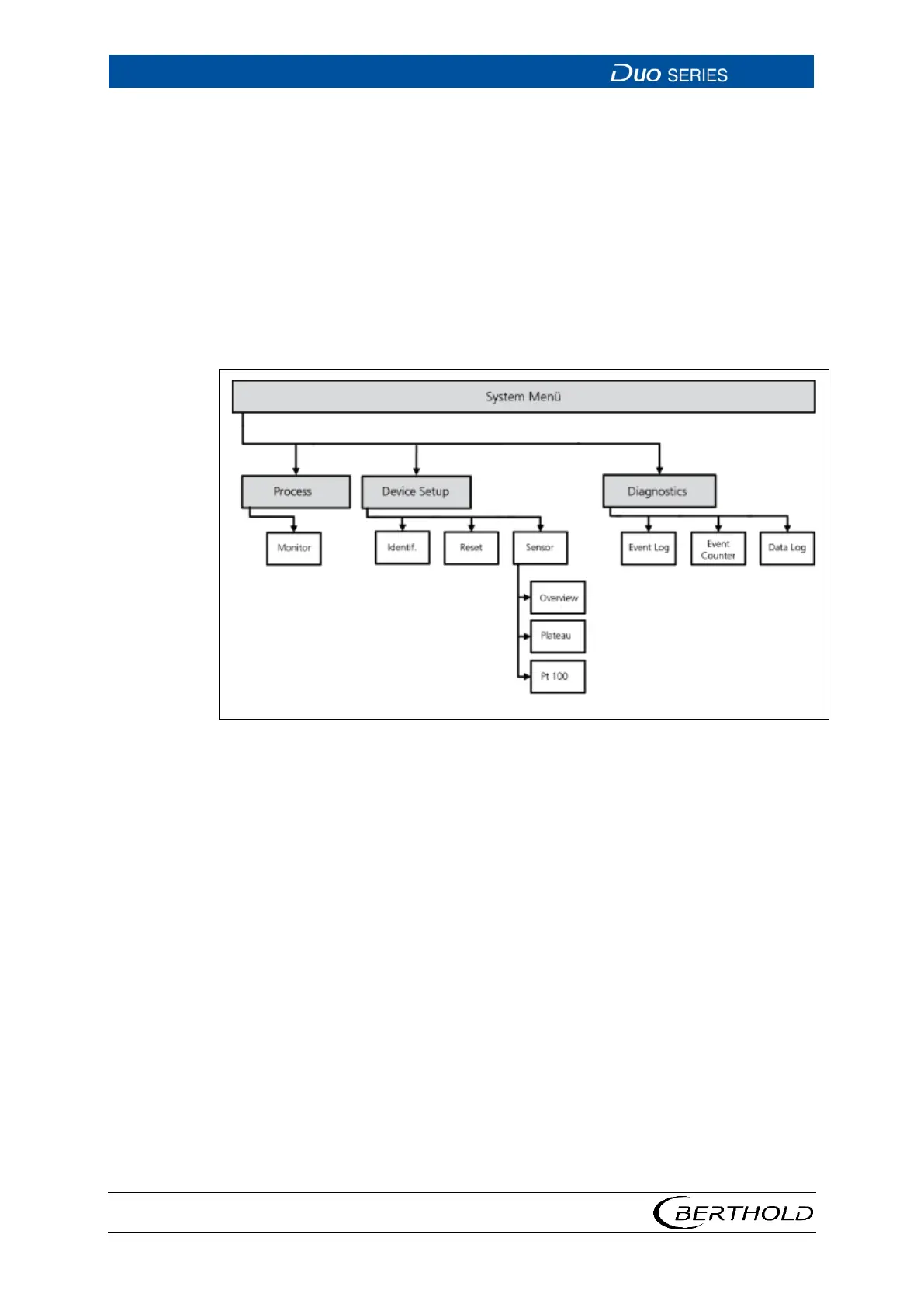
The schematic structure of the detector menu of the PC software is displayed in
Fig. 18.
• The Process menu gives you an overview of the most important measurement
data and the system status. In addition, you can also adjust the detector's inter-
nal date and time.
• In the Device Setup menu, you can read and set all system and measurement
parameters, as well as perform the plateau recording.
• The Diagnostics menu provides information about the event history and data
log.
Fig. 18 System Menu, LB-4700 PC PC-Software









 To Next Page