56926BA2, Rev. 02, 04/2019
Event Counter
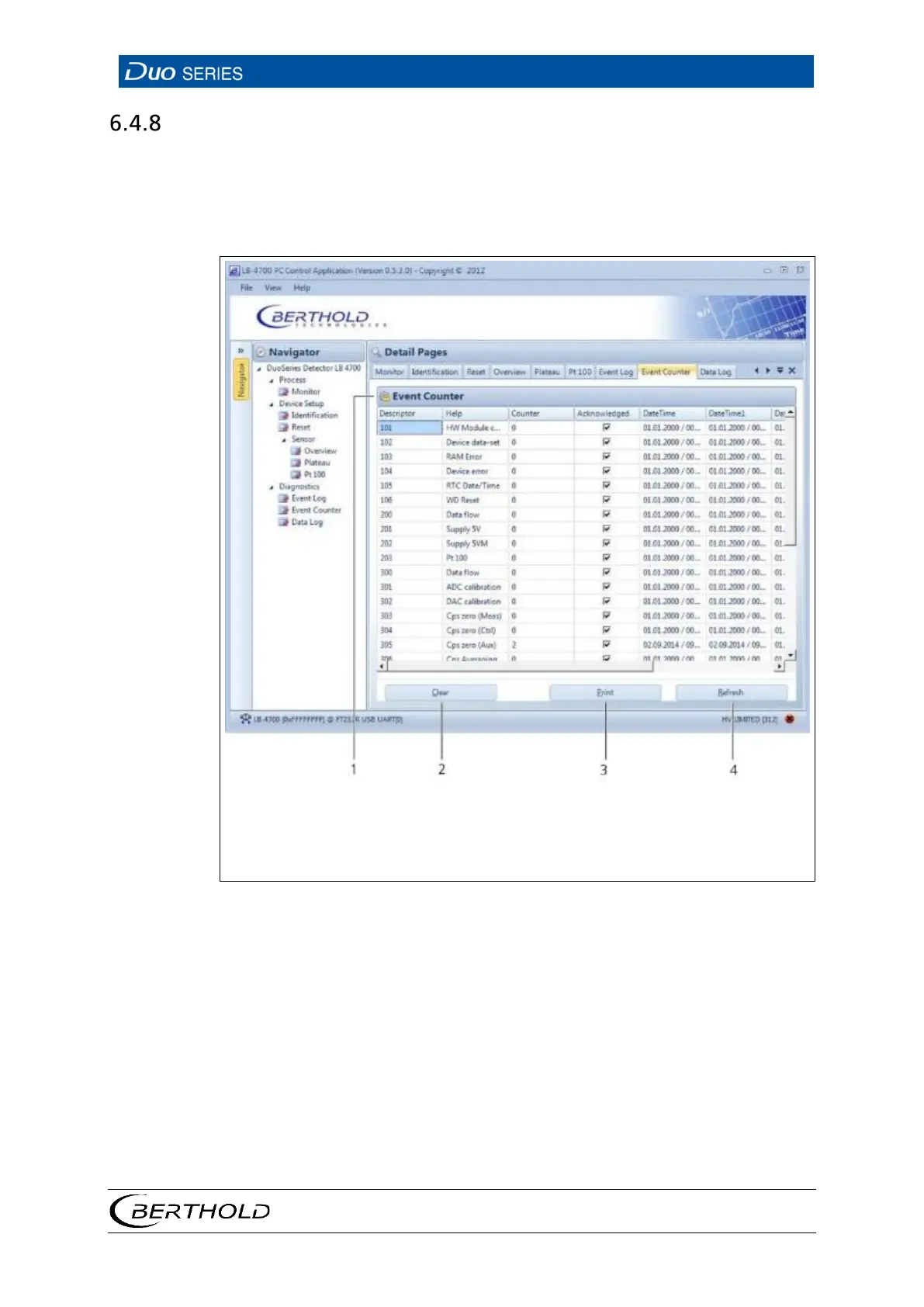
Open the submenu Event Counter in the menu group Device Setup | Diagnostics
of the navigator by double-clicking on
<Event Counter>. (Fig. 35).
This submenu displays, sorted by groups, for each event, the counter of how often
the event occurred, and the time stamp of the last five events.
2
3
List of all events that have occurred
Clear button (clears the event list)
Print button (creates a printable PDF)
Refresh button (reloads the current event list from the detector)
35 Diagnostics | Event Counter
1. If you want to clear the event list, click <Clear> (Fig. 35, item 2).
2. In order to print the event list, click <Print> (Fig. 35, item 3).
u This will open the "Print Preview" window. Printing the event list via the
"Print Preview" generates a PDF.
3. Click <Refresh> (Fig. 35, item 4) in order to load the list of events from the
detector.









 To Next Page