56926BA2, Rev. 02, 04/2019
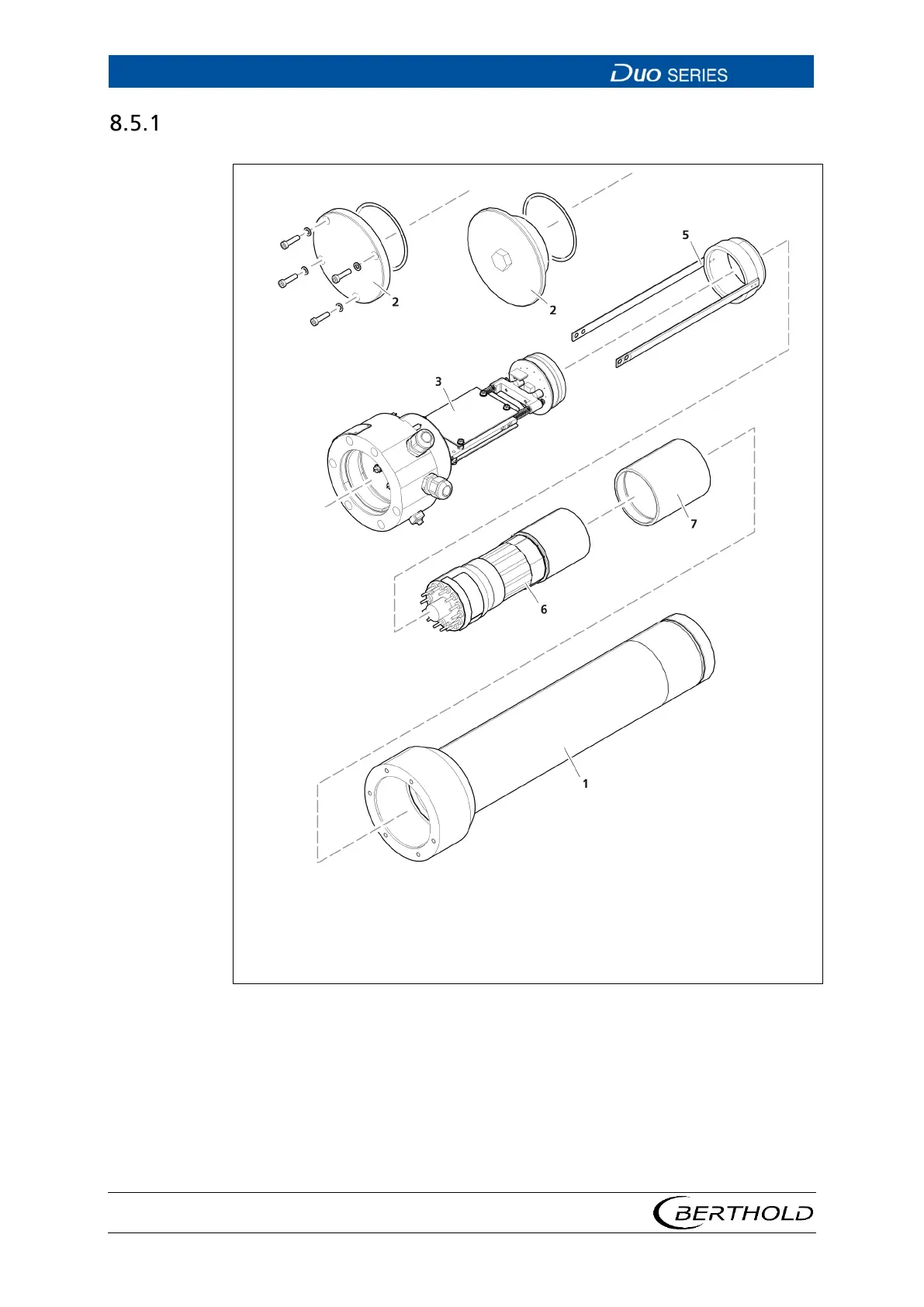
Disassembling the Electronics Module
Stainless steel housing (housing tube)
Cover with fixing screws
Sealing
Base unit with detector electronics
Photomultiplier holder
Photomultiplier
43 Removing Detector Electronics
1. Document all software parameters of the installed detector
2. Disconnect the detector from the power supply and de-energise it and any
potentially connected peripherals.
3. Loosen the four screws of the housing cover and remove the cover (Fig. 43,
item 2).
4. Loosen the six screws that hold the detector housing to the socket.









 To Next Page