56926BA2, Rev. 02, 04/2019
Plateau
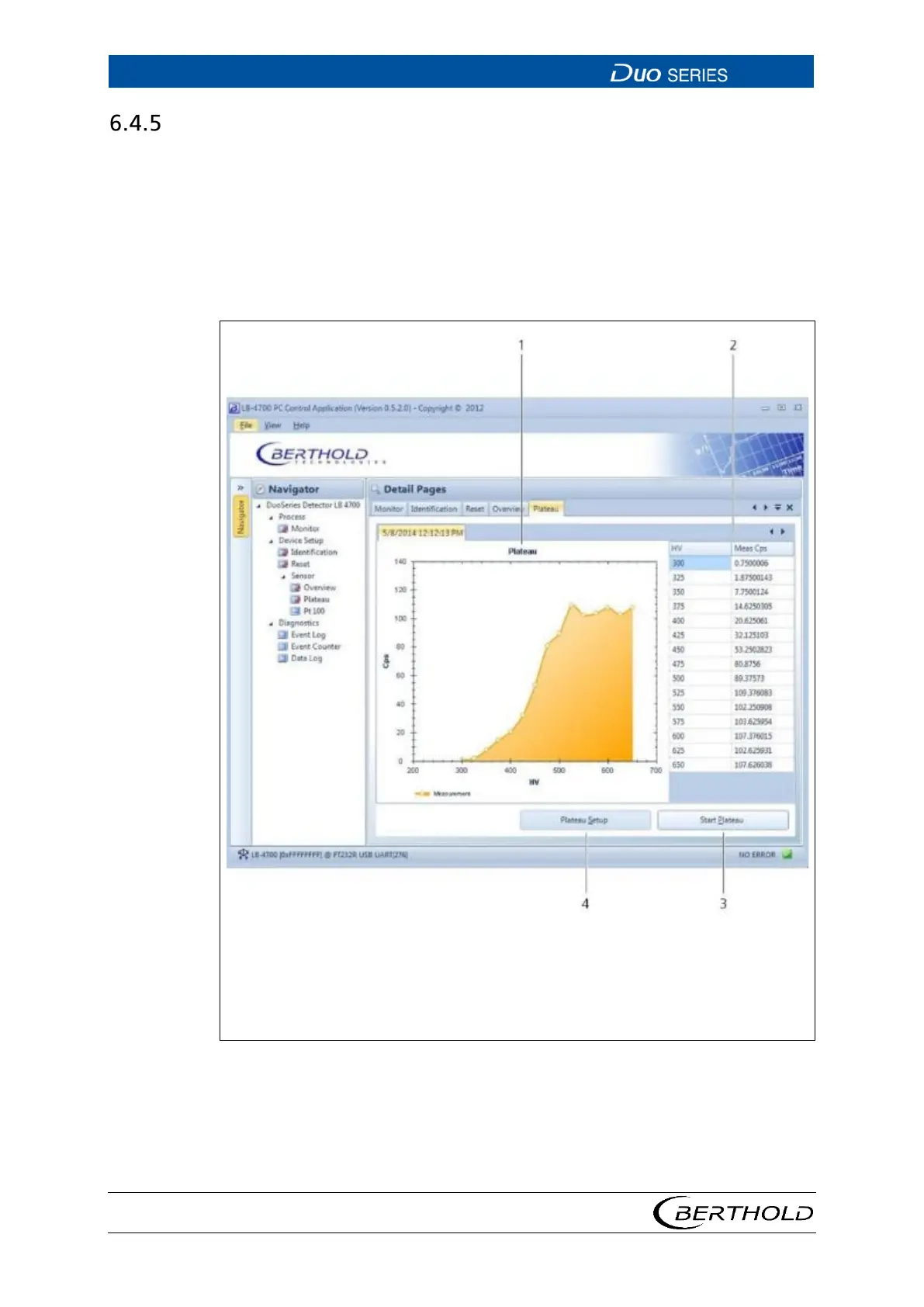
Open the submenu Plateau in the menu group Device Setup | Sensor of the navi-
gator by double-clicking on
<Plateau> (Fig. 27).
Here you can read the saved plateau curve on the detector, set the parameters for
plateau recording, and perform the plateau recording by clicking on
<Start Plat-
eau> .
The plateau curve is used for diagnostic purposes and must not be recorded during
normal operation.
2
3
4
Display of the plateau curve
Display of the high-voltage values and the corresponding measured values
of the count rate.
Button Start Plateau
Button Plateau Setup
27 Device Setup | Sensor | Plateau









 To Next Page