56926BA2, Rev. 02, 04/2019
Overview
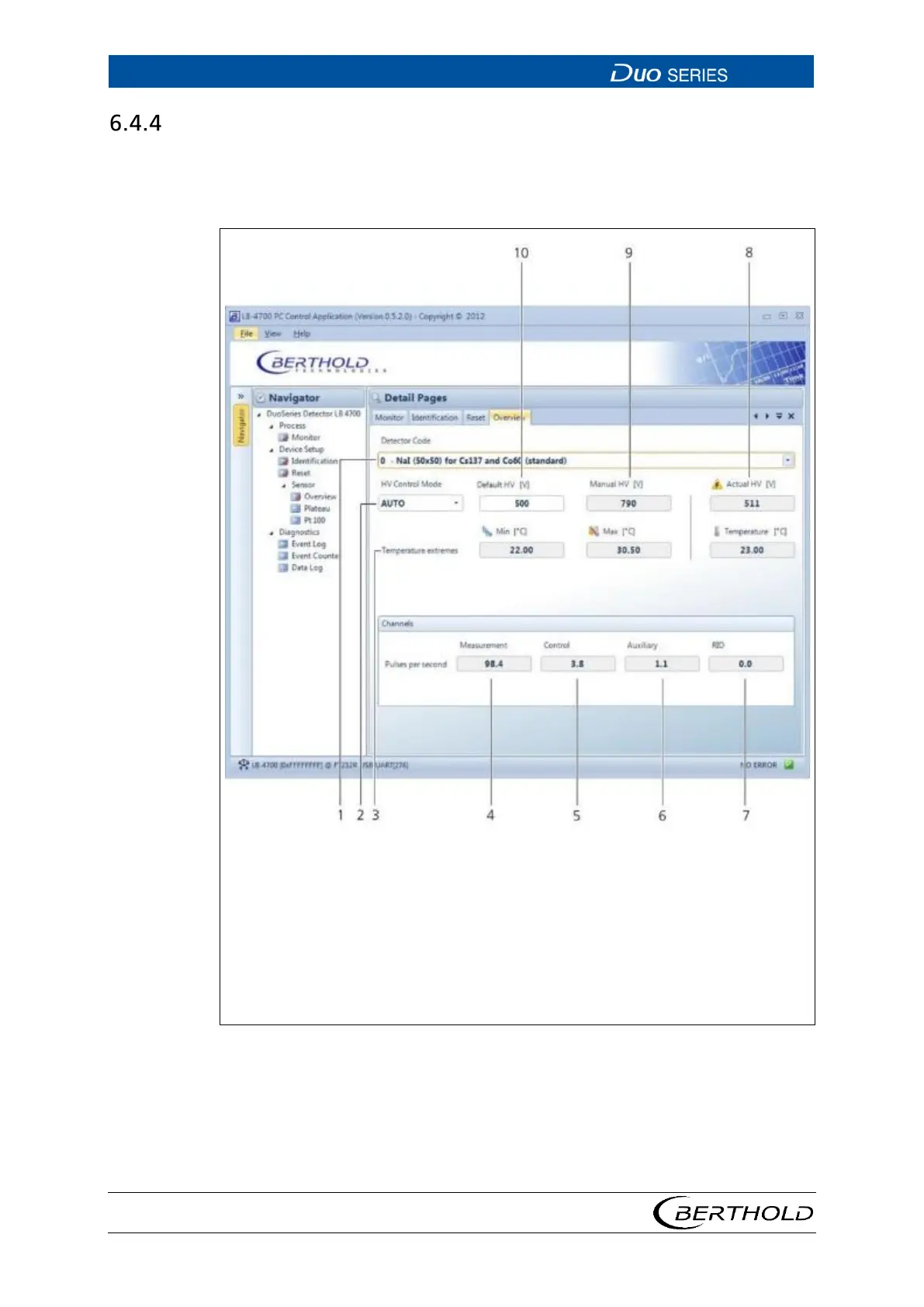
Open the submenu Overview in the menu group Device Setup | Sensor of the nav-
igator by double-clicking on <
Overview> (Fig. 24). You can select the detector code
and set preferences for high voltage control here.
2
3
4
5
6
7
8
9
High-voltage mode selection Manual/Auto
Temperature values display
Display count rate in the measuring channel
Display count rate in the control channel
Display count rate in the auxiliary channel
Display count rate in the RID channel
Display current high voltage
Manual high voltage
Default HV (starting value of the high voltage control)
24 Device Setup | Sensor | Overview









 To Next Page