LB 983 NightSHADE Operating Manual Quick Start
21
4.1.5 Connecting
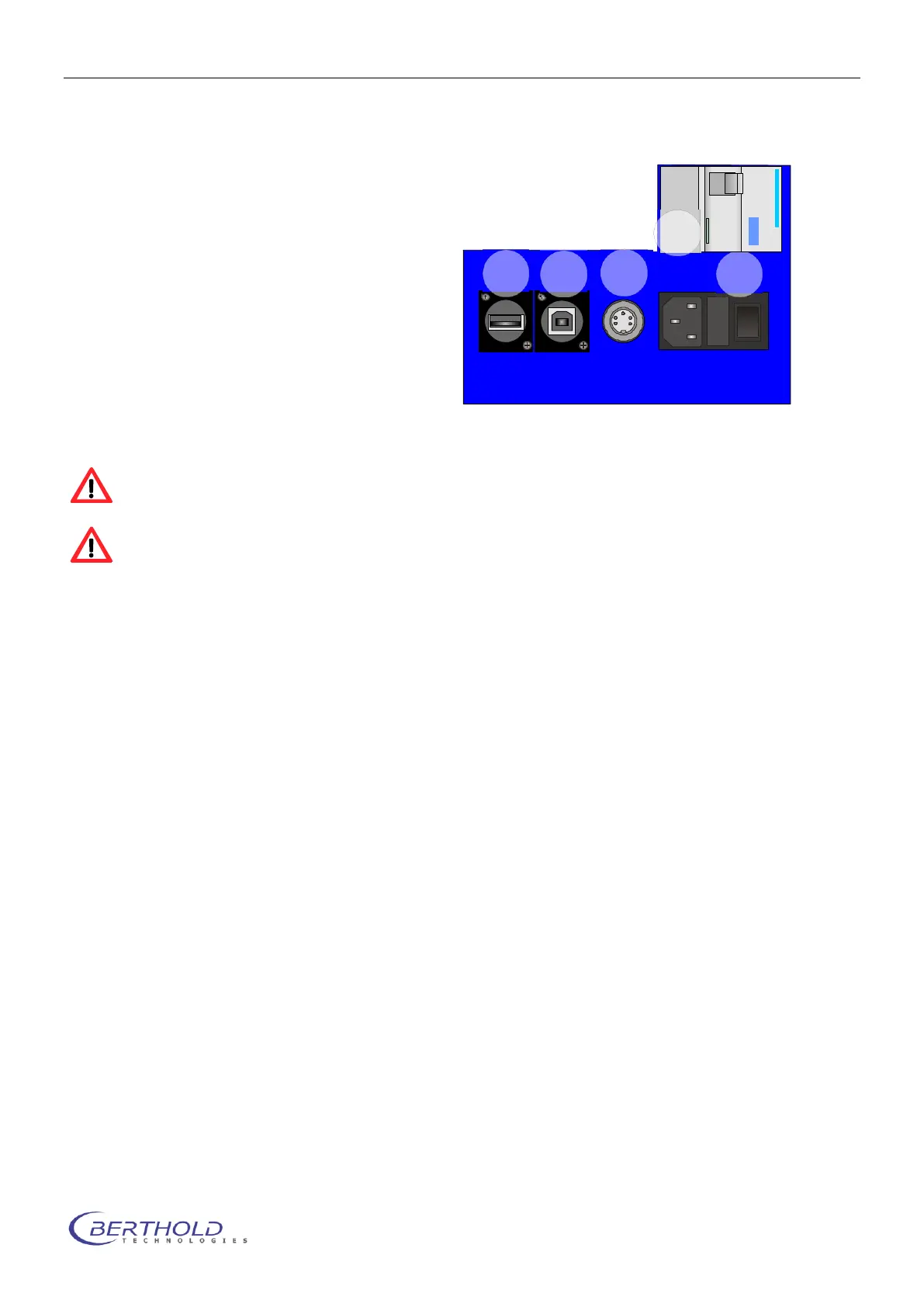
The power supply and device communication
ports are located on the rear panel of the
NightSHADE. Plug the power cord into the
mains inlet (1). The main power switch is lo-
cated next to the mains inlet.
Connect the NightSHADE to the PC via the
USB B-socket (2) on the rear panel using a
USB cable (A to B).
The 7-pin Tuchel socket (4) is the power
supply for the side mounted camera, the USB
socket (3) is used for the control of the side
view camera only. The residual current de-
vice (RCD) is a protection device and cuts
the supply voltage in case of any leakage current.
The function of the RCD must be tested before each use. Therefore press the blue button
with the “T” label and check if the safety device cuts the supply voltage.
Check to make sure that the system voltage indicated on the instruments matches the
line voltage.
If possible connect all devices via one outlet strip to the mains supply.
The NightSHADE is initialized after power on; a control lamp on the front panel is flashing.
The NightSHADE camera is ready for operation after it has cooled down to operating tempera-
ture; this takes approximately 10 minutes.
The cooling of the camera is initialized when the indiGO software is started (controller
statup). Switching on the NightSHADE without starting the software will not cool down
the camera.
4.1.6 Power On
After power on, the device starts an automatic initialization where all relevant components will
be initialized. During this time, the LED on the front panel is flashing red. After the successful in-
itialization the NightSHADE is ready for operation.
The indioGO software automatically recognizes the NightSHADE. No further steps are neces-
sary.



 To Next Page