Quick Start LB 983 NightSHADE II Operating Manual
66
4.4.2 Excel Export
indiGO provides a very comfortable report function, the possibility to create Excel exports. In an
Excel export, a complete measurement report, including all images, analysis data and in addi-
tion, diagrams containing a graphical view of the measurement results can be created.
To use this function Excel 2007 is recommended. Other spreadsheet programs are not support-
ed.
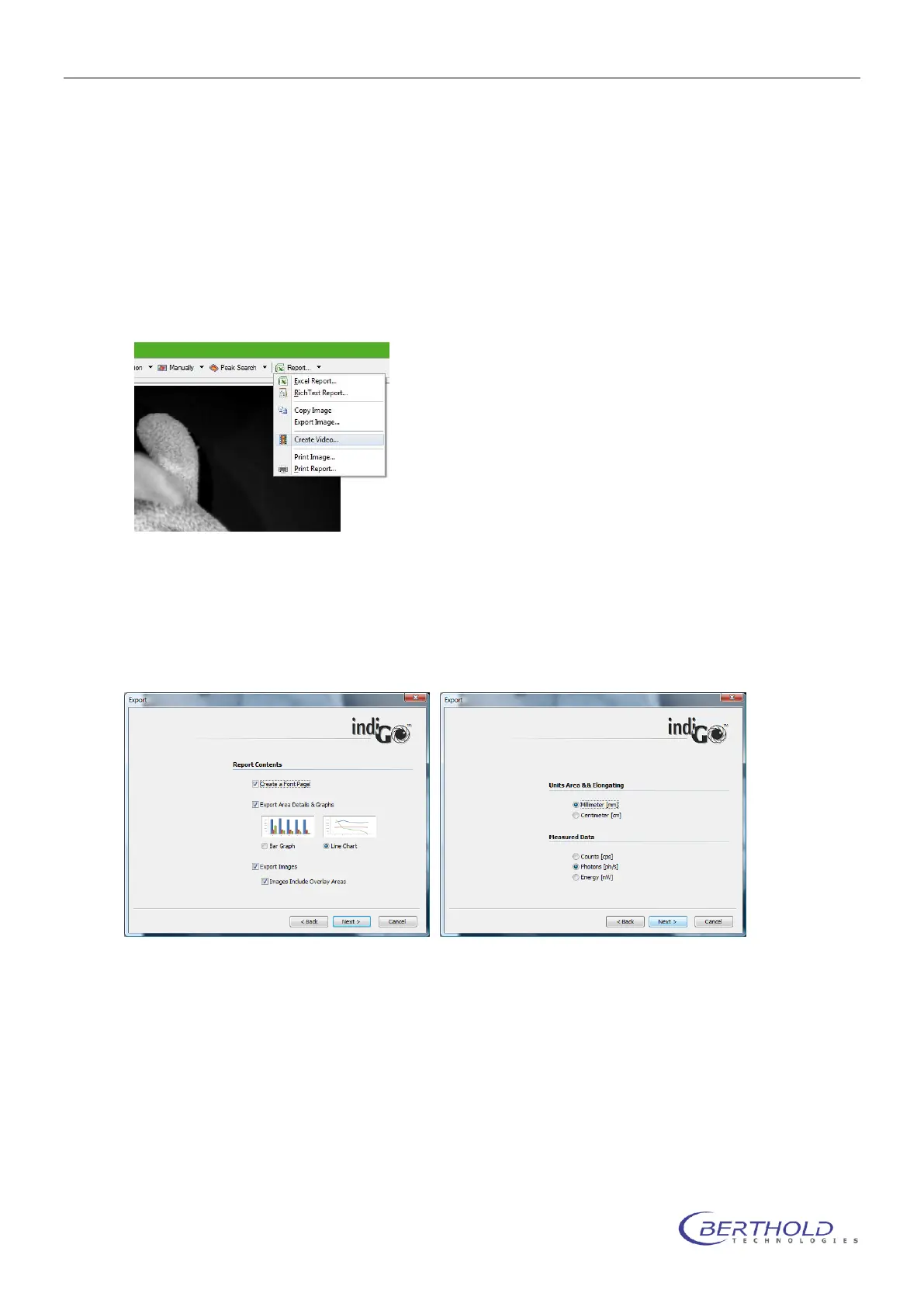
Using the <Excel Report> command in the <Report> menu will start the Excel-Report-
Creation-Wizard.
To create a report, follow the instructions given by the wizard. In brief the following options can
be set.
Create a Front Page
With this command you can create a report front page. The contents of the page, like your com-
pany name, address or logo can be setup through the indiGO options.
Export Area Details & Graphs
You can select either bar graphs or line charts to be created.
Export Images
If this option is set, all overlay images will be included into the report. You can also select, wheth-
er the overlay areas will be included into the images.
.
Units Area & Elongating
Different units for the areas and the elongatings can be selected.



 To Next Page