Quick Start LB 983 NightSHADE II Operating Manual
24
4.1.9 Instrument Controller First Time Initialization Setup
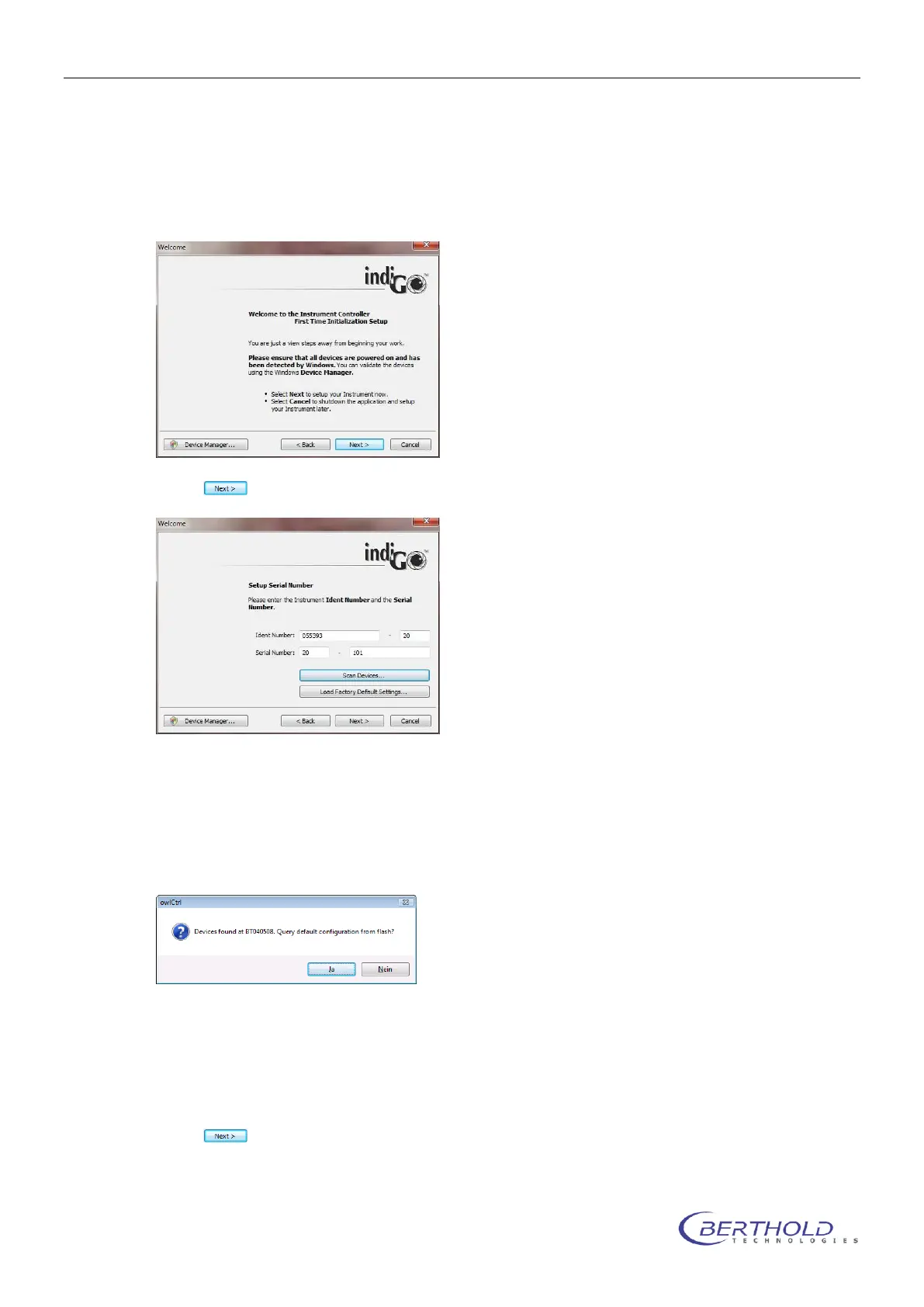
The Instrument Controller First Time Initialization Setup starts via the setup. Please note
that this Setup will only be executed when the software is installed on a computer for the first
time.
Select to continue.
Please enter the instrument ident-number and the serial number. You can find both numbers
on the back of the instrument.
You can check the instrument ident-number by starting „Scan Devices“. If the calibration for
your device was stored on the NightShade by Berthold Technologies before it was delivered
you can download the stored calibration parameters from the instruments flash memory now
by confirming „Yes“.
If you want to recalibrate your instrument please select „No“.
You can load a default calibration for your instrument type via „Load factory default set-
tings“. The factory default settings are chosen by the system via the given instrument ident-
number.
Select to continue.



 To Next Page