Quick Start LB 983 NightSHADE II Operating Manual
22
4.1.7 Connecting to the PC
To assure the proper operation of the NightSHADE device drivers are necessary. All device
drivers are automatically installed through the indiGO software setup.
When connecting the instrument to PC, new devices are detected through the windows device
manager. Using the automatic installation (not using the Windows update driver repository) the
drivers are installed automatically. This procedure can take a while.
4.1.8 Software Installation
The indiGO software is included on the enclosed USB stick or CD. Keep this media in a secure
place. You will need it again for program updates or new installation.
For the operation of the NightSHADE the indiGO software version 2.00 or higher is necessary.
We recommend using Windows XP SP3 or Windows 7 as operating system. Older operating
systems are not supported.
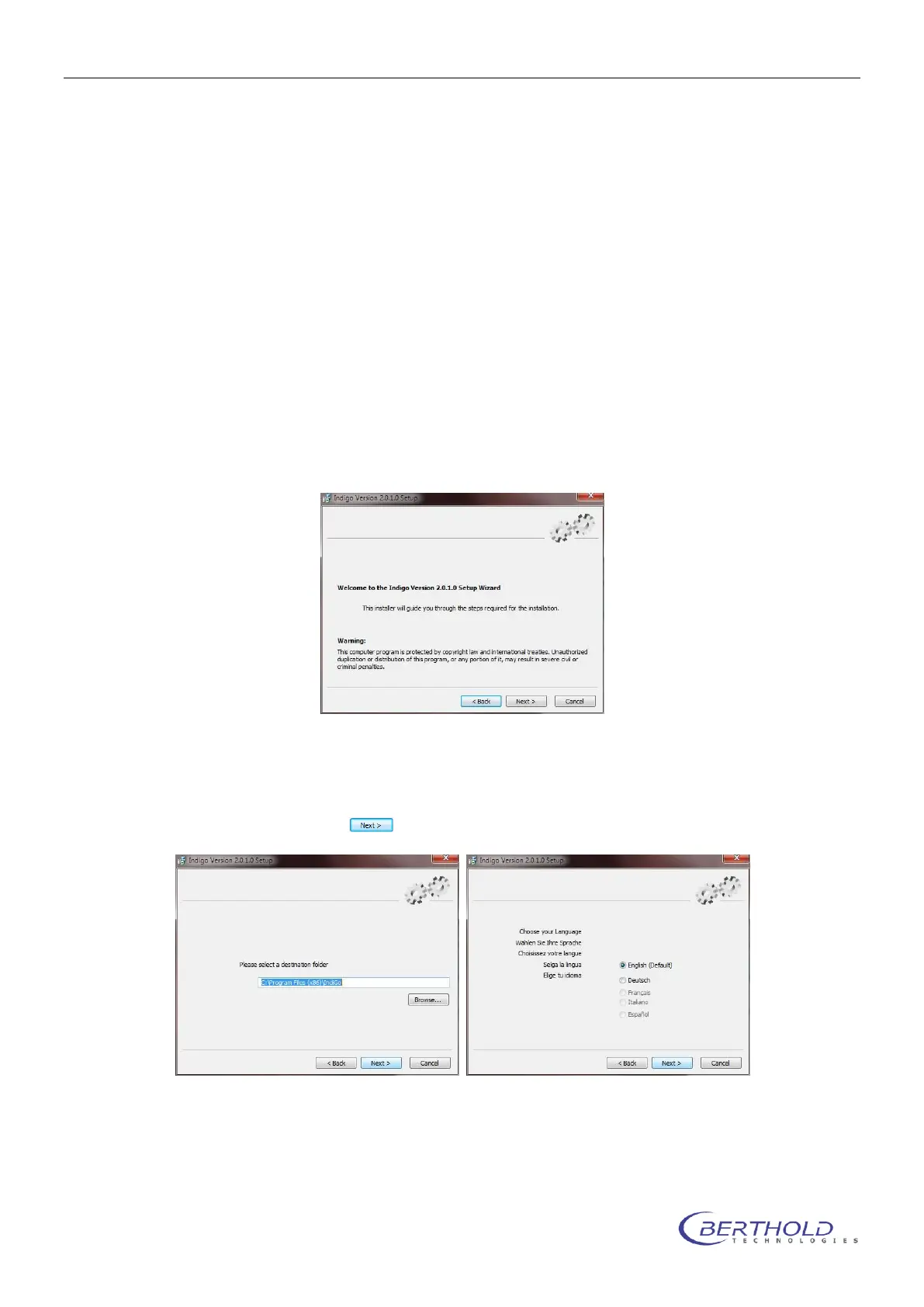
To start the installation program, click on the file SETUP.EXE on the data carrier. After launch-
ing the installation program a welcome screen appears:
After the welcome screen the folder for the software installation must be defined. If possible
confirm the suggested folder.
To get to the next screen asking for the language of the indiGO user interface (at the moment
only English available) click on .
Depending on the hardware you use, a default selection of system filters might be
available and can be installed through the setup. If you want to install a set of default
filter slider and wheel tick the box “Install default filters”. The default filters are emp-
ty filter sliders without any filters.



 To Next Page