Quick Start LB 983 NightSHADE II Operating Manual
64
4.4 Creating a Report
4.4.1 Creating a Rich-Text-Report
indiGO offers the possibility to create and display measurement reports. The output can be
adapted to the user's requirements.
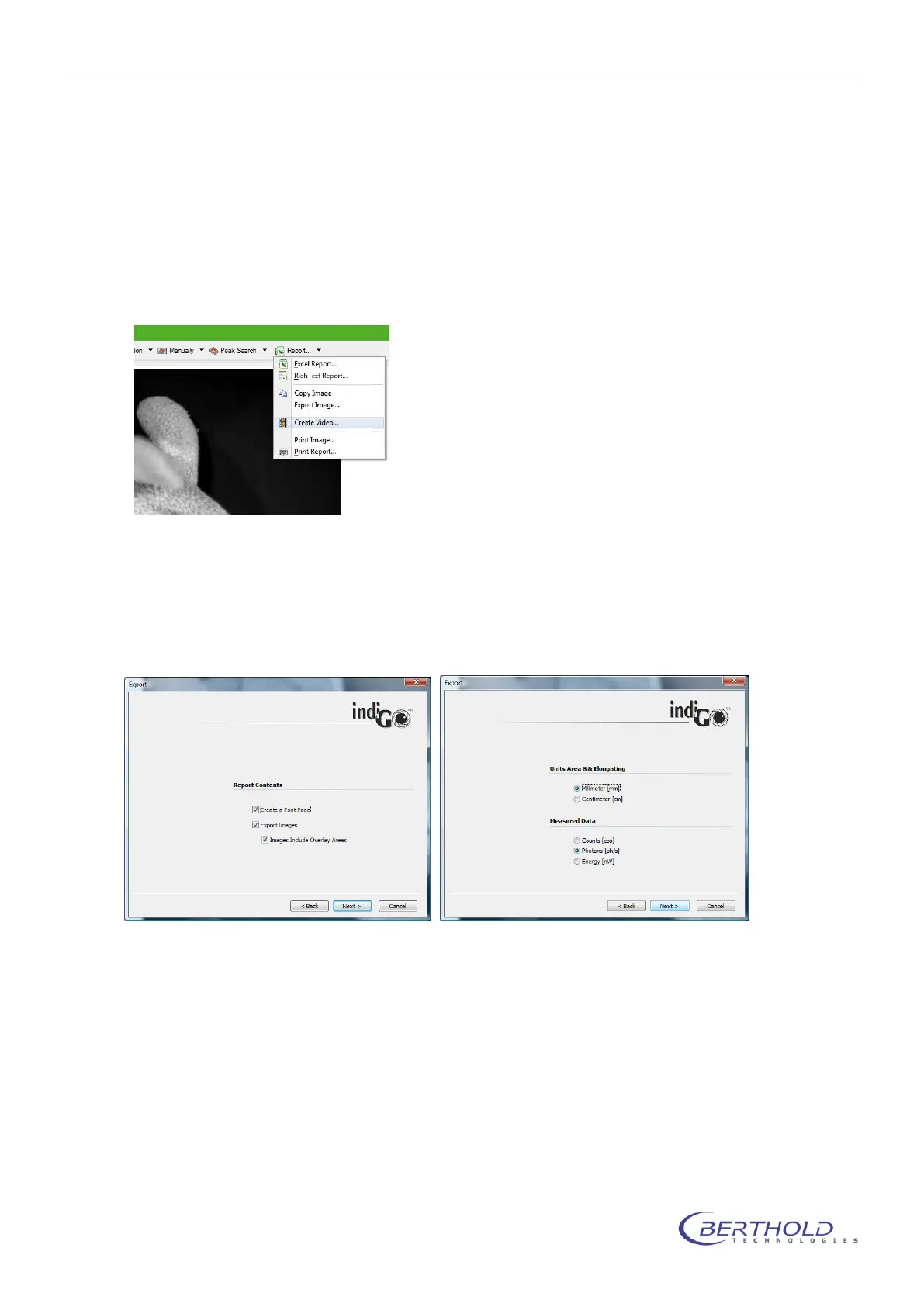
Using the <Rich-Text-Report> command in the <Report> menu will start the Rich-Text-Report-
Creation-Wizard.
To create a report, follow the instructions given by the wizard. In brief the following options can
be set.
Create a Front Page
This will create a report front page. The contents of the page, like your company name, address
or logo can be setup through the indiGO options.
Export Images
If this option is set, all overlay images will be included into the report. You can also select, wheth-
er the overlay areas will be included into the images.
Units Area & Elongating
Different units for the areas and the elongatings can be selected. Millimeter and centimeter can
be selected for geometrical values (e.G. area or size of an area).
Measured Data
Different units for the measured data can be selected.
The intensity data can be displayed in counts (raw values), the emitted photons (ph/s) or the
emitted power (nW). The photons as well as the power values are besed on a calibration using a
light standard. This calibration is only valid, when the sample is placed on the base plate and not



 To Next Page