Quick Start LB 983 NightSHADE II Operating Manual
68
4.4.3 Using the Scheduler
Control sequences like sunset and sunrise or measurements for selected identities can be con-
trolled via a scheduler. You can think of the scheduler as a simple list of time controlled events.
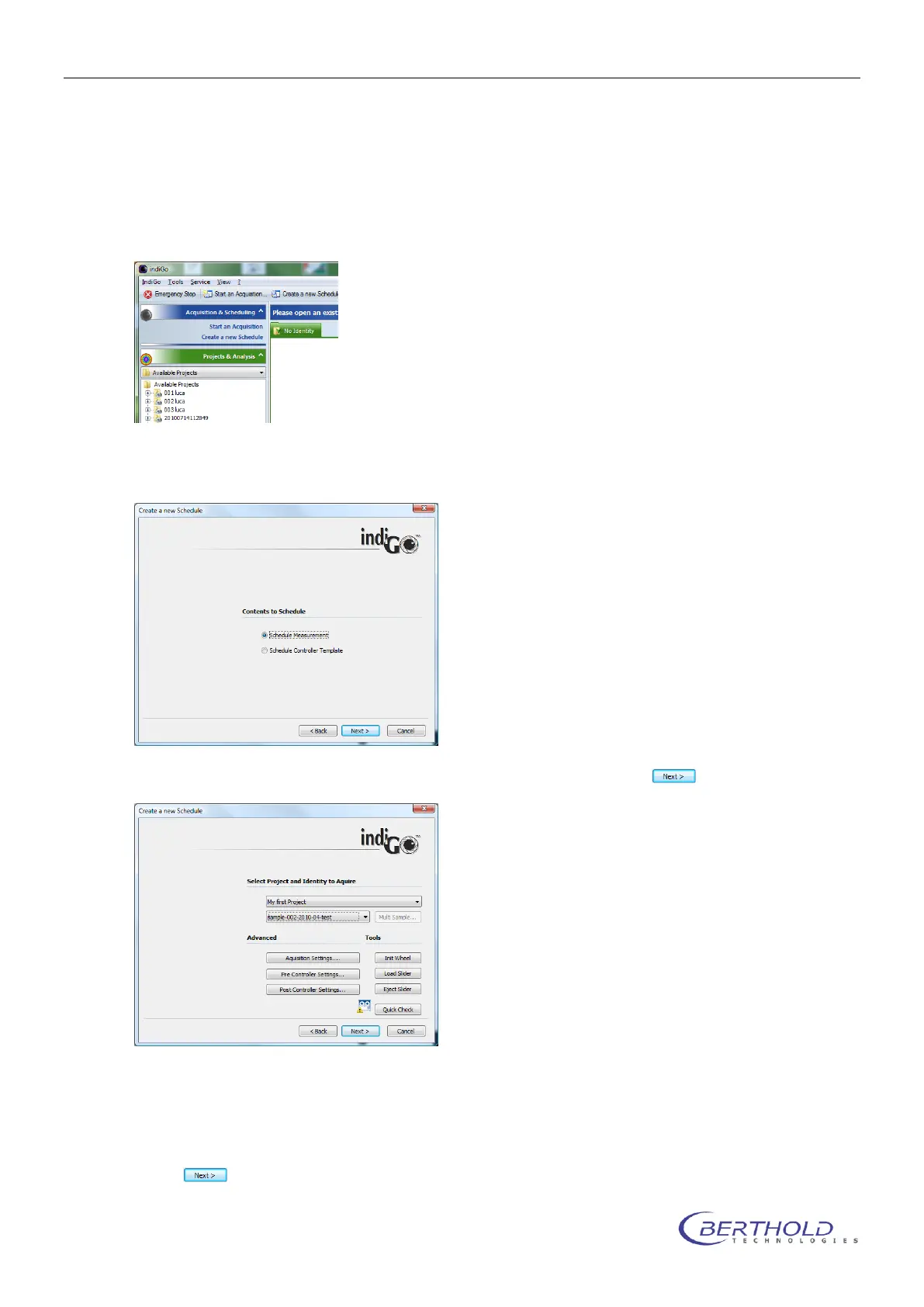
To start an acquisition, refer to <Acquisition & Scheduling> <Create a new Schedule>.
The system will start the <Create a new Schedule> wizard, which allows you to select the con-
tents you want to schedule first.
To schedule a measurement select <Schedule Measurement> and chose to continue.
On the next page you can select the project and the identity you want to measure.
Using the <Advanced> or <Tools> commands you can validate the acquisition, pre- and
postcontroller settings or initiate a <Quick Check> to create a test image.
Chose to confirm the selected options and continue.



 To Next Page