LB 983 NightSHADE Operating Manual Quick Start
69
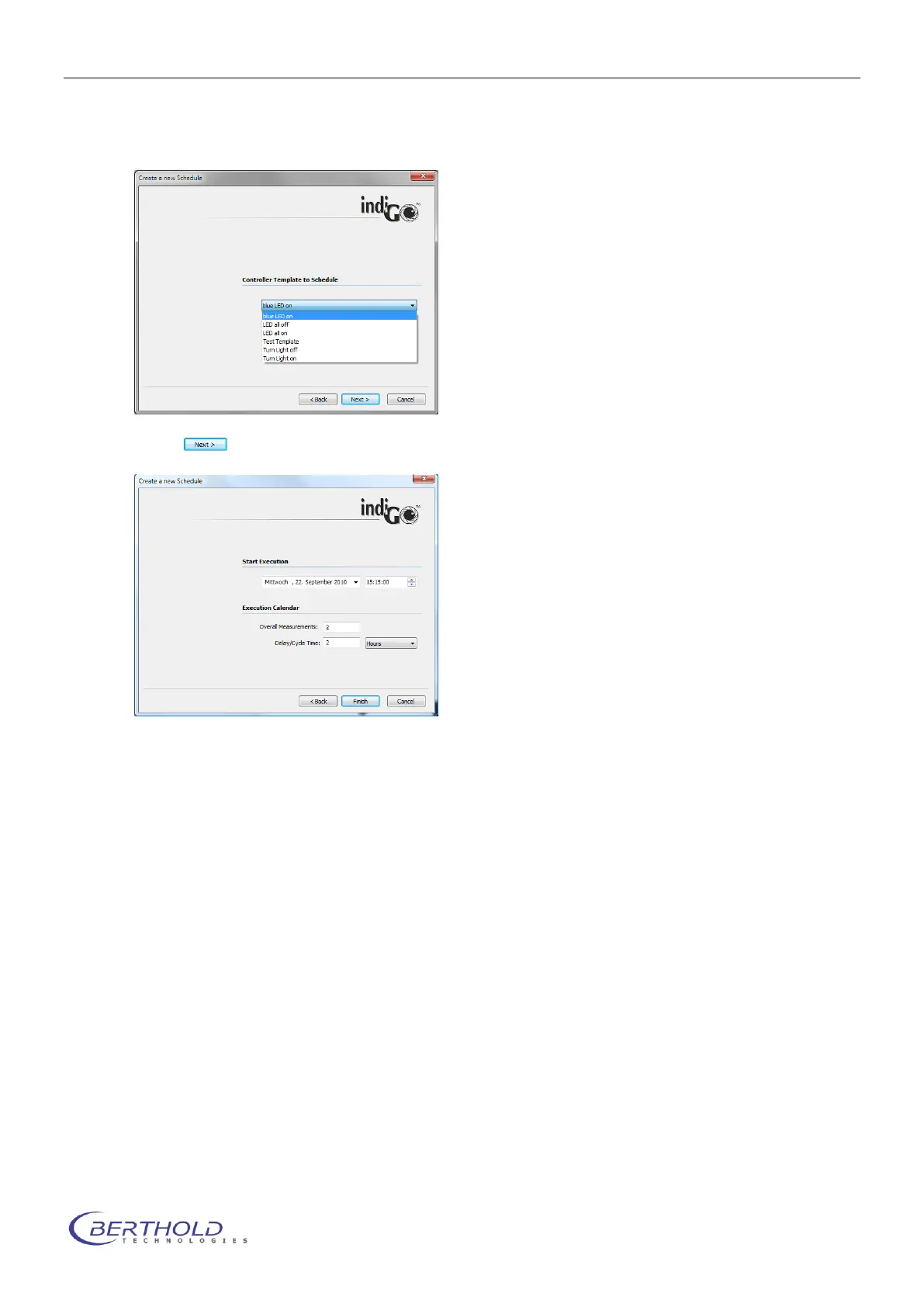
When selecting <Schedule Controller Template> a dialog box pops up to select the desired
control sequence.
Chose to confirm the selected template and continue.
On the next page the <Start Execution> time can be selected. In the sample above, the first
measurement will be executed on Wednesday the 22th of September at 15:15:00.
The <Overall Measurements> are set to 2 and the <Delay/Cycle Time> was set to 2, as well.
Therefore the system will add two measurements into the scheduler. The first will be executed
Wednesday the 22th of September at 15:15:00 and the second will be executed Wednesday the
22th of September at 17:15:00.
The measurements will be executed in the background by the scheduler and will be sorted au-
tomatically into the indiGO structured tree.
The contents of the scheduler can be verified or deleted via the <View> <Scheduler> com-
mand from the main menu of indiGO.



 To Next Page