Quick Start LB 983 NightSHADE II Operating Manual
60
4.3.5 Peaksearch
Once the image has been loaded and the color view has been set up, you can start to analyse
the evaluation.
In the first step the desired areas has to be marked; now indiGO can calculate the intensity val-
ues.
The easiest method to find evaluation relevant data is to use the peaksearch.
Using the peaksearch all areas lying above a threshold value will be marked. With this method it
is possible to evaluate different measurements under exactly identical evaluation conditions.
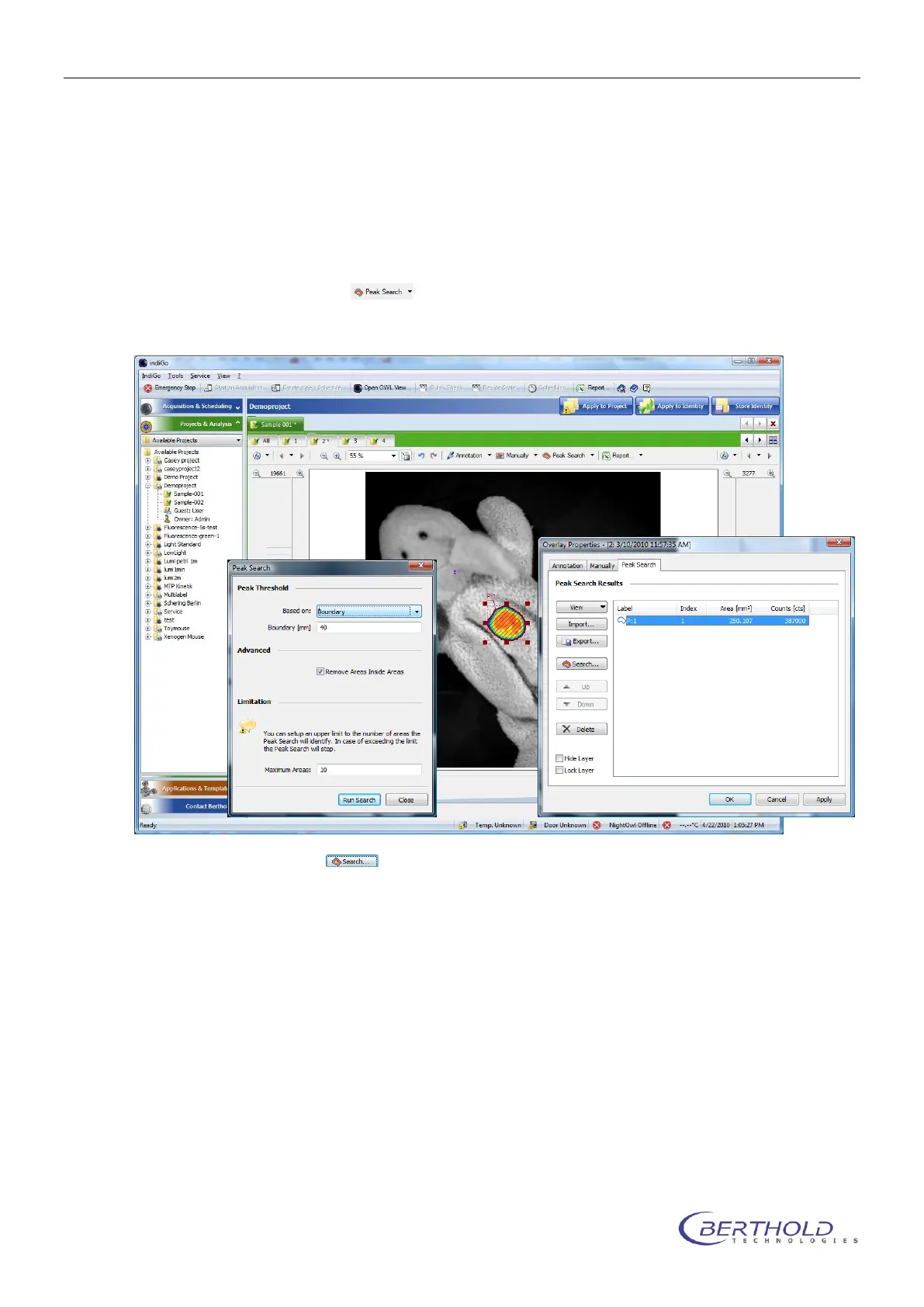
To start the peak search select .
The displayed overlay properties window gives an overview of all automatically found peaks in
the current image.
To run a new search select .
The following parameters can be edited:
o Peak Threshold - Based on
Using a droplist different search algorhytms are available:
Area
The area of every possible spot is analyzed and if the area is larger than a
size specified in a parameter box below, the spot is validated as a peak.
This is useful to get rid of smaller, unwanted spots.
Boundary
The most common algorithm is the boundary discrimination. The boundary
of every possible spot is calculated and if the boundary is larger than a
specified size from a parameter box below, the spot is validated as peak.
This is useful to get rid of smaller, unwanted spots.
Noise detection
A special noise analysis filter is used to analyse the image and identify the
peaks. For this method no parametars are required.



 To Next Page