LB 983 NightSHADE Operating Manual Quick Start
47
4.2.5 Defining the First Project
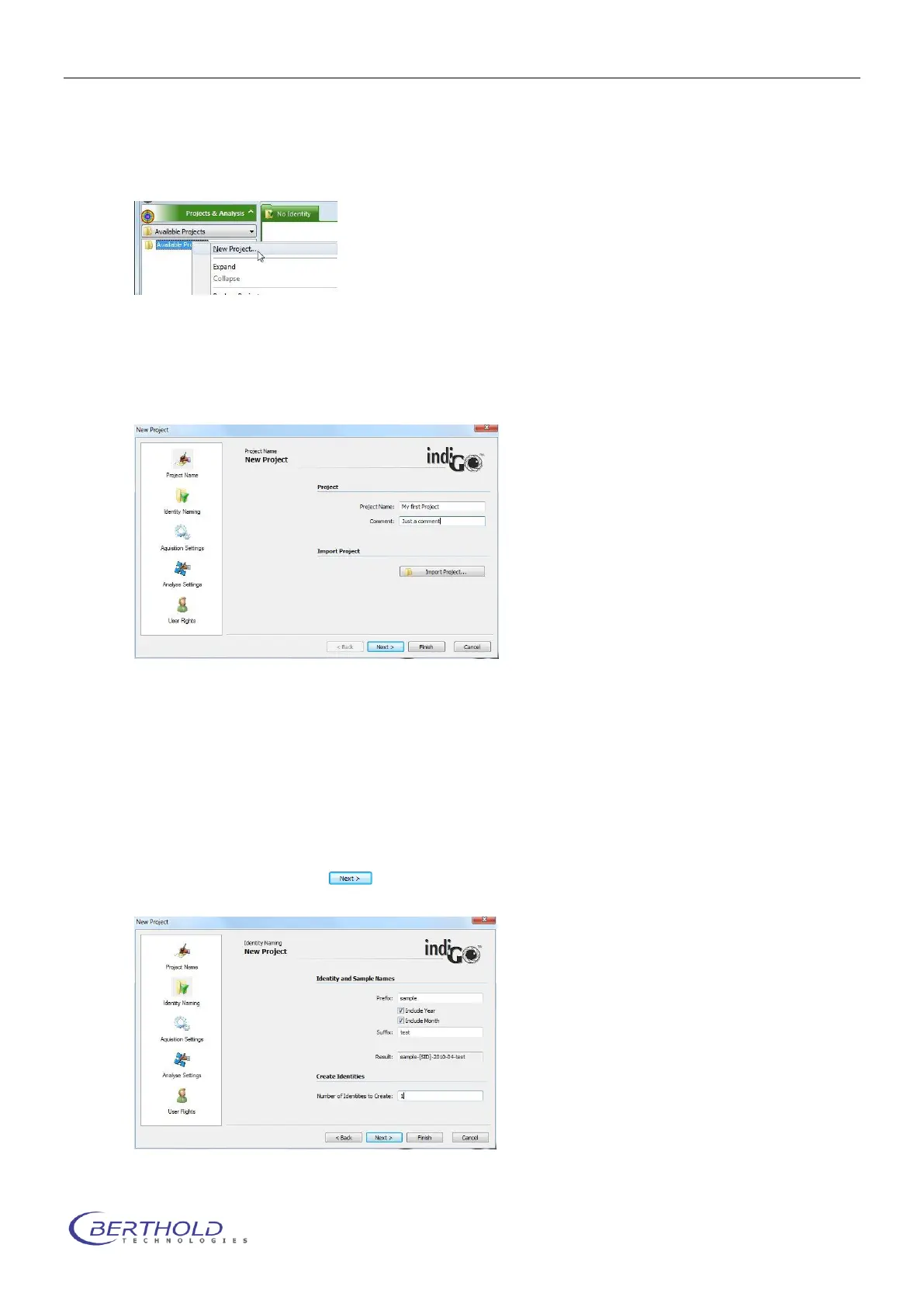
To define a new project refer to <Project & Analysis> <Available Projects>.
Select <New Project > from the <Available Projects > context menu.
Projects are used to define non measurement-specific parameters, like user access rights,
scale settings, etc.
To create a new project indiGO starts the wizard:
The following parameters are necessary:
Project Name:
Enter the project name under which the project is to be saved. Due to the windows file and path
name conventions special characters such as < > ? " : | \ / * . are not allowed.
Comment:
Enter a comment which describes the project.
To go to the next page select .
In this page you can predefine the sample identities and the sample names.



 To Next Page