Quick Start LB 983 NightSHADE II Operating Manual
44
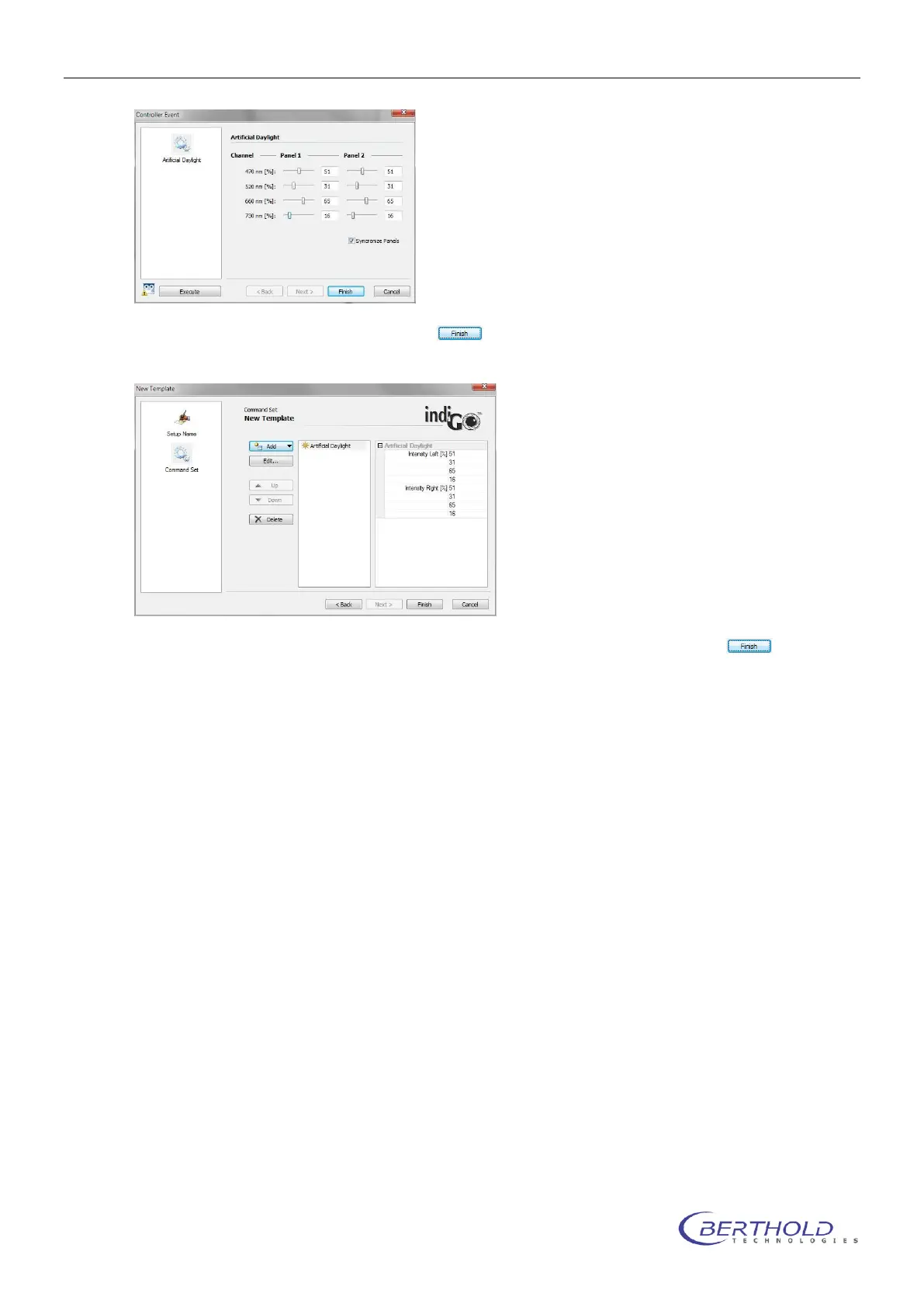
Adjust the required intensities and click on to accept the parameters. The control com-
mand will show up in the work flow list.
When all commands are set close the dialog box and save the template by clicking on .
Please note that while a control sequence is running no measurements can be performed. To
simulate a day/ night cycle several templates with single commands must be defined to allow
measurements inbetween the control steps.
Artificial Daylight
This command sets the LED illumination panel to a defined intensitiy. The used intensi-
ties are temporarily saved for future use.
Daylight Off
Turns off the LED Panels and memorizes the intensities set before. Should be added to
a project as Pre-Measurement action to make sure the artificial daylight is off while
measuring.
Daylight On
Sets the LED panels to the last used intensities saved during the “Daylight off” com-
mand. Should be added to a project as Post-Measurement action to make sure the arti-
ficial daylight is turned back on after a measurement.
Illumination
Controls the intensity of the white or infrared LEDs in the dark room for photographic



 To Next Page