LB 983 NightSHADE Operating Manual Quick Start
53
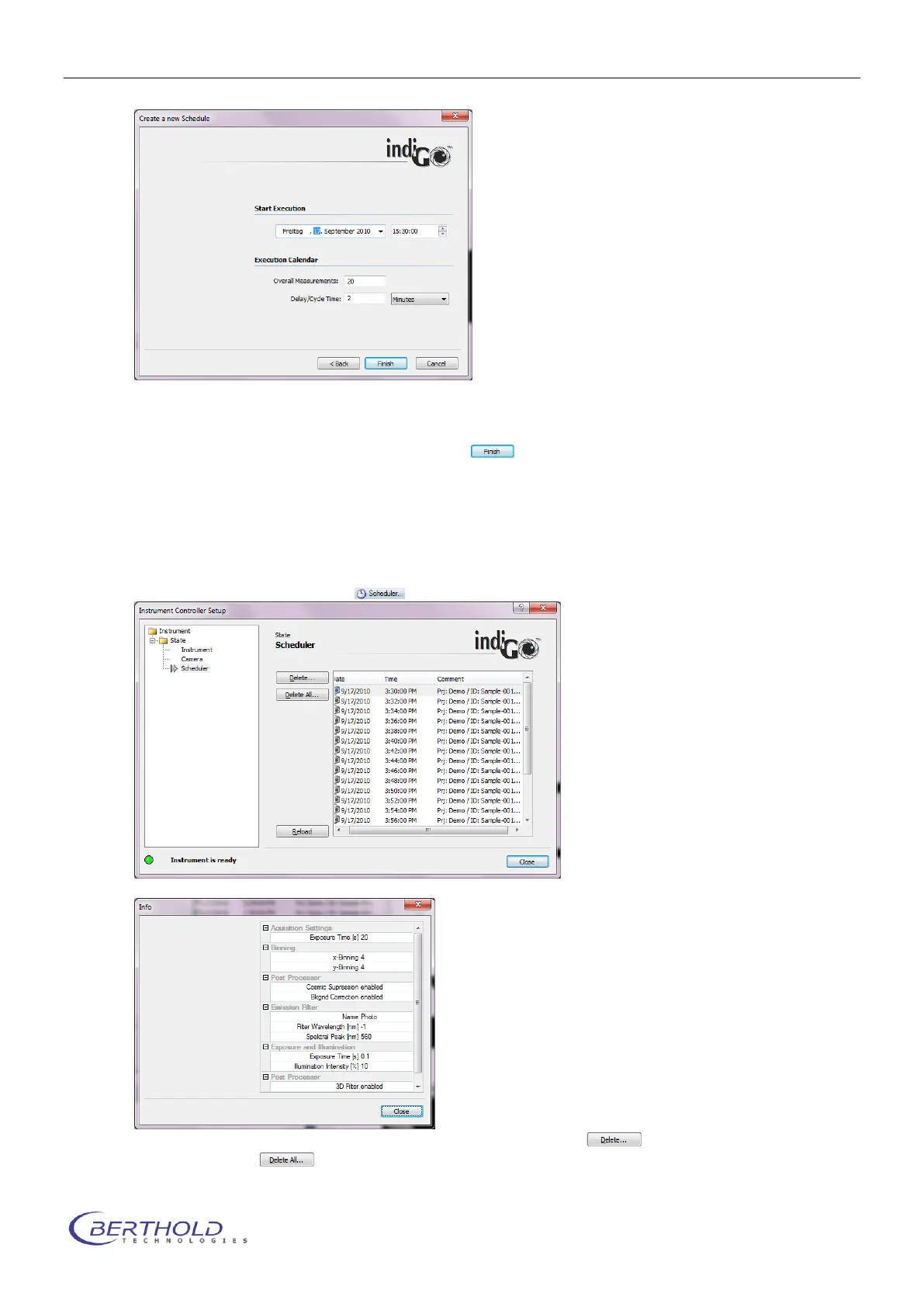
In this dialog box the Starting time for the first measurement or control sequence can be adjust-
ed. In the section “Execution calendar” the total number of measurements / sequences as well
as the interval time can be selected. Clicking on will close the sequence wizard and the
sequence is handed over to the scheduler.
Now the sequence is active and the instrument controller is taking care of the measurements.
It’s possible to evaluate other measurements or even exit indigo. Only the instrument controller
must be running. This is the case as long as the indigo icon is visible in the taskbar.
To check the scheduler click on . The scheduler will show up displaying all queued jobs.
Job details can be seen by doubleclicking the corresponding item in the list.
To delete a single job, click on the item to select it and click on . To delete the whole
Schedule click on .



 To Next Page