Using Two Factor Authentication
You can configure two factor authentication using a RADIUS server.
You must configure the RADIUS server settings in BeyondInsight.
After you set up two-factor authentication, your users must log on to the appliance using the two-factor
authentication method.
To configure a RADIUS Server:
1. From the Maintenance menu, select Accounts and Licensing.
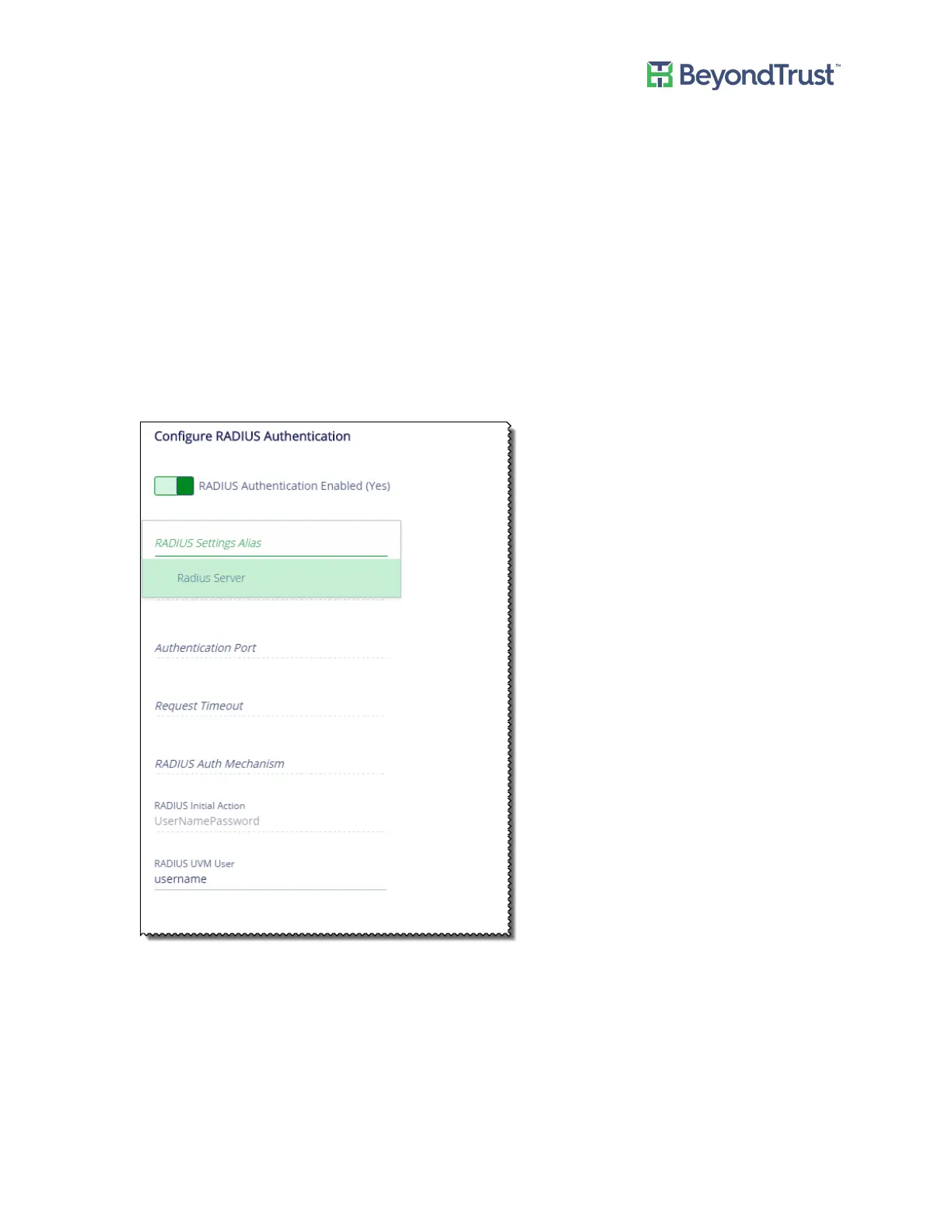
2. Scroll to the Configure RADIUS Authentication section.
3. Click RADIUS Authentication Enabled to turn on the setting.
4. From the Alias list, select one of the available RADIUS servers.
The appliance uses the settings configured in BeyondInsight. After you select the server, the following fields
are populated:host name, authentication port, timeout, authentication mechanism, and initial password.
5. Enter the user name. This is the user account that is used to log on to the RADIUS server.
Note: The RADIUS user account password must match the appliance Administrator password.
6. Click Update Settings.
Using Two Factor Authentication
UVM Appliance User Guide 24 © 2018. BeyondTrust Software, Inc.



 To Next Page