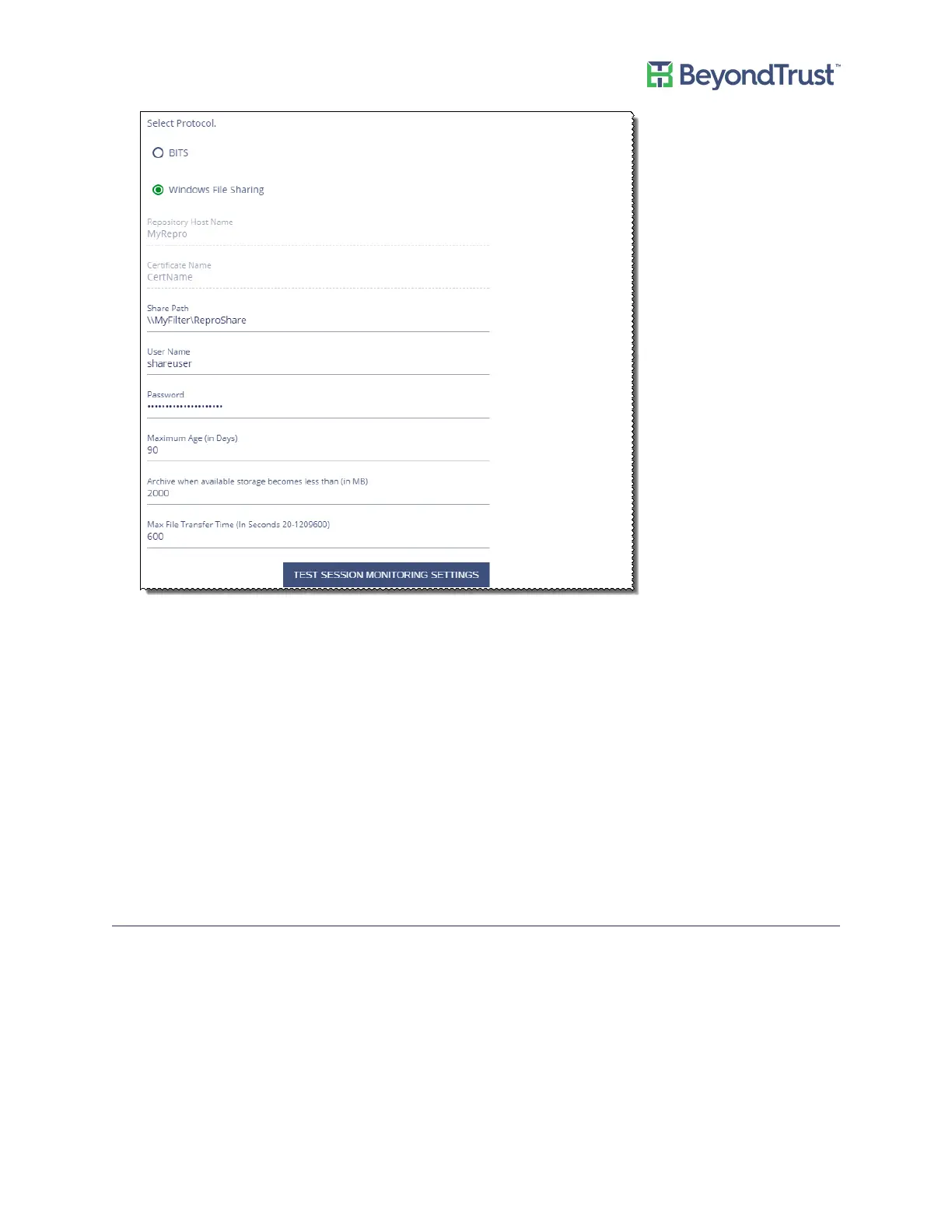
8. Optionally, change the archiving settings:
– Maximum Age (in Days) – Enter the number of days that pass before the files are archived. The default
value is 90 days.
– Archive when available storage becomes less than – This value applies to the storage available on the
appliance. Enter the amount of storage remaining on the appliance before the file transfer occurs. The
transfer of files will free up the disk space when the value is reached.
– Max File Transfer Time – This value is the maximum time to wait for a file transfer to occur before the
transfer times out.
9. Click Test Session Monitoring Settings to ensure the repository computer is set up correctly and can
communicate with the appliance computer.
10. Click Apply Changes to save the settings.
Synchronizing Session Monitoring Archive Files
On the High Availability Settings page, you can determine if the session monitoring archive files are up to date on
the repository host.
Compare the values in the Local Session File Count box (archive files on the appliance) and Remote Session File
Count box (archive files on the repository host).
If the numbers are different, select the Synchronize Session Archiving Files check box. Archive files on the
appliance will be copied to the repository host.
Configuring PowerBroker Password Safe
UVM Appliance User Guide 40 © 2018. BeyondTrust Software, Inc.



 To Next Page