Configuring High Availability
To set up high availability:
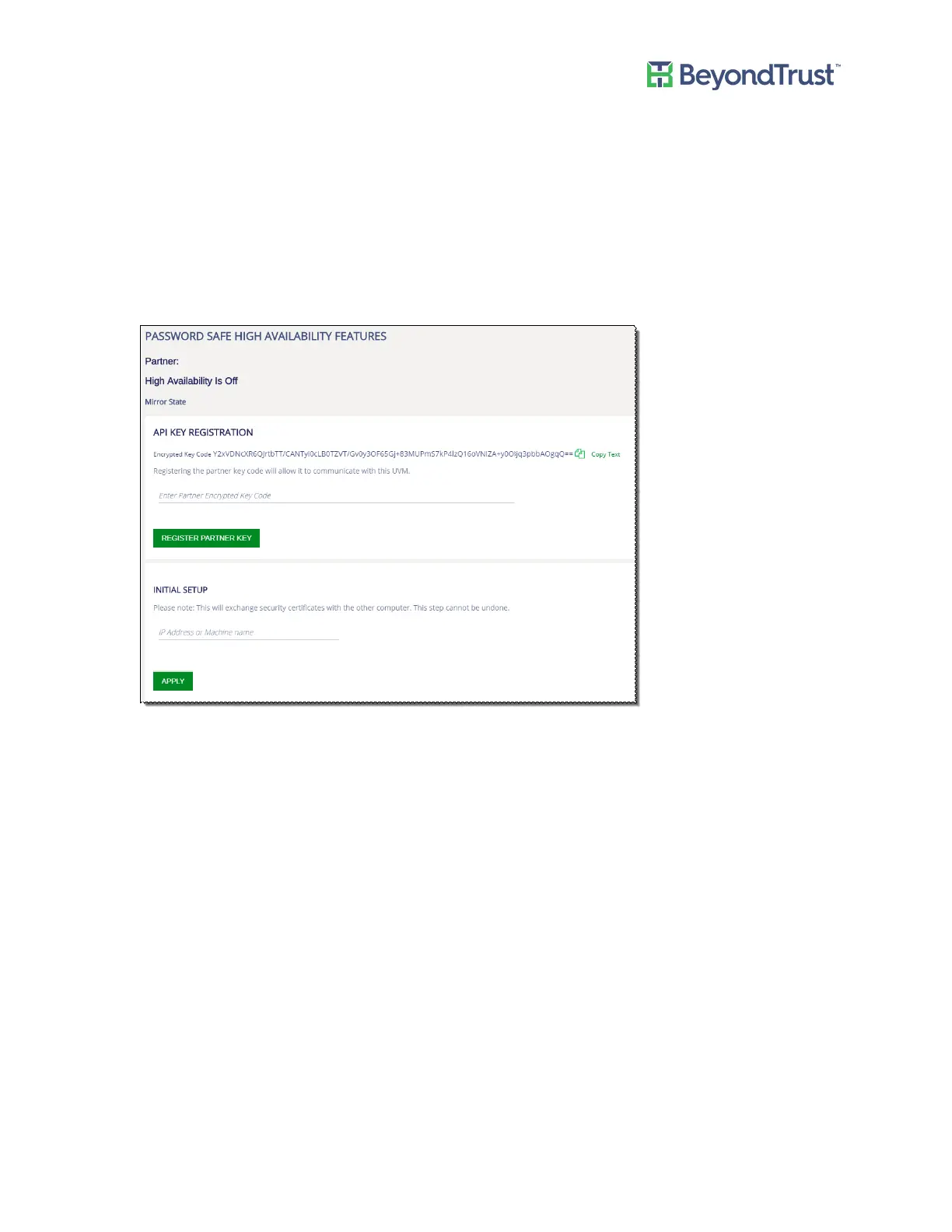
1. Select High Availability from the menu.
For first time configuration, the Initial Setup page is displayed. Certificates need to be set up between the
appliances for secure communication.
2. Copy the API registration keys between the partner appliances.
Registering the API keys with the partner appliance permits secure communication between the appliances.
3. Enter the IP address or the name of the passive UVM appliance, and then click Apply.
A message is displayed that the exchange is in progress.
If an error occurs during the certificate exchange a Show/Hide Results button is displayed.
Exchanging certificates can take up to approximately 5 minutes.
After the certificates are exchanged with no errors the configuration settings are displayed.
4. Click High Availability to turn on the feature.
5. Enter the mirroring port number. The default port is 5022.
6. Click Set High Availability.
Using High Availability
UVM Appliance User Guide 43 © 2018. BeyondTrust Software, Inc.



 To Next Page