• Automatically by the UVM. Automatic archives occur in the following cases:
– When the file reaches the configured age.
– When free space on the UVM hard drive is below the configured threshold. See Setting up the Appliance
to configure these settings.
• Manually through Password Safe. Refer to the Password Safe Administration Guide. Archive files are never
deleted.
There are two parts to configuring archiving:
• Set up the computer that will be the repository host
• Set options on the web site for the appliance
Setting up the Repository Host
Repository Host Requirements
• The minimum operating system requirement for the host computer is Microsoft Windows 2008.
• Port 443 must be open.
• IIS 7.5 or later.
In Server Manager, install and enable the following feature: Background Intelligent Transfer Service (BITS).
Activating BITS ensures prerequisites are installed regardless of OS or IIS version installed.
• ASP.NET 4.5
• You need a copy of the Setup Session Monitoring Repository tool, located here:
C:\Appliance\Tools\ConfigureRepository.exe.
Note on IIS 7.5:
If you are using IIS 7.5 and the ASP.NET 4.5 role did not install automatically:
1. Install the ASP.NET role.
2. Run the command:
C:\Windows\Microsoft.NET\Framework\v4.0.30319\aspnet_regiis.exe -i
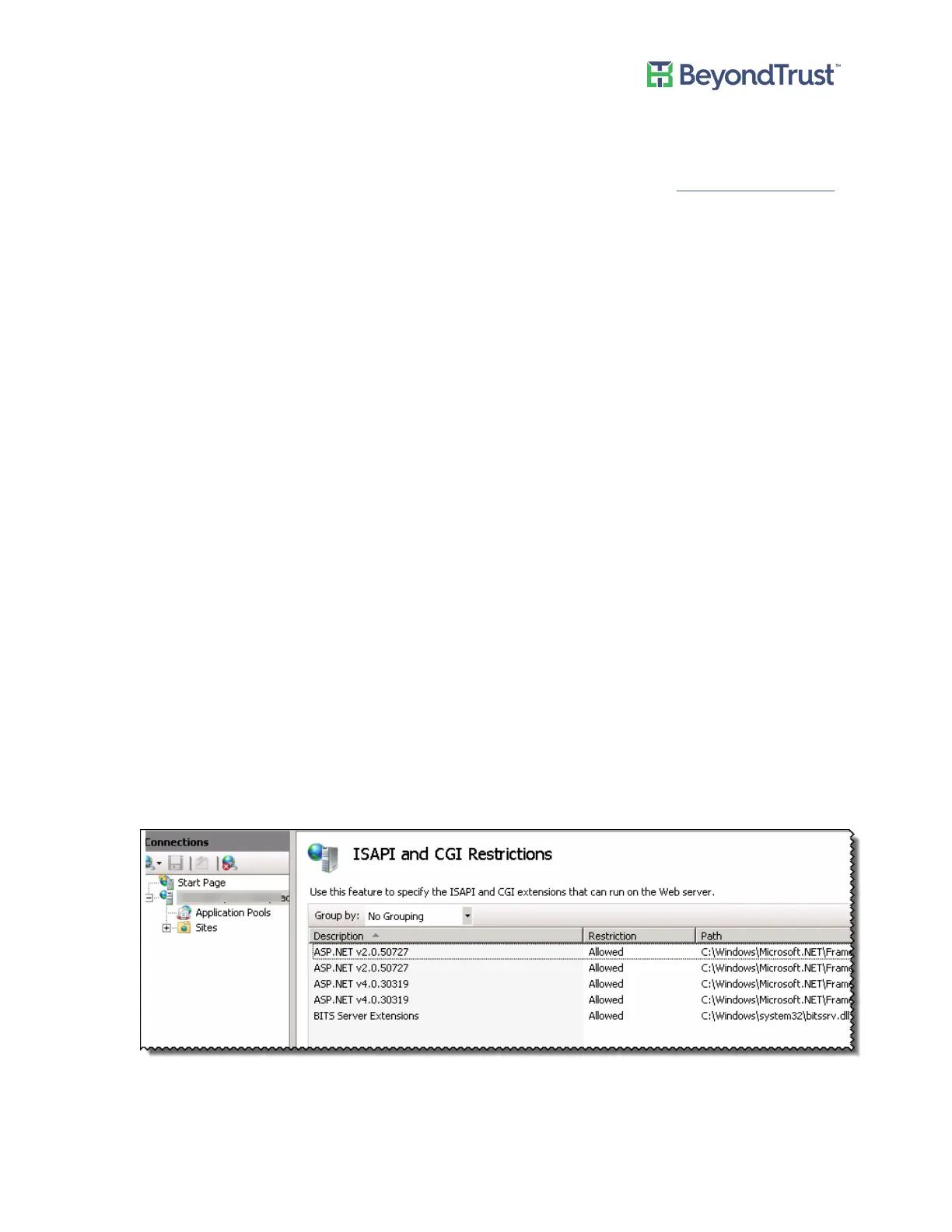
3. Log on to Server Manager and select the IIS instance. Double-click ISAPI and CGI Restrictions.
4. Ensure that ASP.NET v.4.0 is set to Allowed.
Configuring PowerBroker Password Safe
UVM Appliance User Guide 38 © 2018. BeyondTrust Software, Inc.



 To Next Page