Sending Alerts to BeyondInsight
Note: BeyondInsight V6.0 is required to use this feature.
You can send alerts from the appliance to your BeyondInsight management console for further analysis.
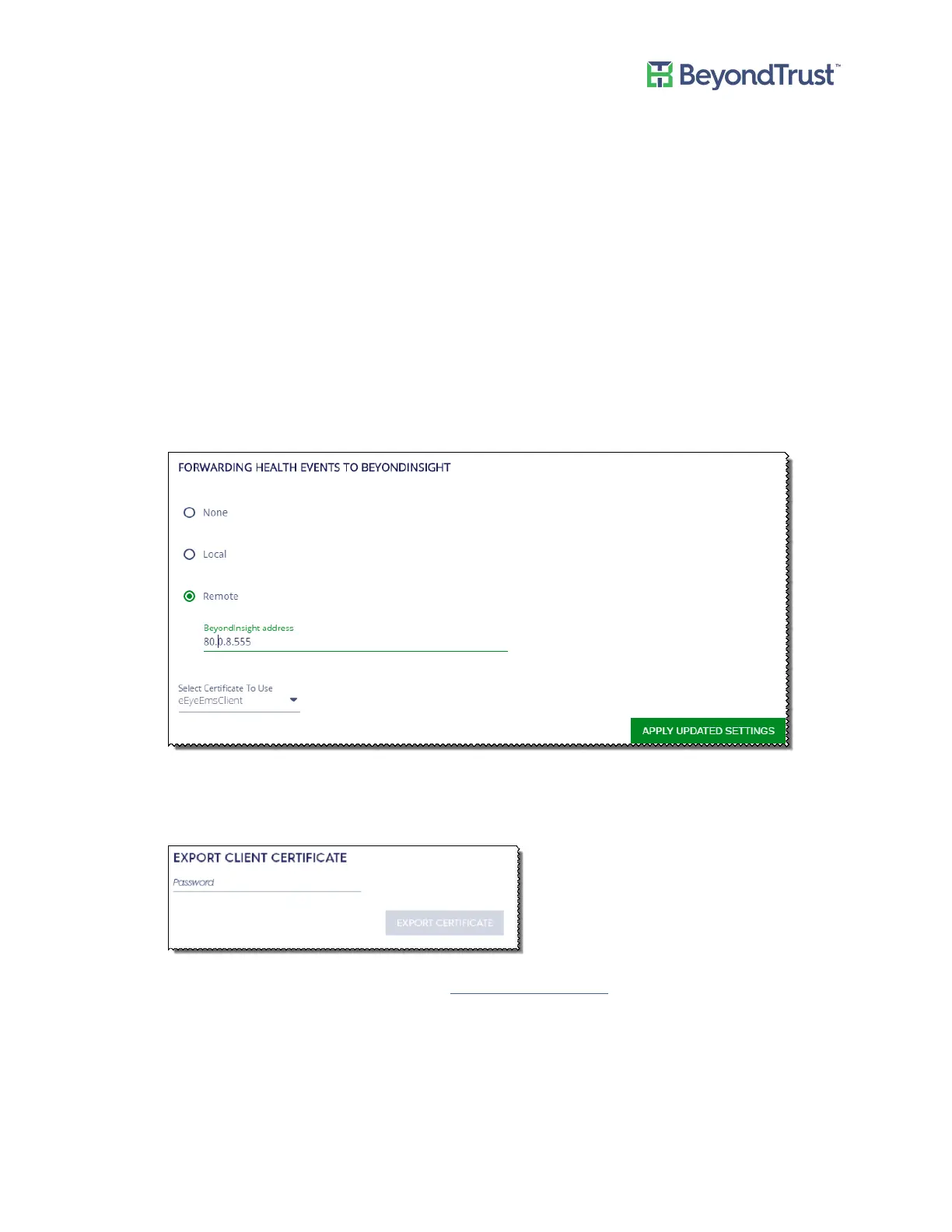
To configure event forwarding for the appliance alerts:
1. Select Diagnostics from the menu.
2. Select Configure Notifications from the menu.
3. Select one of the following:
– None - The default value. No events are forwarded by default.
– Local - Uses the local installation of BeyondInsight.
– Remote server - Enter the IP address or DNS name for the remote BeyondInsight server.
You must export a certificate from the remote BeyondInsight server and import the certificate to the local
UVM. Select a certificate from the list, and then click Apply Updated Settings.
a. If the remote server is another UVM appliance, log on to the appliance web site for that appliance.
b. Select Security Settings from the Maintenance menu.
c. Enter a password and click Export.
d. Import the certificate on the local UVM. See Uploading SSL Certificate.
e. On the Health tab, select the certificate from the list.
If the remote server is a software install of BeyondInsight, use the BeyondInsight Configuration Tool to
create and export the certificate.
4. Click Apply Updated Settings.
You must also create a connector from the BeyondInsight management console.
Appliance Health
UVM Appliance User Guide 30 © 2018. BeyondTrust Software, Inc.



 To Next Page