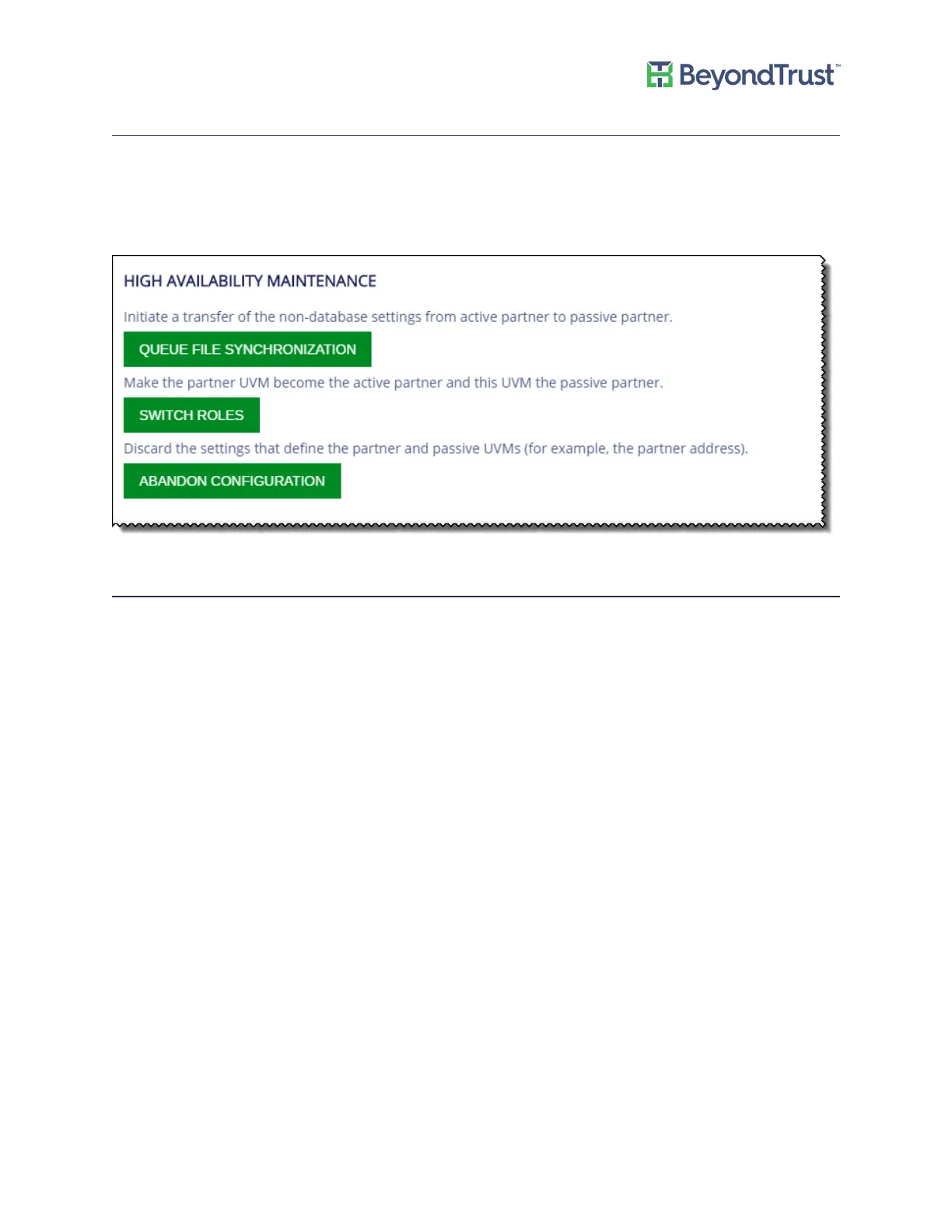
Discarding HA Configuration Settings
To reset the appliances to the Initial Setup state, you can remove all HA configuration settings established between
HA appliances. You might want to do this if you want to set up new HA pairs.
1. Select High Availability from the menu.
2. Click Abandon Configuration.
Recognizing a Failover
Review the following to help you determine if a failover has occurred.
• In appliance v. 1.5.4 and later, an email is sent to the address set in the configuration wizard.
If you are using an appliance version earlier than 1.5.4, you can contact BeyondTrust Technical Support to
activate the email feature.
• If you are not using a load balancer, you might notice that BeyondInsight is no longer responsive on the active
server.
• On the Diagnostics web site (for the primary), only two tabs are displayed. This indicates the server is in Passive
mode.
• Confirm the passive server is in Active mode.
Disaster Recovery
If you are using High Availability as a disaster recovery solution, review the following points as a guide to restoring
roles.
• Determine if the active server failed. Confirm the role of your live server (or the “primary” server).
• If a failure occurred on the primary, investigate and resolve issues on the primary.
• After a failover to the disaster recovery server (or the “secondary”), you can restore roles on the appliance
web site from the Active server.
Using High Availability
UVM Appliance User Guide 47 © 2018. BeyondTrust Software, Inc.



 To Next Page