Viewing Notifications
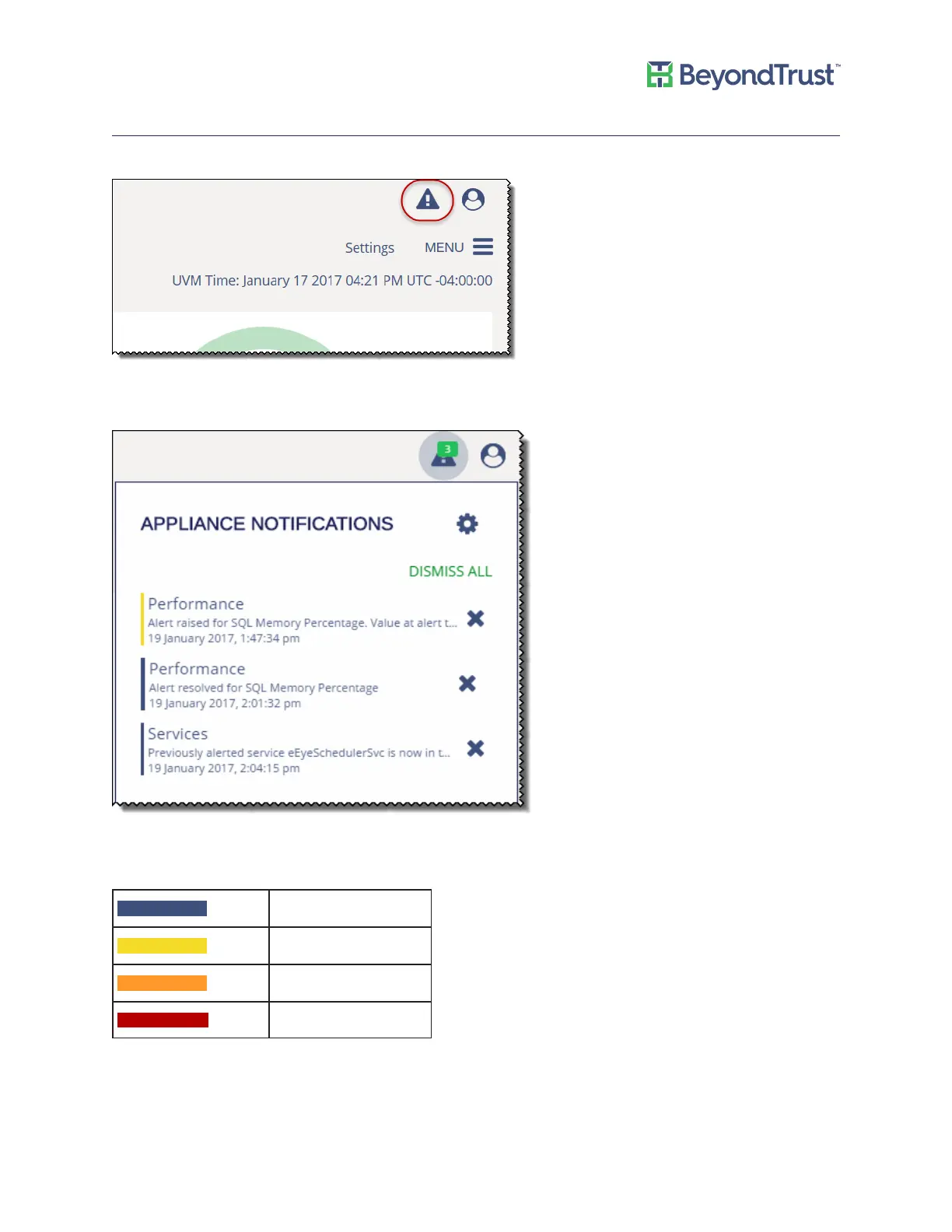
A notifications icon is displayed on the Diagnostics page.
After notifications are received, a number is displayed that indicates the number of notifications. Click the icon to
view more information about the notifications, as shown:
The bar next to the notification indicates severity. See the following table for descriptions.
Color Legend
Info
Low
Medium
High
Appliance Health
UVM Appliance User Guide 32 © 2018. BeyondTrust Software, Inc.



 To Next Page