120
RS-232 Control
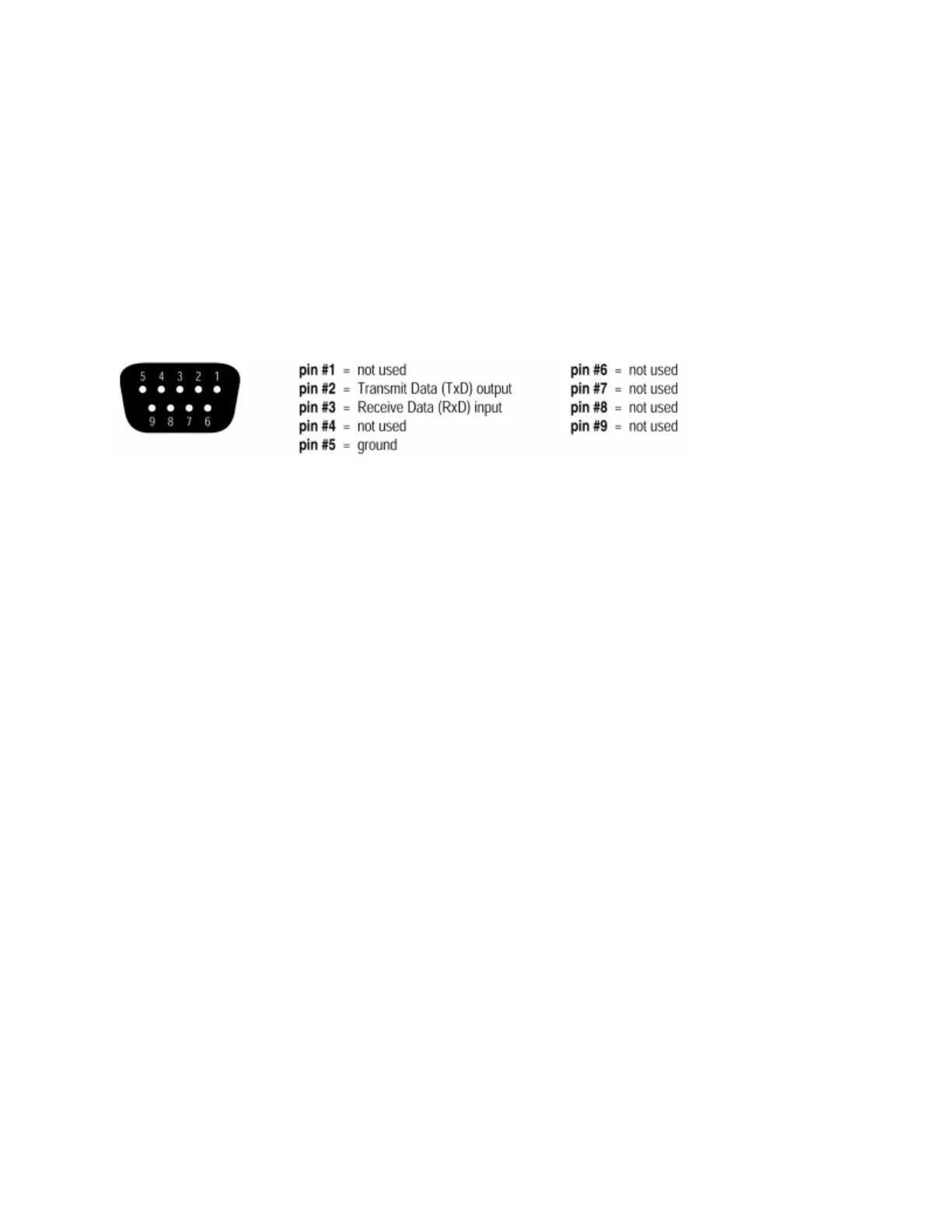
The RS-232 port on the back of an Audia unit is set to a default baud rate of 38400, 8 data bits, no parity, 1
stop bit, and no flow control. (38400:8:None:1). If multiple Audias are connected together in a system then
only one RS-232 port needs to be connected to a third-party control system; communication data is shared
via Ethernet through a switch.
When controlling multiple Audia units that are not part of the same DAP file, each Audia unit will need to be
addressed via its own RS-232 port from a control system or PC. Audia units cannot be linked together via
RS-232, like some other BIAMP products can.
(The RS-232 baud rate can be set to 9600, 19200, 38400, 57600, or 115200 – default is 38400)
A straight through PC Serial Cable is used to communicate from an RS-232 port on a third-party controller
(or PC*) to the RS-232 port located on the back of an Audia unit.
(* A PC can be used with a terminal emulator program, such as HyperTerminal etc, to send/receive ATP
Strings…Audia software must be connected via Ethernet in order to communicate.)
Telnet Control
Audia
®
can be controlled using Telnet via TCP/IP. The same command strings that are used via RS-232
are used for Telnet as well.
When controlling multiple Audia units that are not a part of the same DAP file, each Audia unit will need to
be addressed via its own Telnet session from a control system or PC.



 To Next Page