123
Device Number
An Audia
®
Device Number represents the physical Audia box’s defined address. The Audia software
automatically sets this number when a system is Compiled and loaded.
The Device number that a DSP block has been assigned to can be determined in two ways:
First Way
:
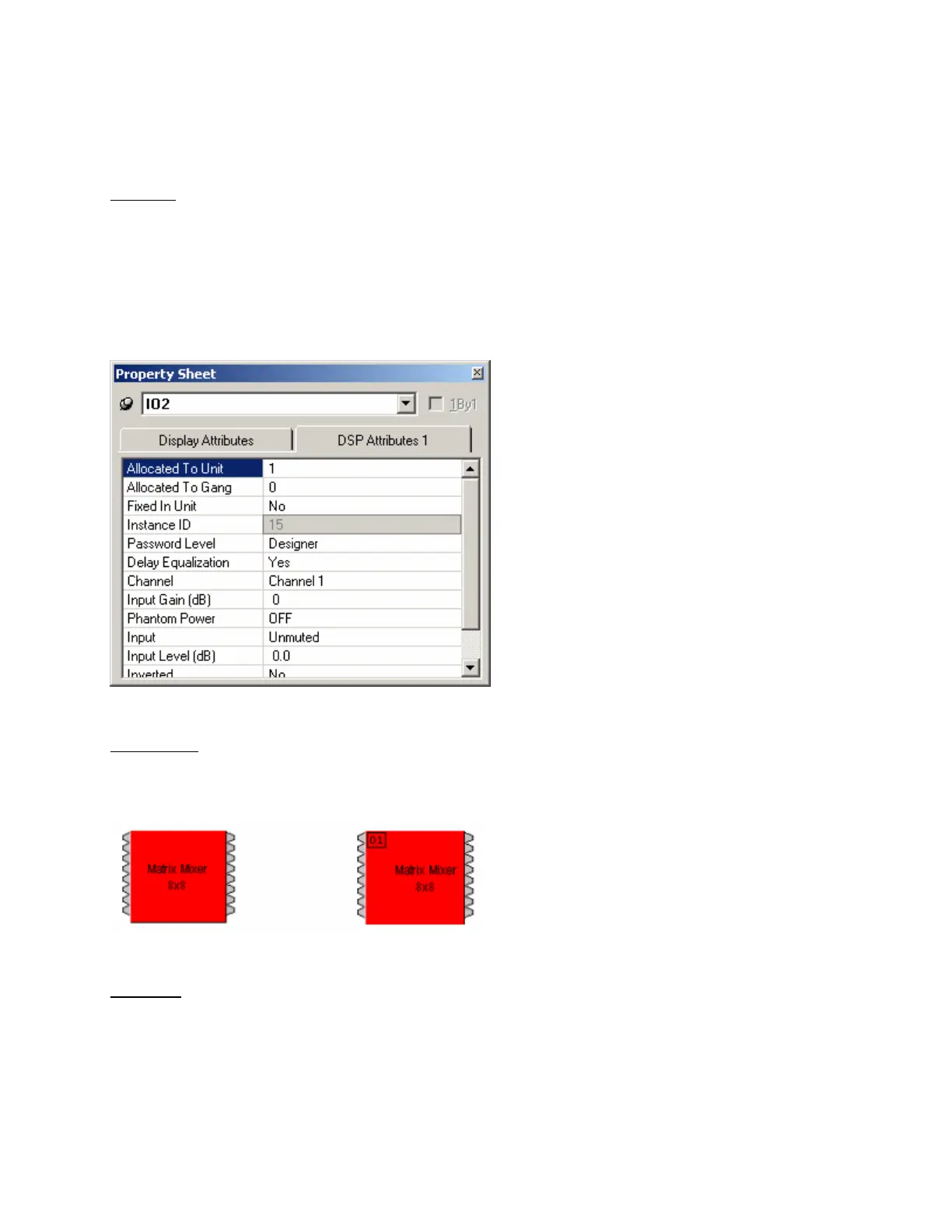
1) Right click on the DSP block and select ‘Properties’.
2) Click on DSP 1 attributes tab and scroll down. The device that the block is assigned to will be
displayed in the ‘Allocated To Unit’ field.
*Note: Each DSP block can be assigned to a device by changing ‘Fixed In to Unit" to ‘Yes’ (this is
defaulted to no).
Second Way
:
In the Display Options tab select "Display Device Assignment in DSP Block info field".
This will display the device that each DSP block is assigned to on the main screen.
Third Way
:
While connected an Audia’s RS-232 port, type the string; GET 0 DEVID
Audia will return the Device Number of the unit you are connected to.



 To Next Page