17
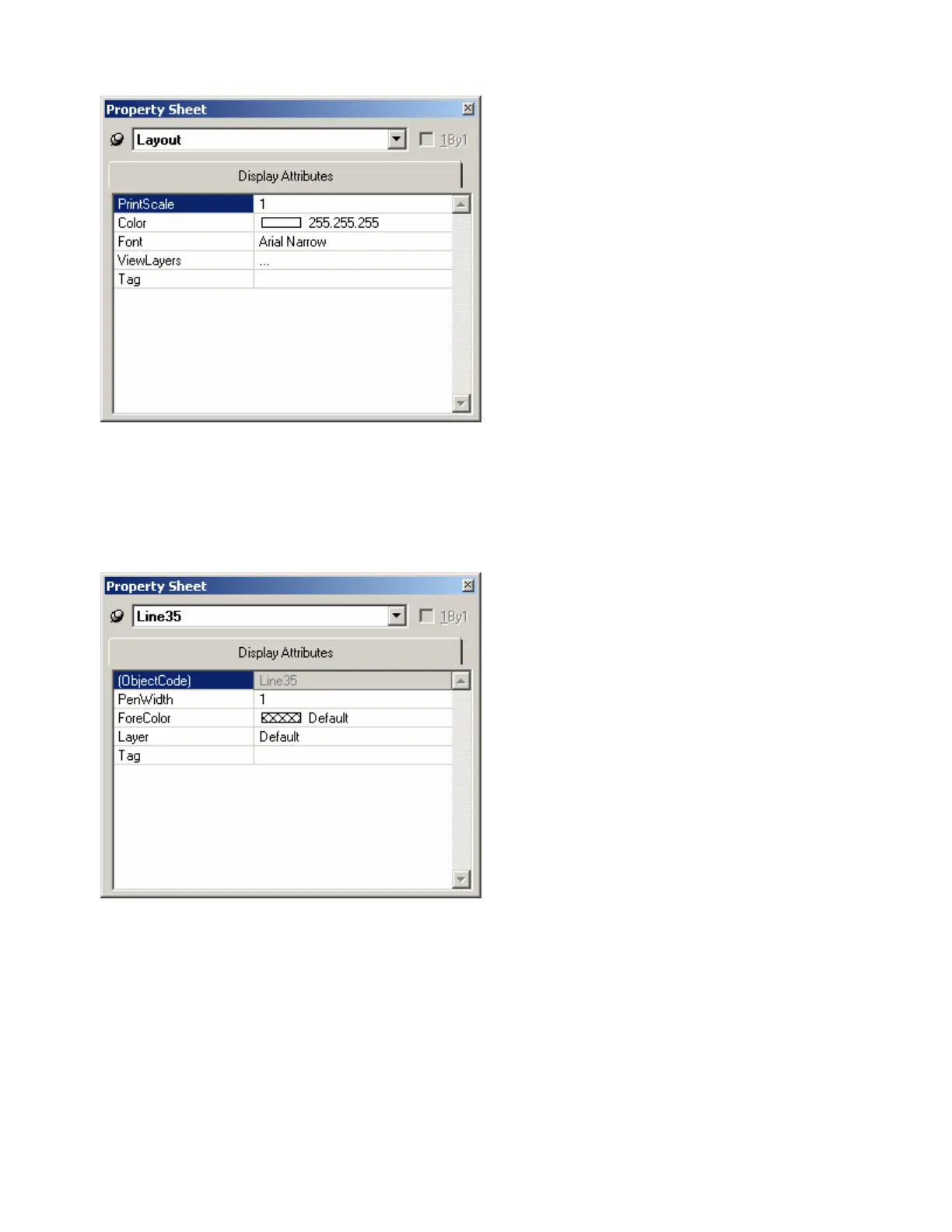
Layout Property Sheet
Provides an editable table of attributes
regarding the Layout. Only Display Attributes
are shown for the Layout. Most Display
Attributes duplicate functions found in the
Format Toolbar However, some exceptions are
as follows:
PrintScale is entered as decimal information,
where 0.5 = 50% or 2.0 = 200%. ViewLayers
opens the Layers Sheet. Tag is for user
comments or other identifying text.
The thumb-tack (upper-left) allows the
Property Sheet to remain open while selecting
other objects. 1By1 (upper-right) allows any
group of selected components (multi-selection)
to appear on the menu.
Line Property Sheet
Only Display Attributes are shown for Lines
(component connections). Most Display
Attributes duplicate functions found in the
Format Toolbar. However, some exceptions
are as follows:
Object Code is a non-editable identifier. Layer
determines which layer the Line is assigned to.
Tag is for user comments or other identifying
text.
The thumb-tack (upper-left) allows the
Property Sheet to remain open while selecting
other objects. 1By1 (upper-right) allows any
group of selected components (multi-selection)
to appear on the menu.



 To Next Page