25
Device Maintenance
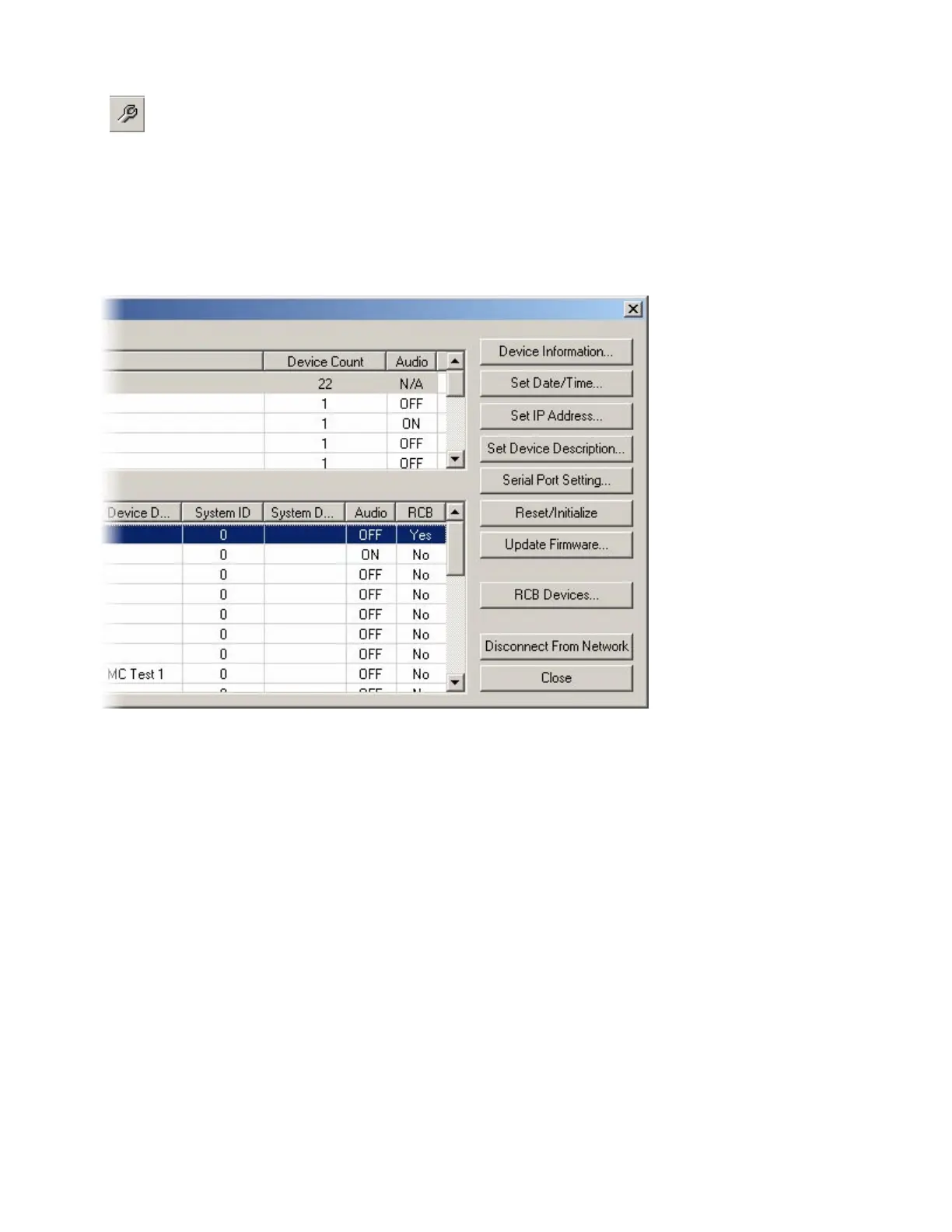
Provides an editable table of network related settings for selected Audia
®
devices. Opens Device Maintenance dialog box. Device Maintenance settings
include Date/Time, IP Address, Description, Serial Number, Reset/Initialize,
Update Firmware, and Disconnect From Network. (See System Network Considerations.)
Device Maintenance Dialog Box
Device Information provides information (such as firmware version, input/output configuration, etc.)
regarding the selected device. Set Date/Time allows update of the internal real-time clock. Set IP Address
assigns a device IP Address such as 192.168.1.X (where range of X = 1~254). The factory default IP
Address is 192.168.1.101. However, IP Addresses cannot be duplicated, even in simple (Audia
®
only)
networks, and must be carefully managed when network topology is more complex. Set Device
Description allows the selected device to be given a descriptive name. Serial Port Setting selects the
baud rate for RS-232 communications (default 38,400) and allows responses to ATP commands to be
suppressed. Reset/Initialize clears all current system design data from the selected device. This happens
automatically whenever a new system design file (.DAP) is uploaded (see Send Configuration). Update
Firmware uploads flash update files (.JAM) to the selected device.



 To Next Page