37
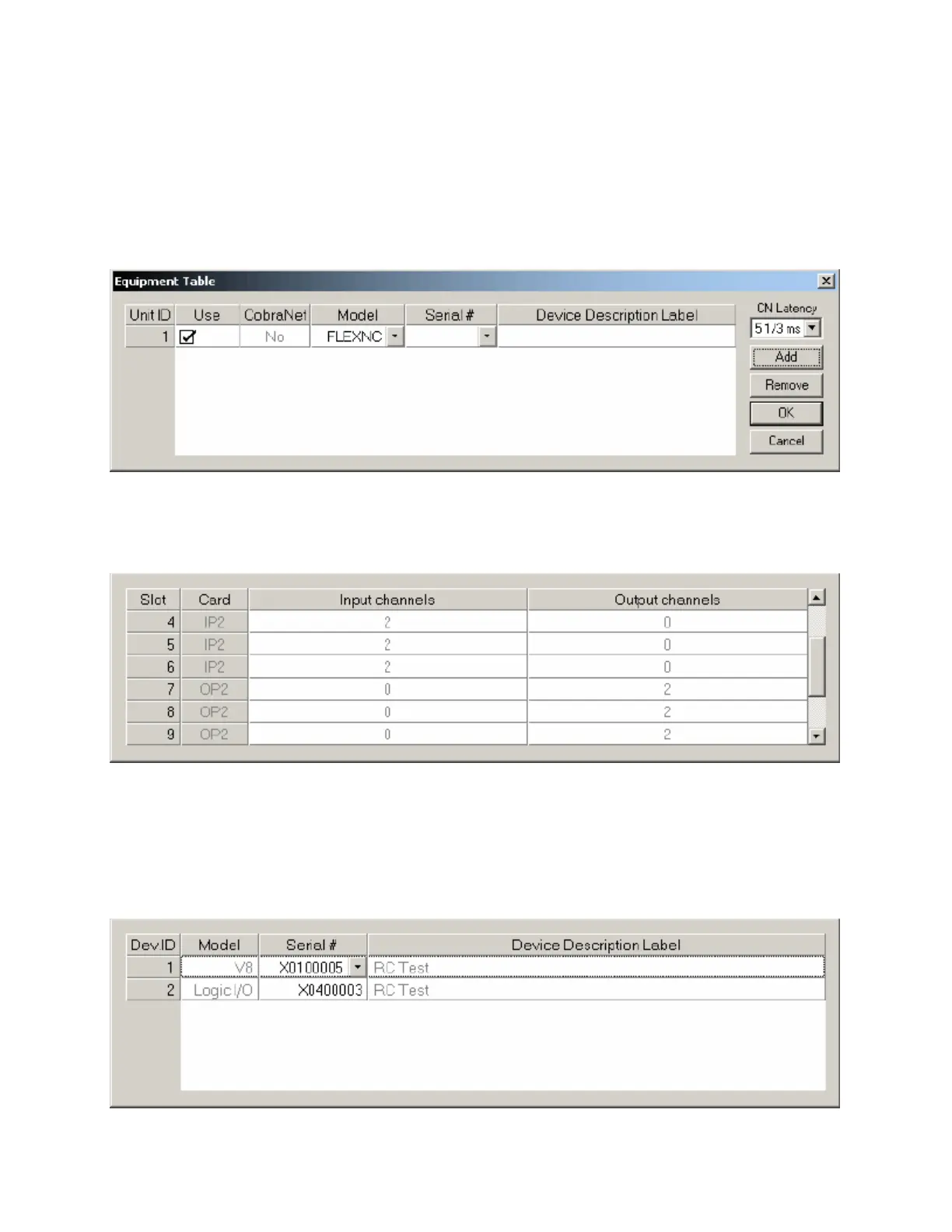
Equipment Table
Provides an editable table of Audia
®
devices in the system design. Add and Remove can be used to
manually change the hardware design. However, Compile will add devices if needed (but will not
automatically remove unnecessary devices). The Equipment Table may be used to aid system design, by
initially specifying desired hardware configurations. Serial # and Device Description Label appear only
when connected to a system, at which time the Equipment Table becomes 'read-only' information. CN
Latency allows the selection of reduced delay times, which are supported on newer CobraNet™ firmware
versions. The default CobraNet Latency for new DAP files is 5.33mS (see Compile Options). Alternate
choices of 2.67mS and 1.33mS are available (see System Network Considerations). CN Latency affects
the creation of new DAP files, as well as the modification and recompilation of existing files/systems.
An I/O tab at the lower-left of the Equipment Table dialog box provides a list of input/output cards installed
in the chassis listed above. For AudiaFLEX this will be a series of 2-channel input (IP2) and 2-channel
output (OP2) cards (any combination up to a total of 24). For standard Audia and AudiaSOLO this will be
a single card expressing the complete I/O configuration (8x8, 12x4, or 4x12).
An RCB tab at the lower-left of the Equipment Table dialog box provides an editable table of devices
connected to the Remote Control Bus of the Audia devices in the system design. This table is used to
establish proper association between external physical controls and their corresponding component
counterparts in the layout. Each DevID (control component) should be matched to an appropriate Serial #
(physical control). The DevID number can be found in the right corner of control component objects in the
layout, when 'Display Device Assignment in DSP Block Info Field' is selected from Display Options. Serial
# and Device Description information can be found for the physical controls using Device Maintenance.



 To Next Page