39
Options
Allows global options to be selected, which affect software behavior. An Options dialog box appears, with
three tabs: General; Display; Compile; and Network.
see General Options
see Display Options
see Compile Options
see Network Options
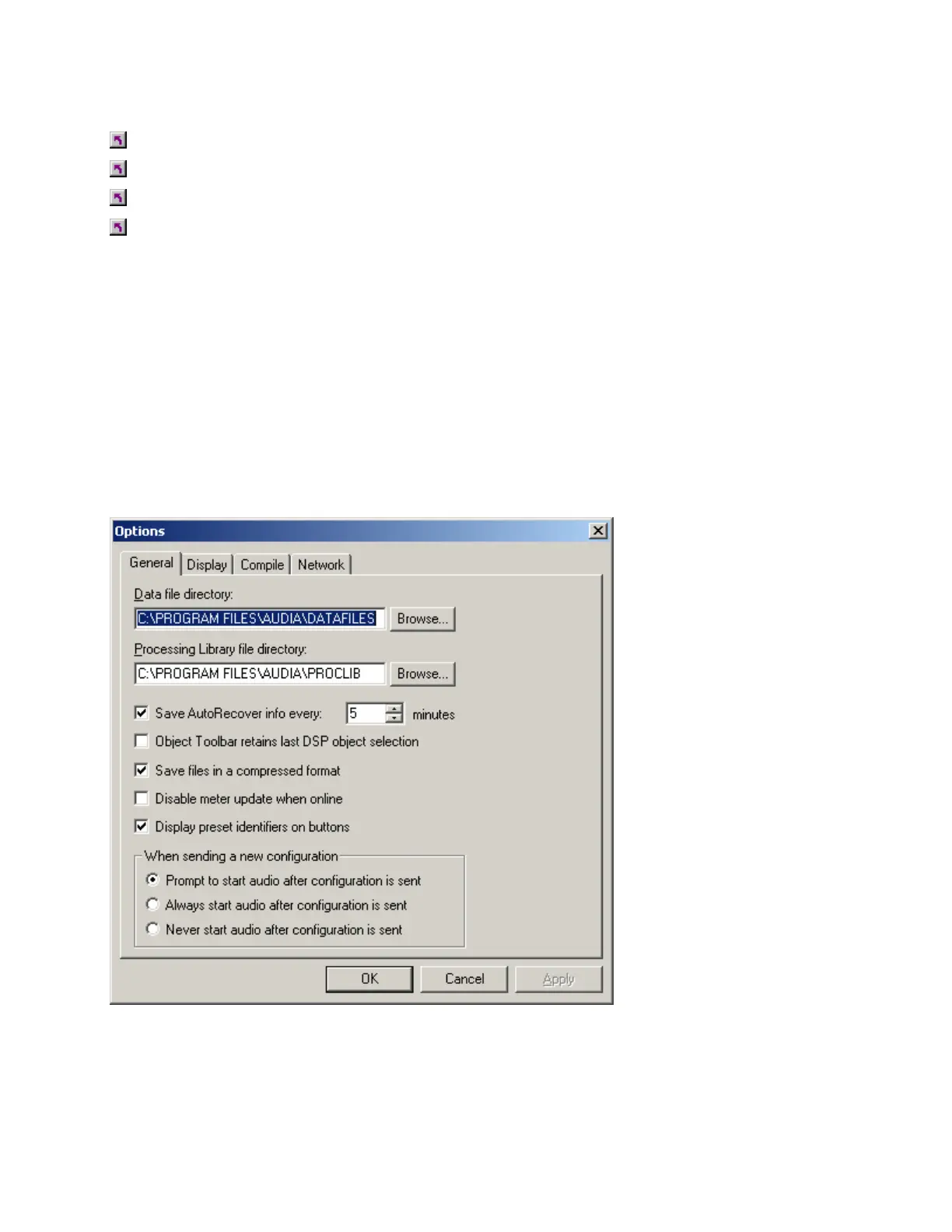
General Options
Allows Data Files (system designs) and Processing Libraries (Component Objects) to be saved to specified
directory locations. Allows Save AutoRecover time to be adjusted or disabled. Allows most recent
Component Object selection to be retained, for repeated placement into Layout. Allows Compressed File
Format to be disabled. Allows Meter activity to be disabled (locked), to reduce network data traffic. Allows
Preset Buttons to display identifier numbers, or simply the word 'Recall'. Allows Start Audio to be prompted,
automatic, or manual when sending new configuration.



 To Next Page