47
Control Dialogs
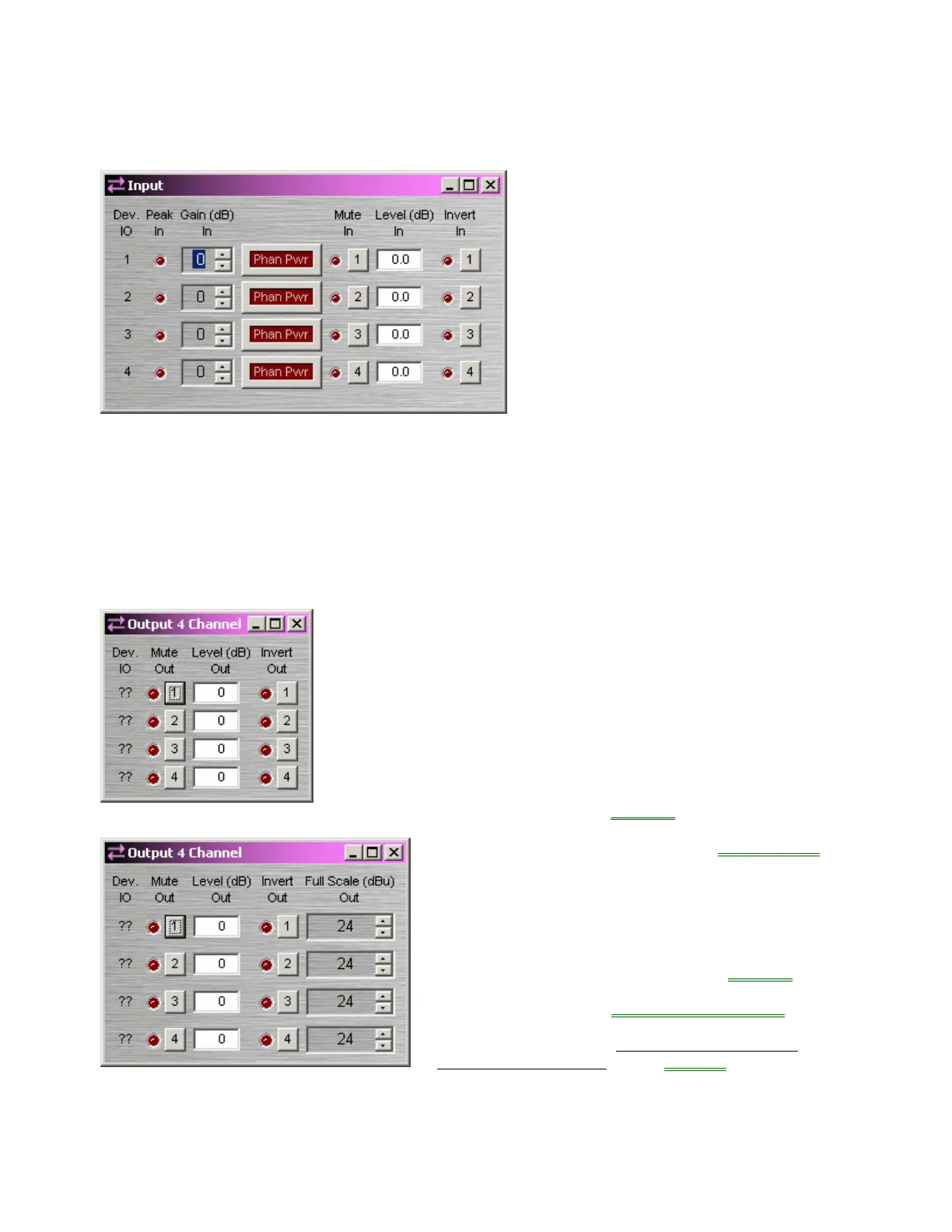
Input
Device IO indicates which hardware input
is associated with that software channel.
Gain In compensates for different input
levels (mic or line), and should be set so
Peak In flashes only occasionally (6dB
headroom). Phan Pwr assigns +48 Volt
phantom power to the input for condenser
microphones. Mute In turns the input
signal on/off. Level In adjusts the relative
input volume. Invert In reverses the
polarity of the input signal.
Right-clicking over certain settings will
provide a menu of additional options.
If standard Audia or AudiaSOLO
hardware is being used, then stereo input
summing is available on 12x4
configurations (see Fixed 12-Channel
Input)
Output
Device IO indicates which hardware output is associated with that
software channel. Mute Out turns the output signal on/off. Level Out
adjusts the relative output volume. Invert Out reverses the polarity of
the output signal.
Right-clicking over certain settings will provide a menu of additional
options.
When using AudiaFLEX hardware
, an Enable Output
Attenuation check-box may be selected when placing
an Output block into the Layout from the Object Toolbar
.
With newer OP2e output cards, this allows the Full
Scale Out reference level to be changed on individual
outputs, from +24dBu to OdBu in 6dB steps, or -31dBu
(mic level). NOTE: Earlier OP2 output cards support
only line or mic level output. Therefore, settings other
than -31dBu (mic level) will result in a +24dBu (line level)
output. If standard Audia or AudiaSOLO hardware is
being used, then mic level output is selectable only on
4x12 configurations (see Fixed 12-Channel Output
).
When using regular Output blocks with standard Audia
or AudiaSOLO hardware, Enable Output Attenuation
must remain un-checked, for the Compiler to consider
such hardware.



 To Next Page