67
Low Shelf Filter
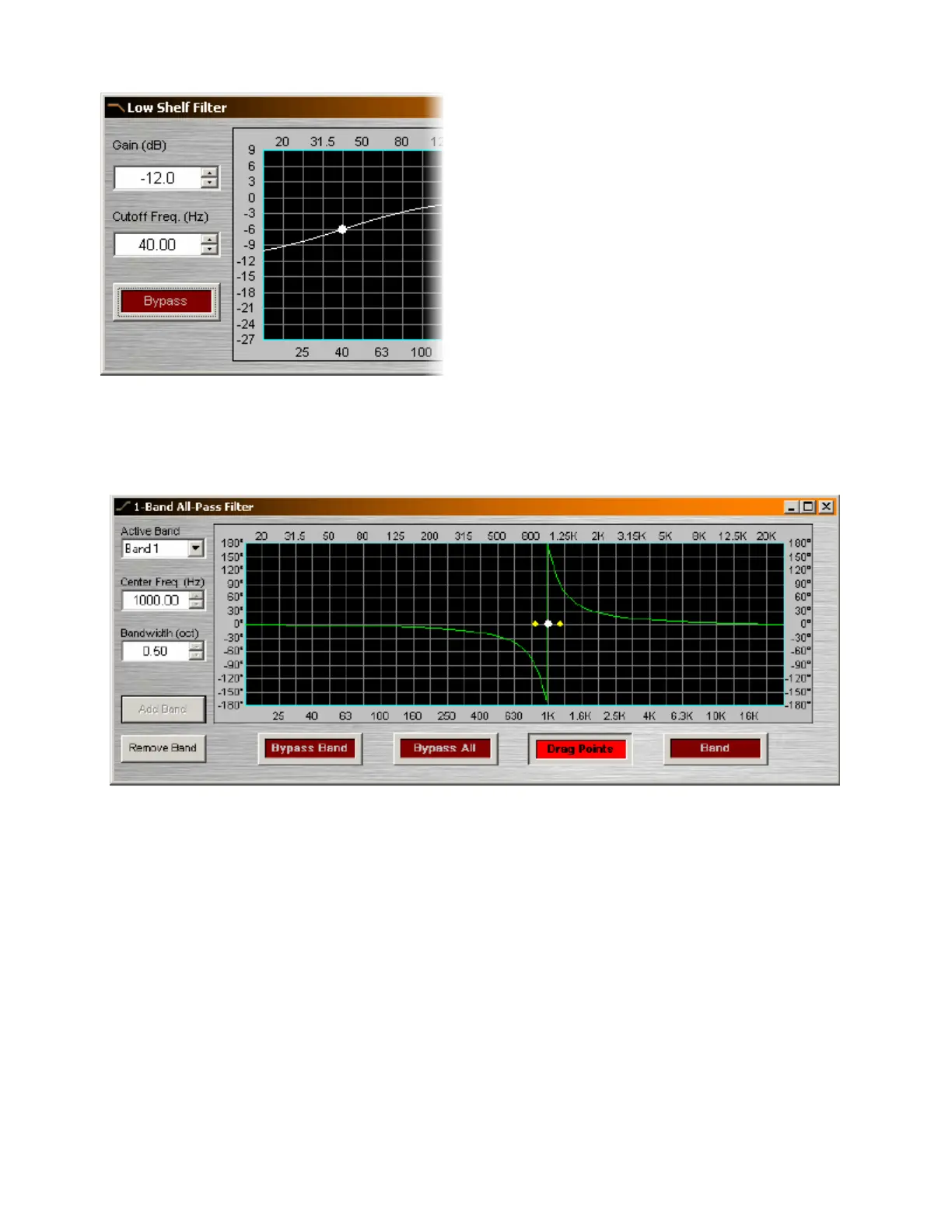
Gain selects the amount of maximum cut or boost
applied by the filter. Cutoff Freq. selects the
cutoff frequency for the filter. These settings may
also be adjusted by dragging the cursor shown
inside the graph. Bypass disables the filter
without changing settings.
Right-clicking over certain settings will provide a
menu of additional options.
All-Pass Filter
All-Pass Filters are so named because they do not affect frequency response. Instead, they affect signal
phase only and, therefore, can be used to compensate for the phase anomalies caused by normal
equalization filters. All-Pass Filters are available with up to sixteen bands.
Active Band selects the current band to be adjusted. Center Freq. adjusts the center frequency for the
current band. Bandwidth adjusts the range of frequencies, above & below the center frequency, which are
also affected by the current band. These settings may also be adjusted by dragging the band controls
shown inside the graph. Dragging the white dot affects Center Freq. Dragging either yellow dot affects
Bandwidth. Add Band & Remove Band work within the designated number of bands for the filter. Bypass
Band & Bypass All disable the band(s) without changing settings. Drag Points turns on/off the band
controls, revealing the resultant curve only. Band highlights the phase response of the current band inside
the graph.
See Transfer Function as an effective diagnostic tool to be used in conjunction with All-Pass Filters.
Right-clicking over certain settings will provide a menu of additional options.



 To Next Page