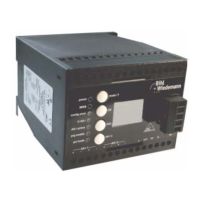
AS-i/PROFIBUS Gateway Operating the AS-i/PROFIBUS Gateway
Subject to reasonable modifications due to technical advances Copyright Bihl+Wiedemann, Printed in Germany
Bihl+Wiedemann GmbH · D-68199 Mannheim · Phone +49-621-339960 · Fax +49-621-3392239 · Internet http://www.bihl-wiedemann.de
issue date 7.1.2002
31
taneously the actual AS-i configuration is stored as nominal configuration in the
EEPROM.
In the protected operating mode, only AS-i slaves that are projected and whose
actual configurations match the nominal configurations will be activated.
5.4.2 Configuration Errors in Protected Operating Mode
As long as there is no configuration error, the numeric display is turned off while in
protected operating mode. Otherwise, the address with a faulty assignment is dis-
played. A faulty assignment occurs when a slave has been recognized or projec-
ted but cannot be activated.
If there are more than one faulty assignments the one that was first detected is dis-
played. Pressing the “set” button shortly displays the next higher faulty address.
Shortly appearing configuration errors are stored in the device (advanced AS-i dia-
gnosis). The last error that occurred can be displayed by pressing the set button.
If a short AS-i power failure is responsible for the configuration error the display
shows a “39”.
5.5 Assigning an AS-i Address in Configuration Mode
AS-i can be put into operation in a very comfortable manner by using the Windows
software AS-i Control Tools ASI-CT210 (see chapter 9.1)(addressing directly or
with the AS-i address assistant).
Furthermore you can use a hand held addressing device.
If you don’t have neither a PC nor a hand held addressing device, address assi-
gning of the AS-i slaves is also possible with the AS-i/PROFIBUS gateway using
the push buttons. How it works is described as follows.
5.5.1 Assigning a Slave Address
(assigning an available address to a slave with address zero)
In configuration mode, the addresses of all detected slaves are displayed one after
the other. To display the next higher available operating address, press the “set”
button shortly. Each time you press the “set” button, the next available address is
displayed.
Choose the displayed address as your target address by pressing the “set” button
for more than five seconds. The address display blinks. The master is ready for
programming; pressing the “set” button again addresses the connected slave with
address zero to the target (blinking address).
If the system detects an AS-i slave with address zero on the AS-i, it
can not leave the configuration mode.



 To Next Page