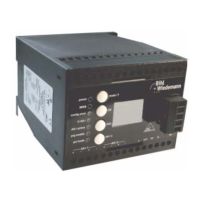
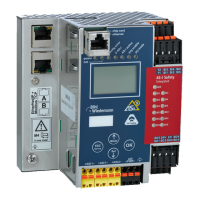
AS-i/PROFIBUS Gateway Operating by Full-graphic Display
Subject to reasonable modifications due to technical advances Copyright Bihl+Wiedemann, Printed in Germany
Bihl+Wiedemann GmbH · D-68199 Mannheim · Phone +49-621-339960 · Fax +49-621-3392239 · Internet http://www.bihl-wiedemann.de
issue date 7.1.2002
35
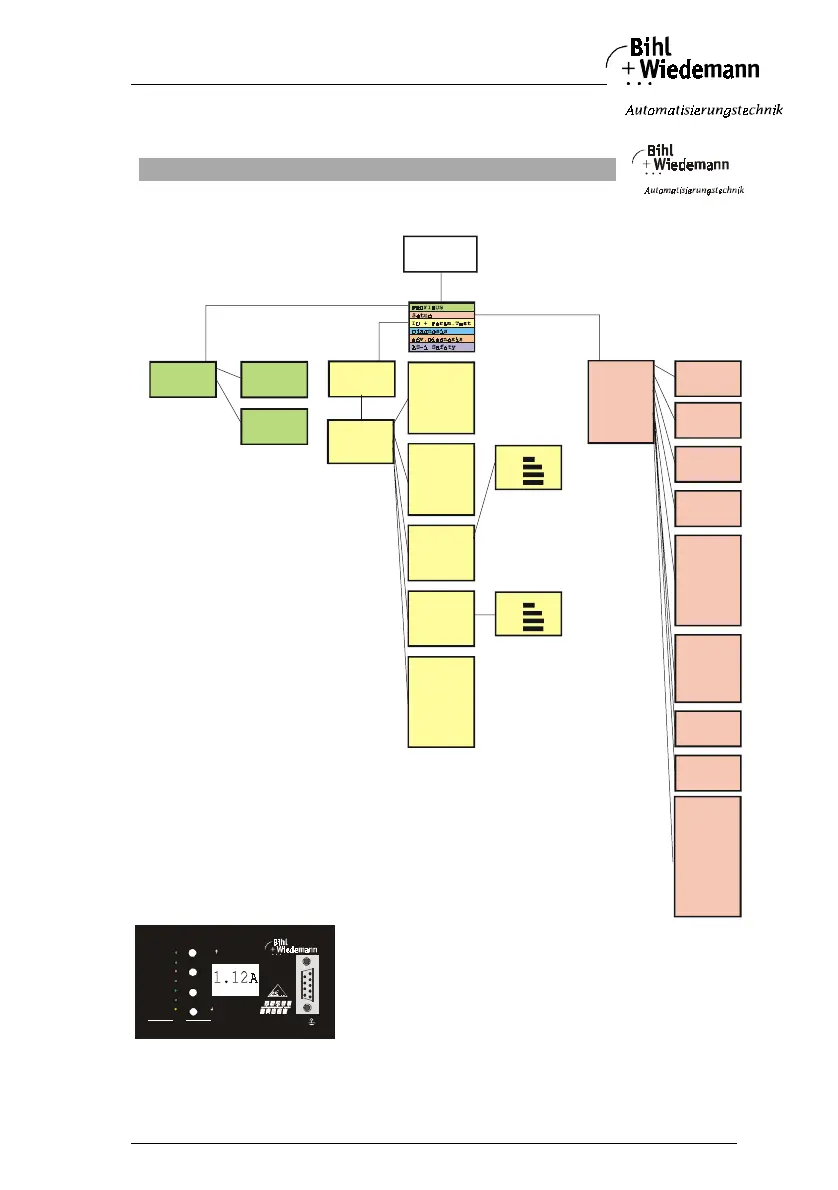
6 Operating by Full-graphic Display
1.12A
Traditioneller Modus
Traditional Mode
rün markierte Werte sind editierbar
green marked data can be edited
Inbetriebnahme/Commissioning
Erweiterter Dis
la
Modus
Advanced Display Mode
Binary Inputs
Binary Outputs
Analog Inputs
Analog outputs
Parameter
Te st
Binary Outputs
1A - 0 1 0 1
2A - 0 1 0 1
..
31A - 1 1 1 1
1B - 0 1 1 0
...
31B - 0 1 0 1
Binary Inputs
1A - 0 1 0 1
2A - 0 1 0 1
...
31A - 1 1 1 1
1B - 0 1 1 0
...
31B - 0 1 0 1
Parameter
| 1A- 0
2A-2 | 3A-F
4A-E | 5A-3
....
30A-8 | 31A-9
| 1B- 0
2B-E | 3B-0
4B-E | 5B-0
...
30B-8 | 31B-9
Analog Inputs
1
2
3
..
31
Analog Outputs
1
2
3
..
31
Analog In 1
0 123F
1 6FFC
2 7FFF
3 7FFF
....
Analog Out 1
0 123F
1 6FFC
2 7FFF
3 7FFF
....
Warning:
Outputs may be
set and Host m ay
loose control.
PROFIBUS Addre ss
old Address 09 9
new Address 003
PROFIBUS Statu s
DPV0: Conn.
DPV1: Conn.
PROFIBUS Addre ss
PROFIBUS Statu s
PROFIBUS
AS-i Address
old Address 21A
new Address 03B
Operation mode
Config Mode
Change
AS-i Circuit
old Circuit 1
new Circuit 2
permanent para m.
| 1A-0
2A-2 | 3A-F
4A-E | 5A-3
....
30A-8 | 31A-9
| 1B-0
2B-E | 3B-0
4B-E | 5B-0
...
30B-8 | 31B-9
permanent conf ig
IO ID xID1 xID 2
1A - 7 F 3 4
...
31A - 7 F 3 4
1B - 7 F 3 4
...
31B - 7 F 3 4
Store Actual
Configuration
store
Address
Assistant on
next Address t o
program 1A
Force Offline:
No
Change
AS-i Circuit
AS-i Slave Add r
Force Offline
Operation Mode
Store Act Cfg
Permanent Para m
Permanent Cfg
Addr. Assistant
LOS
Setup
+
-
+
-
AS-i
+
-
config e rror
U AS-i
po w er
PROFI BUS
AS-i active
pr g e na bl e
prj mode
OK
mode /
ESC
set /
3Ø
3Ø
3Ø
3Ø
3Ø
3Ø
3Ø
8Ø
8Ø
8Ø
8Ø
LOS List of
Offline Slaves
set all
clear all
| 1A-x
2A- | 3A-
4A-x | 5A-x
....
30A-x | 31A-
| 1B-x
2B-x | 3B-x
4B-x | 5B-x
...
30B-x | 31B-x
Grundsätzliche Bedienung
Basic Operation
Das Gerät startet im traditionellen Modus. Mit ESC oder OK kann zwischen beiden Modi gewechselt werden.
Im Erweiterten Modus wird ein Cursor mit den beiden Pfeil-Tasten bewegt. OK bringt ins nächsthöhere Menü
(in der Zeichnung weiter nach rechts). ESC bringt zurück ins vorherige Menü.
Wenn Werte editiert werden, werden sie zunächst mit dem Cursor markiert, dann mit OK ausgewählt,
mit den Pfeiltasten verändert und schließlich mit OK übernommen. ESC bricht das Editieren ab.
The device starts in the tra ditional mode. You can switch between the two modes with ESC or OK.
In the advanced mode the cursor is moved by both arrow buttons. Pushing OK puts you to the superior
menue (in the drawing one step to the right side). ESC puts you back to the previous menue.
To edit data you first mark them with the cursor and then select them with OK, change them with the arrow
buttons



 To Next Page