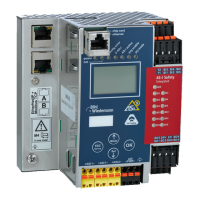
AS-i/PROFIBUS Gateway Operating the AS-i/PROFIBUS Gateway
Subject to reasonable modifications due to technical advances Copyright Bihl+Wiedemann, Printed in Germany
Bihl+Wiedemann GmbH · D-68199 Mannheim · Phone +49-621-339960 · Fax +49-621-3392239 · Internet http://www.bihl-wiedemann.de
issue date 7.1.2002
33
of the missing slave. The "Automatic Address Assignment" can be activated and
deactivated via the software "AS-i Control Tools".
5.6.2 Manual Address Assignment
In protected operating mode, wrong assignments are displayed as errors (see
chapter 5.4). By pressing the “set” button, you can display all faulty assignments
one after the other. By pressing the “set” button for more than five seconds, you
can select the currently displayed address as a potential target address, and the
display starts to blink.
If the faulty slave was previously replaced by a slave with address zero, the new
slave can now be programmed for the blinking address by pressing the “set” key
again. As a requirement, the new slave’s configuration data must match the con-
figuration data for the blinking address.
After the address has been successfully set, the next faulty assignment is display-
ed and the address assignment can begin from the start. Otherwise, the system
displays an error code (chapter 10). When all faulty assignments are eliminated
the display is empty.
5.7 Setting of the PROFIBUS Station Address
For example the PROFIBUS DP Master Simulator DP V1 (art. no 1257) can be
used to change the AS-i/PROFIBUS gateway's station address via PROFIBUS.
5.7.1 PROFIBUS Station Address
Station addresses from 1 to 99 can be set, when delivered station address 3 is set.
For the relocation, both the “set” button and the “mode” button have to be pushed
simultaneously for at least 5 seconds until the current bus address is shown on the
LCD display. With every pushing of the “set” button, the station address can now
be increased by 1.
If the two slaves have different configuration data, i.e. are not of the
same type as far as AS-i is concerned, the automatic address
assignment will not be carried out.
If several slaves fail, they cannot be replaced automatically by the
AS-i master. Then these addresses have to be set manually. If this
should not be done via the host interface (using the AS-i Control
Tools) or with a hand held addressing device, the slave addresses
can also be changed with the help of the push buttons and the figure
display of the device.
The addressing of the AS-i/PROFIBUS gateway as a PROFIBUS
slave can be done locally at the gateway or via PROFIBUS accord-
ing to the PROFIBUS standard.



 To Next Page