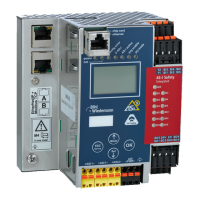
AS-i/PROFIBUS Gateway Operating by Full-graphic Display
Subject to reasonable modifications due to technical advances Copyright Bihl+Wiedemann, Printed in Germany
Bihl+Wiedemann GmbH · D-68199 Mannheim · Phone +49-621-339960 · Fax +49-621-3392239 · Internet http://www.bihl-wiedemann.de
issue date 7.1.2002
39
The number behind "Old Circuit" shows the active AS
-
i circuit. By selecting "New
Circuit" you can choose the other AS
-
i circuit to be active.
6.2.2 AS
-
i Slave Addr (AS
-
i Slave Address)
This function sets and changes the addresses of the AS
-
i slaves. This function re-
places the handheld AS
-
i address programming device.
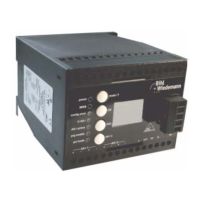
"Old Address" shows the address of the first detected AS
-
i slave on the AS
-
i cir-
cuit. Please note that you have selected the desired AS
-
i circuit when you operate
a device with two AS-i circuits (see chapter 6.2.1).
If "Old Address" is selected you can choose the next detected AS
-
i slave with the
OK-button. The new address for the AS
-
i slave has to be set with "New Address".
If an error occurs while addressing a slave, one of the following error messages is
displayed for about 2 seconds:
Failed: SND: slave with old address not detected.
Failed: SD0: slave with address zero detected.
Failed: SD2: slave with new address detected.
Failed: DE: error with deletion of old address.
Failed: SE: error with settinng of new address.
Failed: AT: new address could only be stored temporarily.
Failed: RE: error with reading the extended ID-code 1.
6.2.3 Force Offline (switch AS
-
i Master offline)
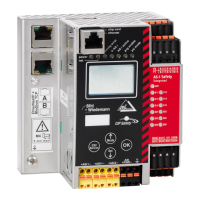
This function shows the actual state of the AS
-
i Master:
Yes: AS
-
i Master is offline.
No: AS
-
i Master is online.
With "Change" you can modify this state.
Switching the AS
-
i Master offline puts the AS
-
i circuit into the safe state. The AS
-
i
Master has to be in the offline-phase if an AS
-
i slave shall be addressed via the
IR-interface.



 To Next Page